


WordPress health signals, the site audit and the WordPress sites page
Some failures can only be seen from inside WordPress: a PHP fatal error, search engines switched off after a migration, a new administrator nobody added, modified core files, emails that stop sending. The Monity plugin watches for them, runs about 30 checks of the site’s set-up, and reports everything to your Monity account, where the WordPress sites page lists every connected site.
WordPress signals
The plugin reports these as they happen. The critical ones email your Monity account’s admins, at most once a day per site and kind.
- PHP fatal errors, with the plugin or theme that caused them.
- Search engines blocked: “Discourage search engines from indexing this site” switched on, often left on after moving from a staging site.
- A new administrator account (reported as “a new administrator account”, never who).
- Modified core files: WordPress files that differ from the official release, checked daily against WordPress.org.
- Failing emails: contact forms, orders and password resets that WordPress couldn’t send.
- WP-Cron stopped: overdue scheduled events, or the hourly heartbeat to Monity missing.
The site audit
In wp-admin, Monity › Site health shows about 30 checks in groups (Security, Performance, SEO and visibility, Reliability, Updates, WooCommerce), each failing one with a plain fix.
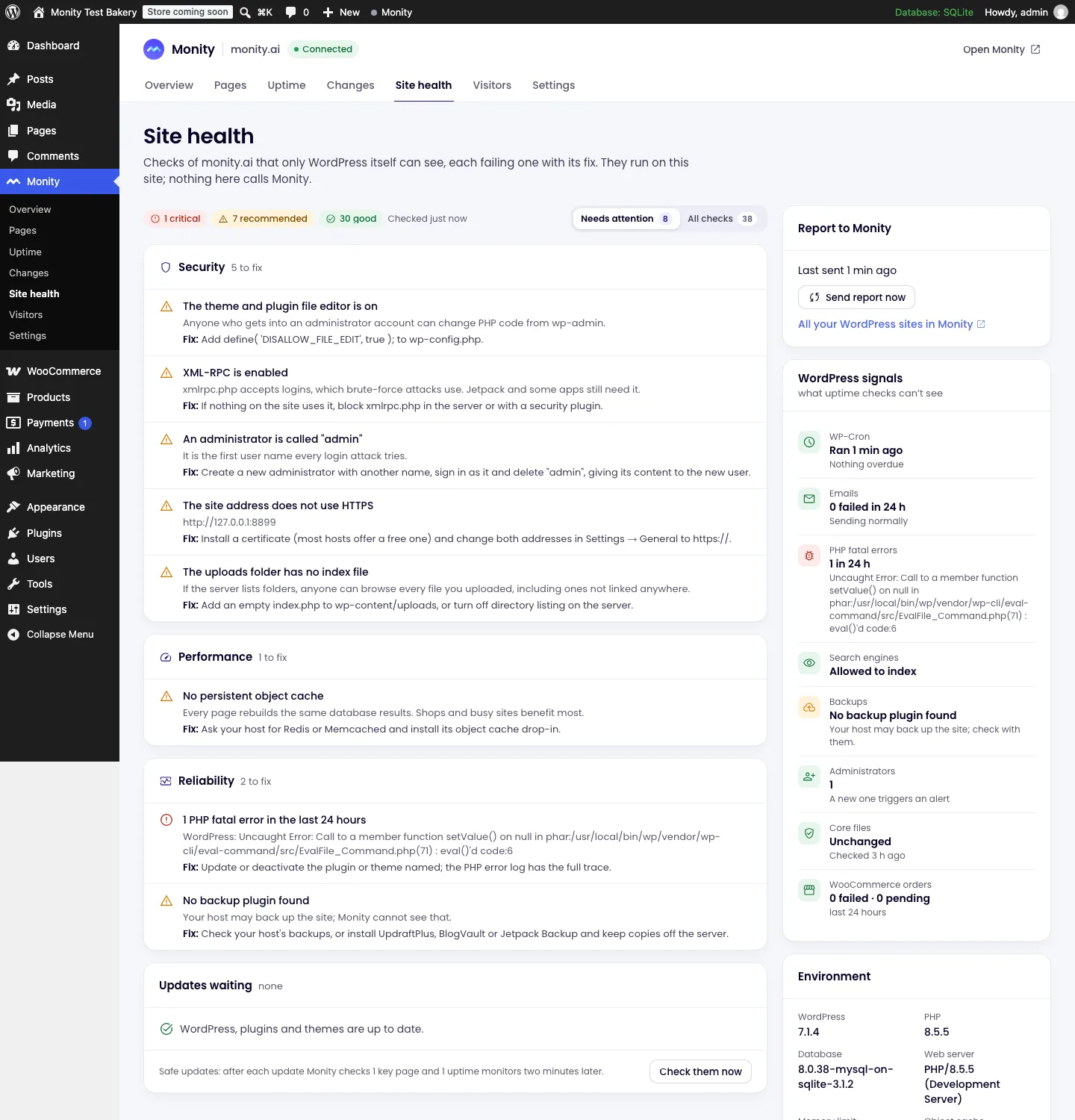
- Security: errors shown to visitors, the theme and plugin file editor, XML-RPC, a user called “admin”, the site address not using HTTPS, listable uploads.
- Performance: autoloaded options size, object cache, PHP version and its support dates, the number of active plugins, WP-Cron backlog, revisions and transients.
- Updates and backups: pending updates, plugins abandoned on WordPress.org, and the backup plugin (UpdraftPlus, BackWPup, Duplicator, All-in-One WP Migration and others) with its last backup.
- WooCommerce: failed and pending orders in the last 24 hours (counts only), outdated template overrides and order storage.
The WordPress sites page
In Monity, Integrations › WordPress › WordPress sites lists every connected site: uptime and the last 30 days, page tasks, WordPress and PHP versions, pending plugin and theme updates, the Site Health result and when the site last reported. Filter to the sites that need attention, open one for its plugins, themes, audit, timeline and updates.
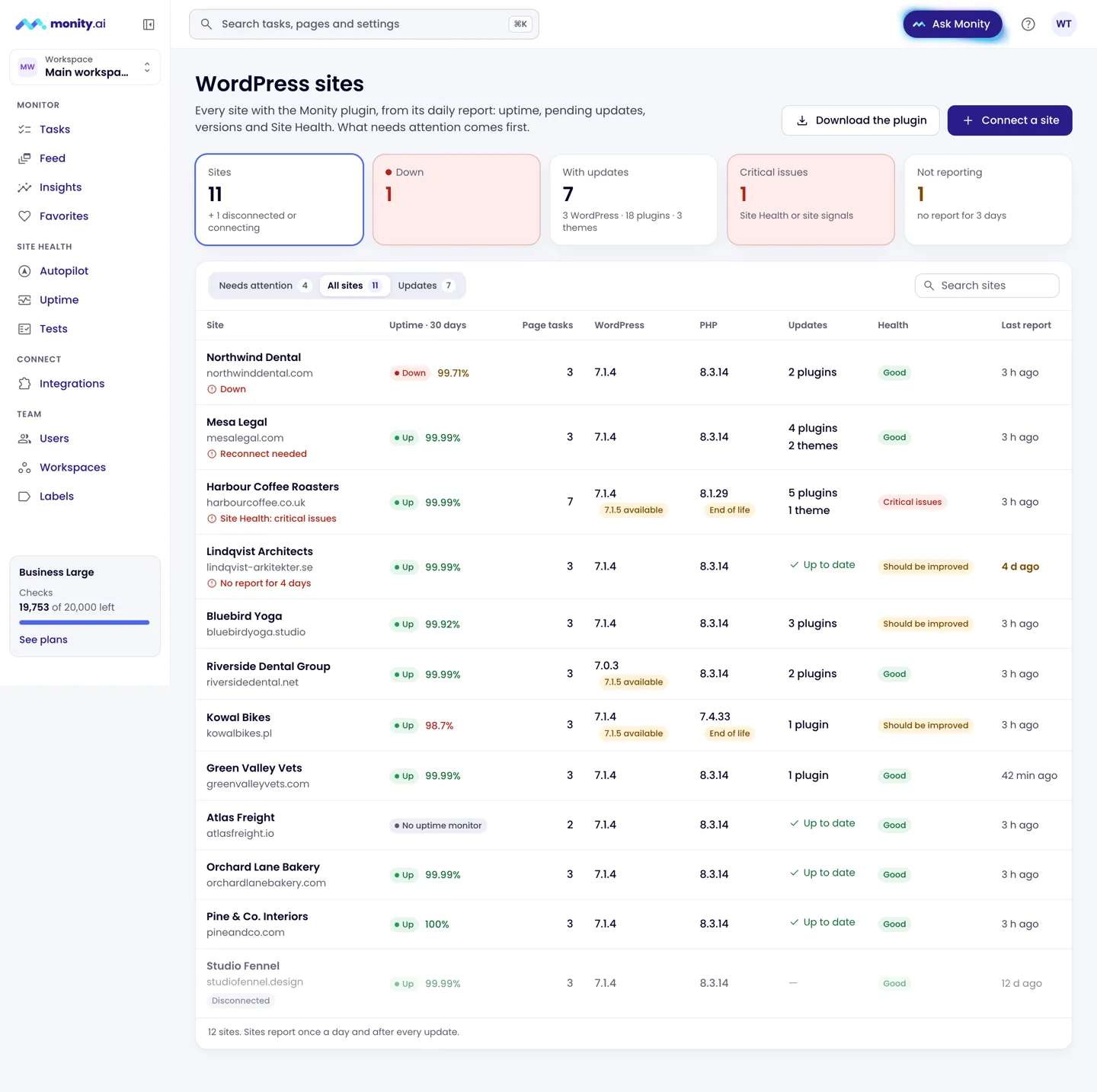
Members of the account can see the page; admins rename, move and disconnect sites and run updates from Monity.
What the plugin sends
The site report (daily, after updates and when you ask) carries versions, plugins and themes with their updates, Site Health counts, the audit results and the signals above. It never carries user names, email addresses, post content or orders. The full list is in the plugin’s readme under External services, and in wp-admin under Monity › Settings.