Skip to content Use Monity from Claude, ChatGPT or Codex: set up monitors and ask what changed, from a chat. Use Monity from Claude, ChatGPT or Codex Connect yours
Comparison · Updated November 2026

Monity vs Statuspage

Pick Statuspage if the status page is the product you are buying: your own domain, custom CSS, webhooks for subscribers, private pages and single sign-on. Pick Monity if you want the monitoring and the page together: the page fills itself in from your uptime monitors, and up to 20 pages are included on every plan.

  • Free basic plan
  • No credit card
  • Verified November 2026
Monity vs Statuspage
Pick Monity if
  • You want the monitoring and the status page in one tool
  • You want a status page without a monthly price for it
  • You need several pages, for products or clients
Pick Statuspage if
  • You need custom CSS or the page on your own domain
  • Your subscribers want webhook updates
  • You need a private page or single sign-on

Statuspage

Statuspage is Atlassian’s hosted status page. Plans are sized by subscribers, team members and metrics, from a free page with 100 subscribers to Enterprise with 25,000, with separate plans for private and audience-specific pages.

Setting one up for the first time? Read how to create a status page for your website.

Feature comparison

Monity vs Statuspage, feature by feature.

What each side includes, row by row. Statuspage’s column is from its own pricing page, November 2026.

Capability
Monity
Statuspage
Uptime monitoring included
Not on the pricing page
What fills the page in
Your Monity uptime monitors, with 90 days of history for each
Components and metrics you set up
Free plan
Status pages built from up to 3 monitors
100 subscribers, 25 components, two team members
Number of pages
Up to 20 an account, on every plan
Plans are for one kind of page: public, private or audience-specific
Incident and maintenance posts
Email subscribers
Up to 20,000 a page, on every plan
100 free; 250 on Hobby; 1,000 on Startup; 5,000 on Business
Webhook updates for subscribers
From Startup ($99/mo)
Look of the page
Your logo and an accent colour
Basic customisation on Hobby; custom CSS from Startup; HTML and JS from Business
Your own domain
Not on every account
From Hobby ($29/mo)
Private and audience-specific pages
Separate plans
Single sign-on for team members
From Startup, with Atlassian Guard
Team members
Seats on Business plans
2 free; 5 on Hobby; 10 on Startup; 25 on Business
Pricing

What you'd pay, side by side.

Plans differ in what they count, so compare what each includes. Check Statuspage's current pricing page before you buy.

Monity
Free$03 monitors · 100 credits a month · uptime checks every 5 minutes
Personal 1k$10/mo20 monitors · 1,000 credits a month · uptime checks every minute · billed yearly ($12 monthly)
Business 5k$25/mo30 monitors · 5,000 credits a month · uptime checks every minute · billed yearly ($35 monthly)
Business 10k, 5 seats$50/mo100 monitors · 10,000 credits a month · uptime checks every minute · billed yearly ($70 monthly)
See all plans →
Statuspage
Free$0100 subscribers, 25 components, two team members
Hobby$29/mo250 subscribers, 5 team members, custom domain
Startup$99/mo1,000 subscribers, 10 team members, webhook notifications, custom CSS
Business$399/mo5,000 subscribers, 25 team members, custom CSS, HTML and JS
Enterprise$1,499/mo25,000 subscribers, 50 team members
Statuspage pricing →

Prices as of November 2026.

Pros and cons

The honest trade-offs.

Monity

Pros

  • The page updates itself from your uptime monitors
  • Up to 20 status pages on every plan, with no price for a page
  • Up to 20,000 email subscribers a page, on every plan
  • The same account watches page changes and tests sign-up and checkout

Cons

  • Subscribers are told by email only
  • Only a logo and an accent colour to style the page, and it ends with a small “Monitored by Monity” line
  • No private pages or single sign-on
  • A page on your own domain is not offered on every account

Statuspage

Pros

  • Your own domain from Hobby, custom CSS from Startup
  • Webhook updates for subscribers from Startup
  • Private and audience-specific pages
  • Single sign-on with Atlassian Guard

Cons

  • No uptime monitoring on its pricing page
  • The free page stops at 100 subscribers
  • 1,000 subscribers cost $99 a month, 5,000 cost $399
Migration guide

Switching from Statuspage.

  1. List the components on your Statuspage and what each one stands for: the website, the API, the app.
  2. In Monity, add an uptime monitor for each component under Uptime.
  3. Create a status page and choose the monitors it shows. Add your logo and accent colour.
  4. Invite your subscribers to the new page. Each one confirms by email before receiving anything, so they have to subscribe again themselves.
  5. Keep the old page up, with a link to the new one, until your customers have moved.

FAQ

Switching questions, answered

Is a Monity status page free?

Yes. Status pages are included with uptime monitoring on every plan, the free one too, up to 20 pages an account. The free plan has 3 monitors, so a free page shows up to 3. Statuspage’s free plan has 100 subscribers and 25 components.

Does Statuspage monitor my site?

Its pricing page lists subscribers, components, team members and metrics, and no uptime monitoring. A Monity status page is built from Monity’s own uptime monitors, so a monitor that goes down shows on the page without anyone touching it.

How many subscribers can a page have?

A Monity page can have up to 20,000 email subscribers on every plan. Statuspage allows 100 on the free plan, 250 on Hobby, 1,000 on Startup, 5,000 on Business and 25,000 on Enterprise.

Can a Monity status page use my own domain and my own design?

You can add a logo and an accent colour, and the page ends with a small “Monitored by Monity” line. A page on your own domain is not offered on every account. If you need custom CSS or a guaranteed own domain, Statuspage has both: the domain from Hobby, CSS from Startup.

How are subscribers told?

By email. Each subscriber confirms their address first, and every message has a one-click unsubscribe link. Statuspage also offers webhook notifications from the Startup plan.

Try Monity next to Statuspage.

Add your three most important monitors on the free plan and run both for a week, or try every Business feature for 7 days.

  • Free plan: 3 tasks, no card
  • 7-day Business trial
  • Every alert channel on every plan
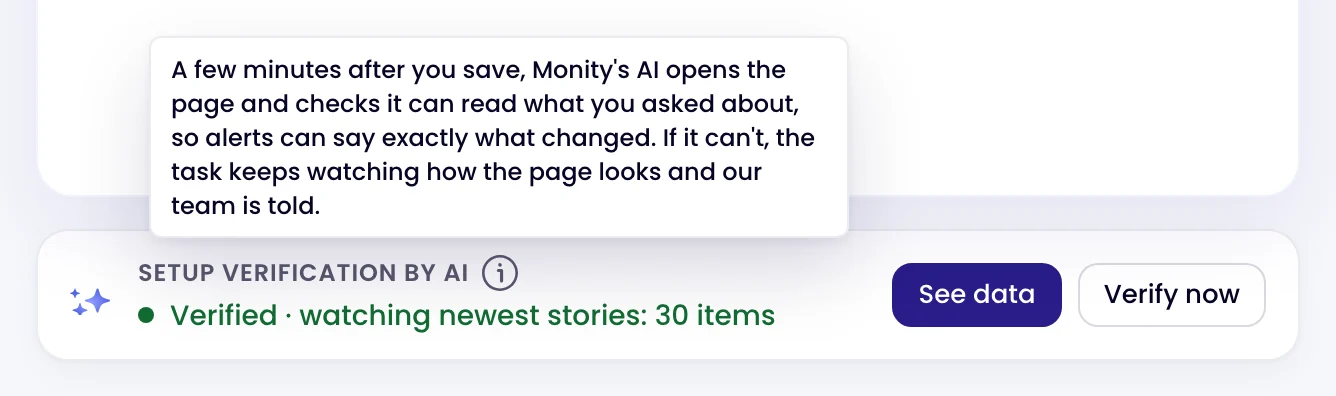
The Setup verification by AI card on a page monitor: Verified · watching newest stories: 30 items
Kamil, Alex and Martyna A person replies by email

Have a question?

Pricing, security or scoping: pick one and your message goes to a person on the team.