UptimeRobot is where most people start with uptime monitoring, and for good reason: its free plan watches 50 monitors every 5 minutes, and it says the plan is good for personal and commercial projects. People who switch usually need something beyond that, and find it costs more on UptimeRobot than they want to pay, or isn’t there at all.
We make Monity, one of the tools below, so read our take with that in mind. Every price and limit here comes from each vendor’s own pricing page, checked on 2 November 2026. UptimeRobot and Oh Dear show their prices in euros.
Why people look for an UptimeRobot alternative
From what UptimeRobot’s own pricing page lists, the reasons are usually one of these:
- Faster checks. Free checks every 5 minutes. Checks every 60 seconds start on Solo (€9/month billed annually, €10 monthly), every 30 seconds on Team (€35/month billed annually, €41 monthly) and every 15 seconds on Scale.
- Alerts in your own systems. Webhooks, Zapier and PagerDuty are listed from Team, and the free plan has only 5 integrations.
- A team. The free plan has no login seats. Team includes 3 seats and Scale 5.
- Status pages on your own domain. The free plan has 1 basic status page; Solo gives 3 with your own domain.
- Checks beyond “is it up”. A site can answer 200 OK while the login button does nothing or the price on the page is wrong. That needs a browser test or a page monitor, not a faster ping.
The short answer
- You want many free monitors and every-minute checks: HetrixTools, whose free plan has 15 uptime monitors checked every minute.
- You want uptime, status pages and checks of what’s on the page in one place: Monity, which adds browser tests and website change monitoring to the same account and the same alert channels.
- You need on-call schedules, phone alerts and logs with your monitoring: Better Stack.
- You run agency or client sites and want every feature on every plan: Oh Dear.
- You want to host it yourself, for free: Uptime Kuma.
- You’re happy with UptimeRobot’s limits: stay. Its free plan is hard to beat for a list of sites checked every 5 minutes.
UptimeRobot alternatives compared
| Tool | Free plan | Paid plans from | Fastest checks | Status pages |
|---|---|---|---|---|
| UptimeRobot (for reference) | 50 monitors every 5 min | Solo: €9/month billed annually (€10 monthly) | Every 15 sec (Scale) | 1 on Free; 3 with your own domain on Solo |
| Monity (ours) | 3 monitors every 5 minutes, plus page checks | Personal 1k: $10/mo billed annually ($12 monthly) | Every 30 seconds (Personal 10k, Business 20k and up) | Up to 20 per account, on every plan |
| HetrixTools | 15 uptime monitors, every minute | Professional: $9.95/month or $99.95/year | Every minute, on every plan | On every plan |
| Better Stack | 10 monitors and heartbeats, 1 status page (personal projects) | Responder: $29 per license per month billed annually ($34 monthly) | Up to 30 seconds | 1 included, more at $12 per month billed annually |
| StatusCake | 3 monitors every 15 minutes, personal use | Superior: $20.41/mo billed yearly ($24.49 monthly) | Every 30 seconds (Business) | Not covered here |
| Oh Dear | 10-day free trial | Solo: €15/mo for 2 sites | Not published on the pricing page | On every plan |
| Pingdom | Free trial | $16.5/mo billed annually for 10 uptime checks | Not published on the pricing page | Not covered here |
| Uptime Kuma | Free and open source, self-hosted | None | 20-second intervals | Multiple status pages |
The alternatives, one by one
Monity (ours)
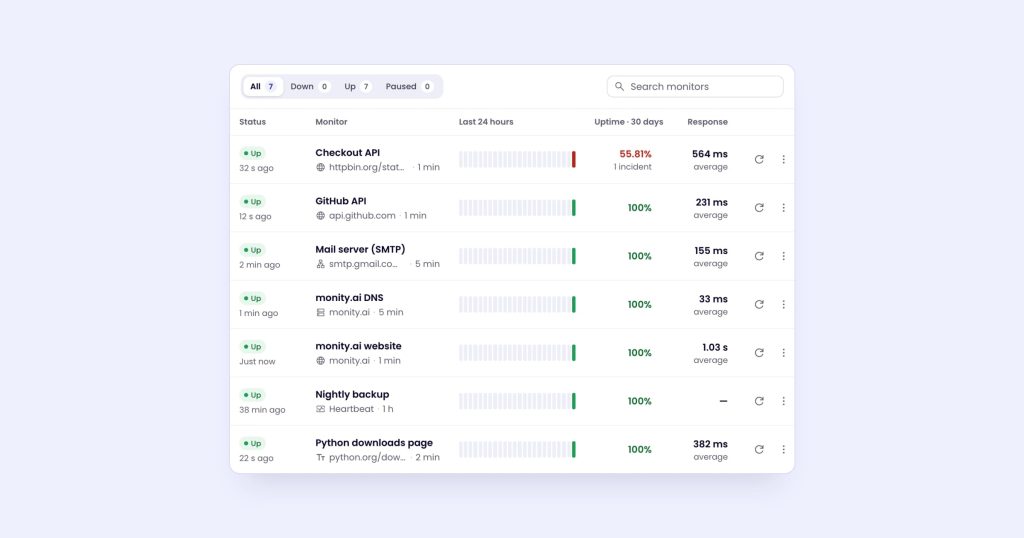
Monity started as a website change monitor, and uptime monitoring now sits next to it: an uptime monitor is a task like any other, in the same workspaces, with the same alert channels and the same history. Five kinds of monitor: Website (an HTTP request), Keyword (text that must or must not be in the answer), Port, Heartbeat for cron jobs and DNS. Website monitors can also check a JSON value or a header in the answer, up to 10 checks each.
What’s different from UptimeRobot:
- An outage is confirmed before you hear about it. A failed check is retried twice, 3 and 6 seconds later, and before a network failure becomes an incident Monity checks its own connection against three well-known sites, so a problem on Monity’s side doesn’t page you.
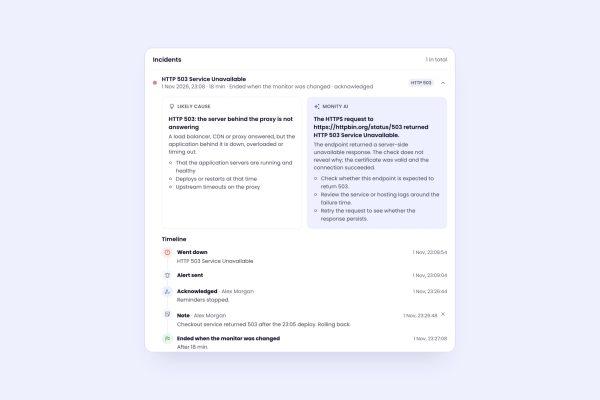
- Every incident comes with evidence. A likely cause, a screenshot of the page when the down alert goes out, a timeline, notes, and an AI reading of the failed check if you ask for one.
- Every alert channel on every plan. Email, Slack, Microsoft Teams, Discord, Telegram, Google Sheets, webhooks and push to the phone app, free plan included.
- Status pages on every plan. Up to 20 per account, with posts for incidents and maintenance, email subscribers and an SVG badge. How status pages work.
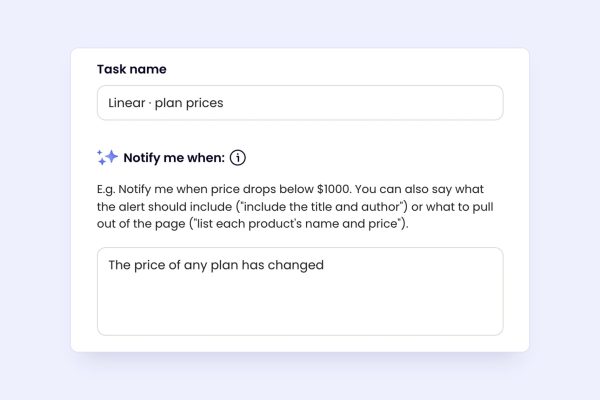
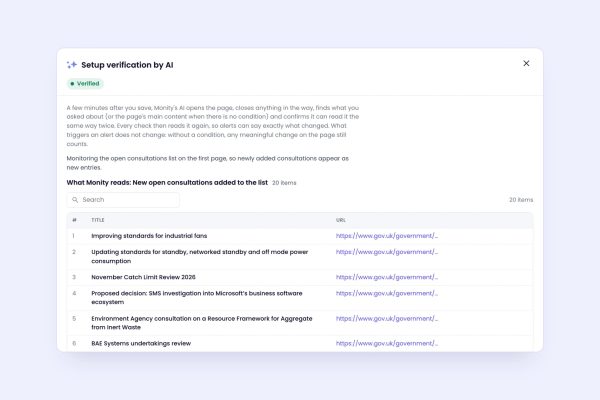
- Browser tests and page monitoring in the same account. A browser test logs in, adds to the basket and checks out on a schedule. A page monitor tells you when a price, a policy or a competitor’s page changes. One bill, one set of alerts.
How it’s priced: uptime checks use credits like everything else, but 1,000 uptime checks use 1 credit. A monitor checked every minute uses 44 credits a month, every 5 minutes 9. The free plan has 3 tasks and 100 credits, so 3 monitors every 5 minutes. Personal 1k is $10/mo billed annually ($12 monthly) with 20 tasks and checks every minute; Business 10k is $50/mo billed annually ($70 monthly) with 100 tasks. Every 30 seconds comes with Personal 10k and Business 20k and up. Full details on the pricing page.
Pick something else when: you need dozens of free monitors, ICMP ping or UDP checks, or checks from a location you choose. Monity’s free plan is 3 tasks, and it has none of those.
Want to see it on your own site first?
Send us the sites, pages and journeys you check by hand. We set up the monitors, confirm they read the right thing and email you the first result, usually within a business day. Free, no account, no card.
HetrixTools
HetrixTools checks every minute on every plan, the free one included, from your chosen locations (4 of 12 on Free). The free plan has 15 uptime monitors and 15 server monitors, status pages and maintenance windows, with one condition: you have to log in every 90 days. Professional is $9.95/month or $99.95/year for 30 uptime monitors and 25 SMS a month.
Pick it when: you want every-minute checks without paying, or server monitoring next to uptime.
Better Stack
Better Stack sells uptime monitoring as part of a larger platform with incident management, on-call schedules, logs and error tracking. The free plan, for personal projects, has 10 monitors and heartbeats and 1 status page with Slack and email alerts. Paid use starts with a Responder license at $29 per month billed annually ($34 monthly), which adds unlimited phone call and SMS alerts. More monitors cost $21 a month for 50 billed annually, and checks run as often as every 30 seconds.
Pick it when: the people who get the alert also run on-call rotations and want logs and incidents in the same tool.
StatusCake
StatusCake’s free plan is for personal use: 3 uptime monitors checked every 15 minutes. Superior is $20.41/mo billed yearly ($244.92) or $24.49 monthly, with 2 team members, 100 uptime monitors every minute, 50 SSL monitors and 50 domain monitors. Business checks every 30 seconds for $66.66/mo billed yearly.
Pick it when: you want SSL and domain monitors as their own products, with a 7-day trial before you pay.
Oh Dear
Oh Dear prices by the number of sites and gives every plan every feature: uptime, SSL, broken links, Lighthouse, DNS, cron and status pages. Solo is €15/mo for 2 sites and Freelance €49/mo for 10, and every plan starts with a 10-day free trial. Oh Dear says every alert is verified from a second location first.
Pick it when: you look after client sites and want broken links and performance checked along with uptime, without add-ons.
Pingdom
Pingdom, from SolarWinds, sells synthetic monitoring (uptime, transaction and page speed checks) and real user monitoring separately. Synthetic monitoring starts at $16.5/mo billed annually ($198 a year) for 10 uptime checks, 1 advanced check and 50 SMS alerts. There’s a free trial and no free plan.
Pick it when: you also want real user monitoring from the same vendor.
Uptime Kuma
Uptime Kuma is an open-source (MIT) monitor you run yourself, usually with Docker Compose. It monitors HTTP, keywords, JSON values, TCP, ping, DNS records, push (heartbeats) and Docker containers at intervals down to 20 seconds, sends notifications to Telegram, Discord, Slack, email and 90+ other services, and has multiple status pages.
Pick it when: you have a server to run it on and want no bill at all. Remember that a monitor on the same network as your site goes down with it.
How to switch from UptimeRobot without missing an outage
- Export or list your monitors, with their URLs, keywords and alert contacts.
- Recreate the important ones first. In Monity, open Uptime, click New monitor, paste the address and press Test now to see the response and the certificate before you save. You can also type it as a sentence in Ask Monity (“tell me when shop.example.com is down”).
- Run both tools side by side for a week and compare what each one alerted on.
- Move your status page last, and only when the new one shows the same monitors.
- Turn off the old monitors once the new ones have caught a real incident, or a test one you caused on purpose.
The uptime monitoring docs walk through every setting, and our guide to getting an alert when your website goes down covers what to monitor first.
Try Monity on the sites you look after
Start on the free plan in a few minutes, or let us set it up and send you the first result. Slack, Teams, Google Sheets and every other alert channel are included either way.