Skip to content
Mobile monitoring

Mobile App

Monity on iPhone and Android: a push notification when a check finds a change, the before and after a tap away, and the assistant to set up a task, by voice if you like.

  • iPhone and Android
  • Push notifications on every plan
  • The same account as the web
9:41
Thursday 8 October 9:41
monity.ai
Policy statements changed A new policy statement on operational resilience was published.
monity.ai
Northwind Trail 3 changed Size 10 is back in stock at $140.
monity.ai
Visa appointments changed A London slot opened for Tue 13 Oct at 10:30.
monity.ai
Coastal CRM pricing changed Pro went from $49 to $59 per seat, and the Free plan is now limited to 2 users.

On your phone

A push notification when a check finds a change.

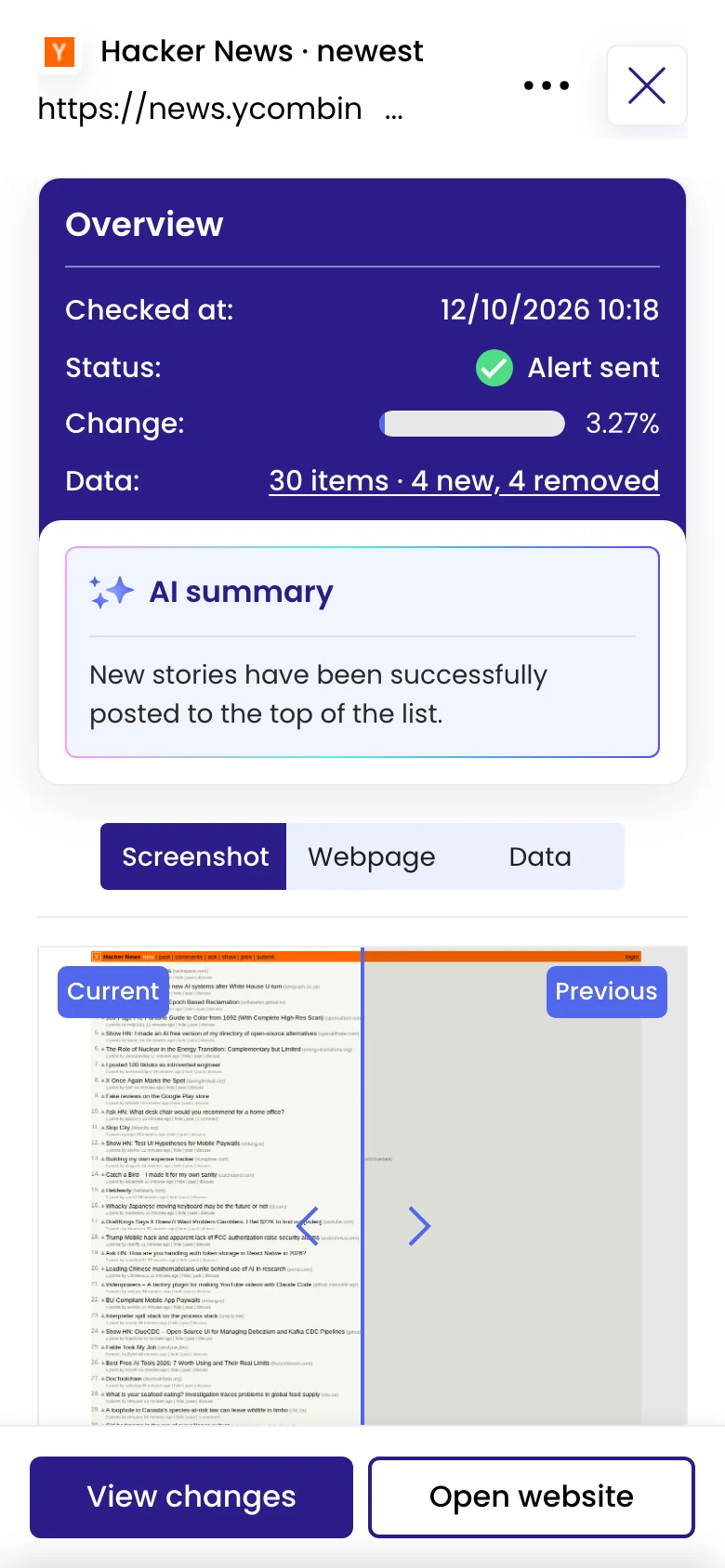
Switch on Push notifications for a task in the app, and your phone tells you when a check finds a change. Tap the notification to open that check, with the AI summary and the before and after.

  • Push notifications are on every plan
  • Email, Slack and your other channels keep working alongside
Alert channels
A check on a phone: the overview with Alert sent, the AI summary, and the before and after on a slider
Monity at phone width, as in the app.

The change in your hand

Open the change, compare it, read what was added.

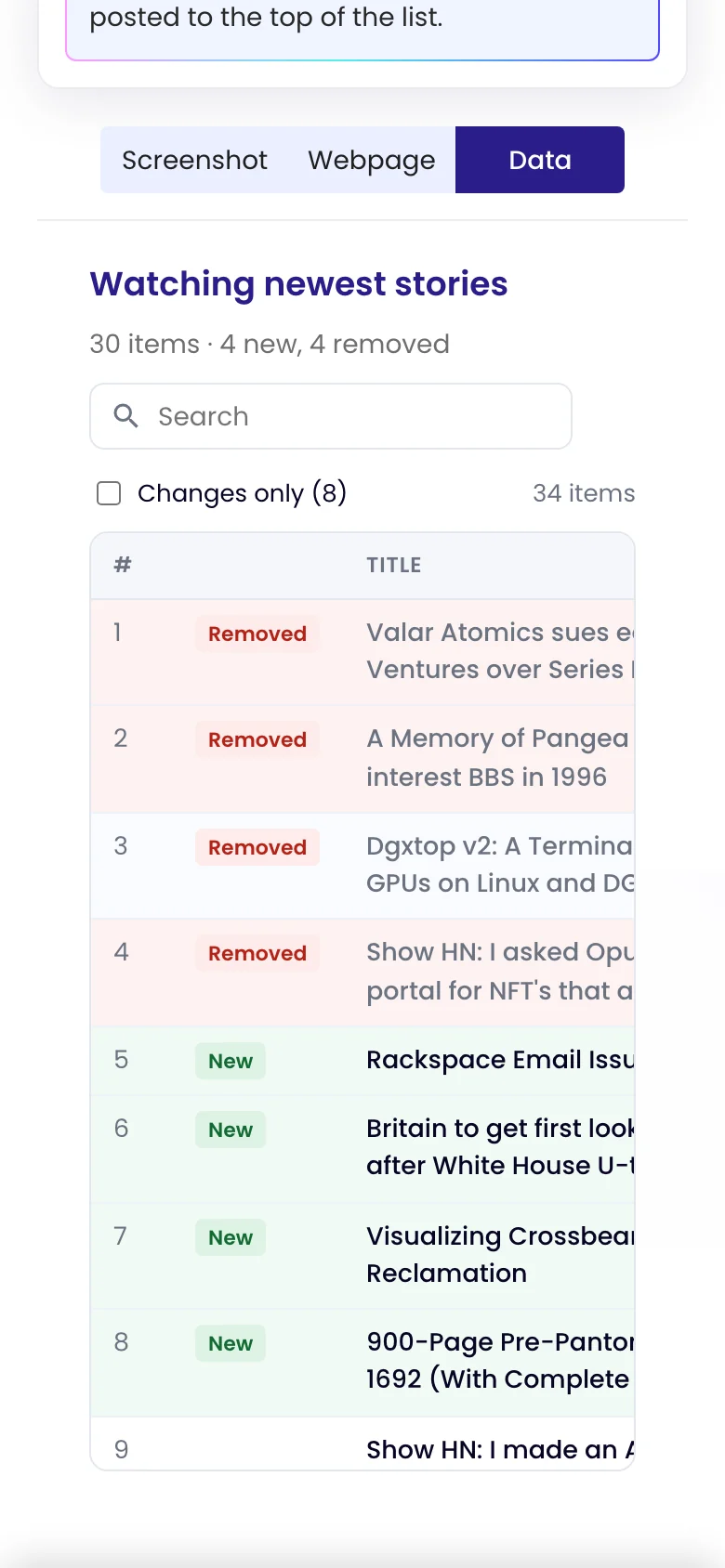
Every check opens with the AI summary and the before and after. When Monity reads data on the page, the Data view lists what was added and what was removed, item by item.
See what changed in a check
The Data view of a check on a phone: 30 items, 4 new and 4 removed, with removed stories marked

Set it up anywhere

Tell the assistant what to watch, out loud if you like.

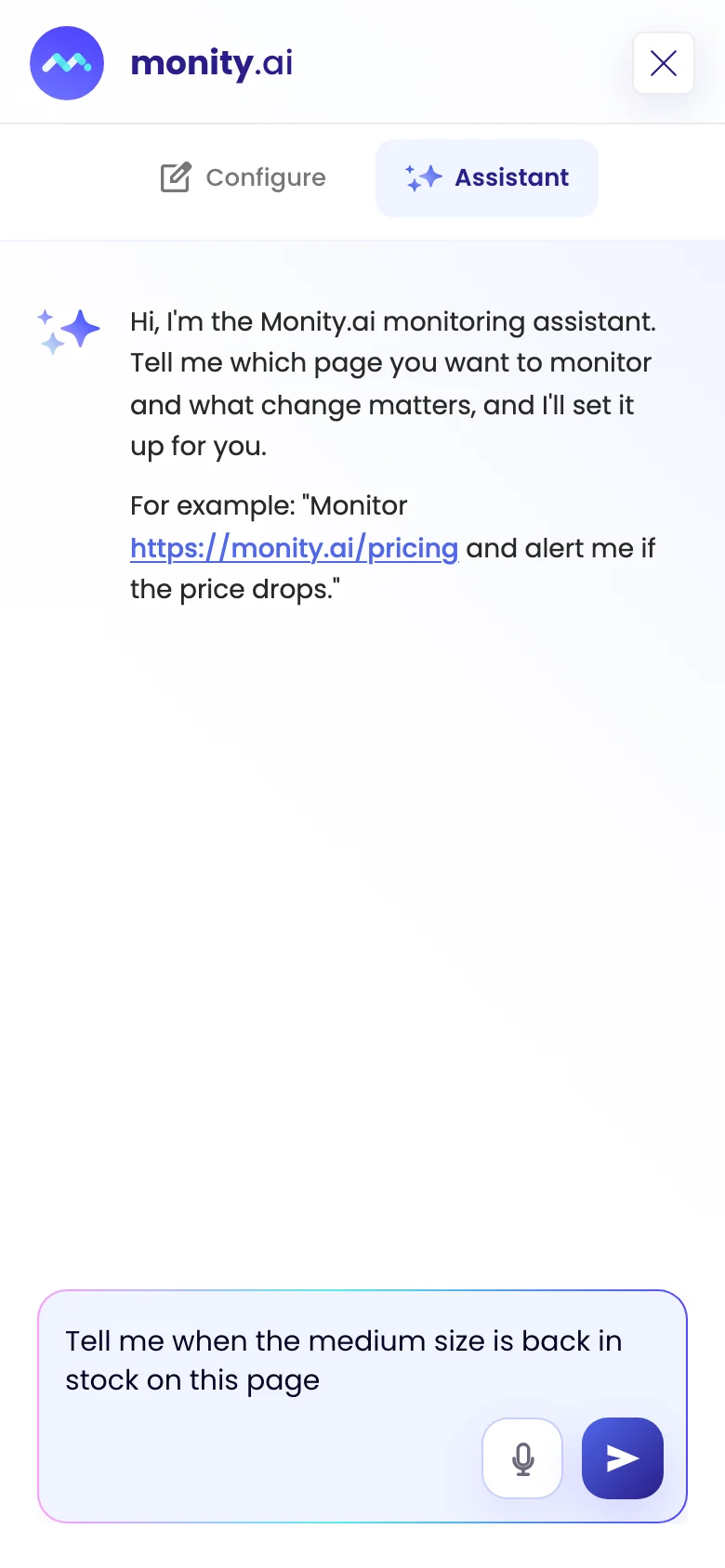
Start a task from your phone: describe the page and the change, typed or with the microphone, and the assistant sets it up. Your tasks, checks and settings are the same as on the web.
Set up your first monitor
The assistant on a phone, with a request typed in the message box and the microphone button

FAQ

Questions about Mobile App

Is there an app for iPhone and Android?
Yes. Monity is on the App Store and Google Play. Sign in with your Monity account and you see the same tasks, checks and settings as on the web.
Is the app included on every plan?
Yes, including the free plan, and so are push notifications. Like every alert channel, they don’t cost extra.
What does a push notification say?
That a change was detected on the task, by its name. Tap it to open the check, with the AI summary and the before and after.
Can I create tasks from my phone?
Yes. Tell the assistant which page to watch and what matters, by typing or with the microphone, and it sets the task up.
How do I turn on push notifications?
Open a task in the app and switch on Push notifications on its Channels tab. Your phone asks for permission the first time.

Take your monitors with you.

Download the app, sign in with your Monity account, and switch on push notifications for the tasks that matter.

  • Free to download
  • Push notifications on every plan
  • The same account as the web
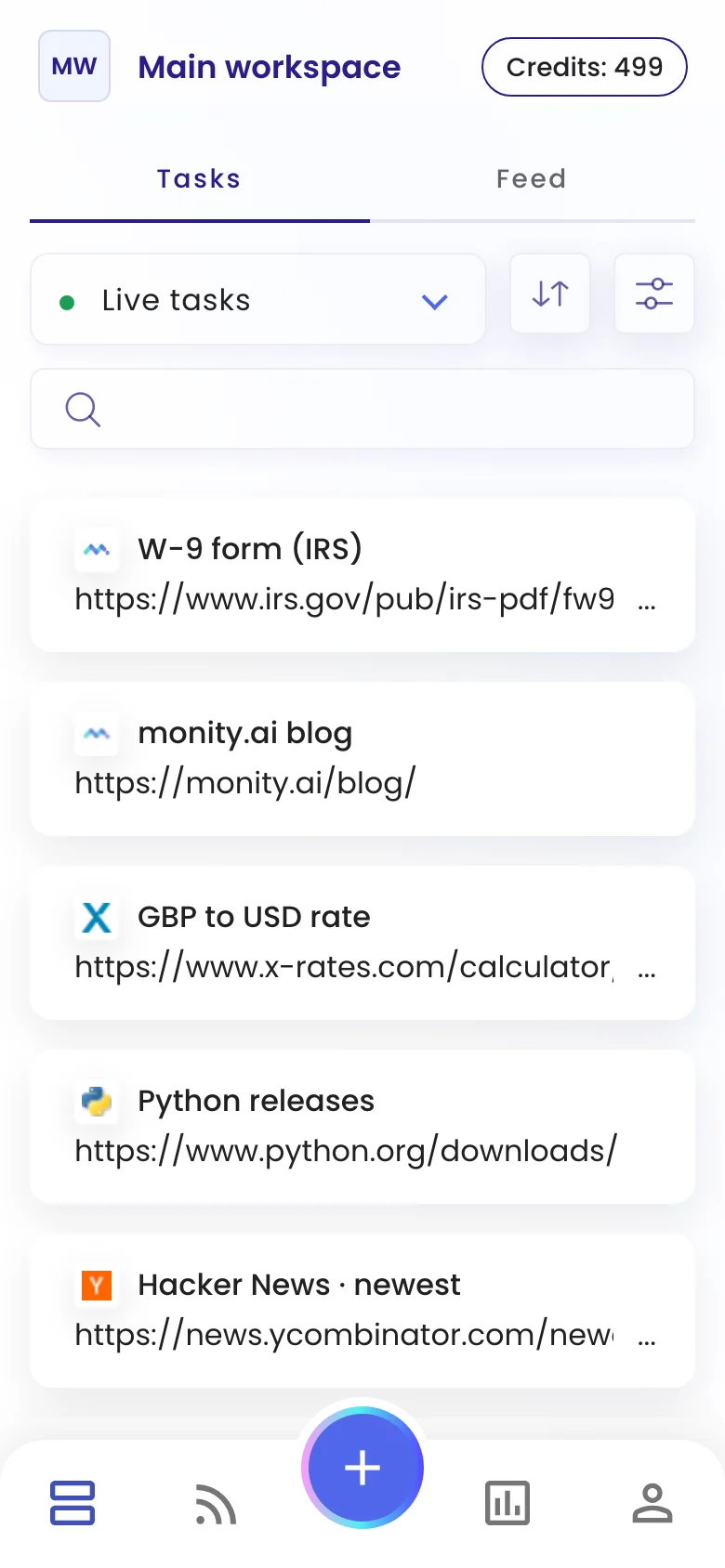
The task list on a phone, with a task being verified at the top
Kamil, Alex and Martyna Median reply under 6 hours

Have a question?

Pricing, security, or scoping - pick a route and you will land in a real person's inbox.