Integration · Discord
Change alerts in your Discord server.
Paste a channel webhook and each change arrives as an embed with the website and the AI summary, linked to the change. Made for communities, restock channels and small teams.
- Channel webhook
- Rich embeds
- Any server you manage
 # price-watch
What arrives
Everything your team needs to act, in the alert itself.
Message
Change Alert with the name of the monitor that changed.
Embed
Change Detected, linked to the change in monity.ai.
Fields
The website and the AI summary of what changed.
Per monitor
Point each monitor at the channel it belongs in.
Setup
Connect Discord in a few minutes.
Connect it once, then switch it on for any monitor on its Channels tab. Each monitor sends its alerts to the channels you choose.
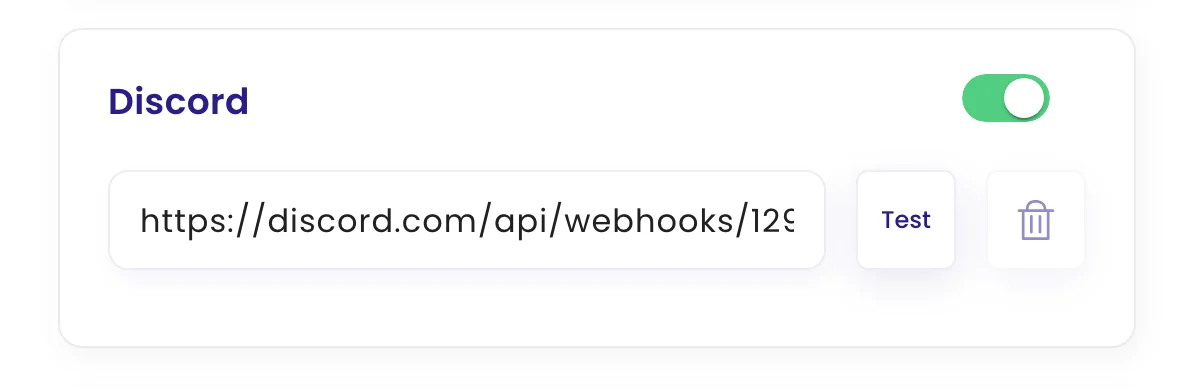
- Create a webhook. In Discord, open Server Settings → Integrations → Webhooks, create a webhook for your channel and copy its URL.
- Add it to monity.ai. In monity.ai, open a monitor's notifications, choose Discord and paste the webhook URL.
- Get alerts. From now on every meaningful change on that monitor posts to the channel as an embed.
FAQ
Questions about Discord
Is Discord on the free plan?
Yes. Every alert channel, Discord included, works on every monity.ai plan, including the free one.
Can each monitor send its alerts somewhere different?
Yes. Every monitor has its own channels, so pricing alerts can go to one place and compliance alerts to another.
What does an alert contain?
Change Alert with the name of the monitor that changed. Change Detected, linked to the change in monity.ai. The website and the AI summary of what changed. Point each monitor at the channel it belongs in.
Get alerts in Discord.
Set up your first monitor on the free plan, connect it, and get alerts with the AI summary and the before and after.
- Free plan: 3 tasks, no card
- 7-day Business trial
- Every alert channel on every plan