Integration · Microsoft Teams
Change alerts in Microsoft Teams.
Add a Teams workflow webhook to any channel and monity.ai posts each change as an Adaptive Card with the website, the date, the AI summary and buttons to view the change.
- Teams workflow webhook
- Adaptive Card format
- Any channel
 Revenue · Competitor alerts
What arrives
Everything your team needs to act, in the alert itself.
Card
Change Detected, with the name of the monitor that changed.
Facts
The website and the date of the check.
AI summary
What changed, in plain English.
Buttons
View Changes opens the check in monity.ai; View Website opens the page.
Setup
Connect Microsoft Teams in a few minutes.
Connect it once, then switch it on for any monitor on its Channels tab. Each monitor sends its alerts to the channels you choose.
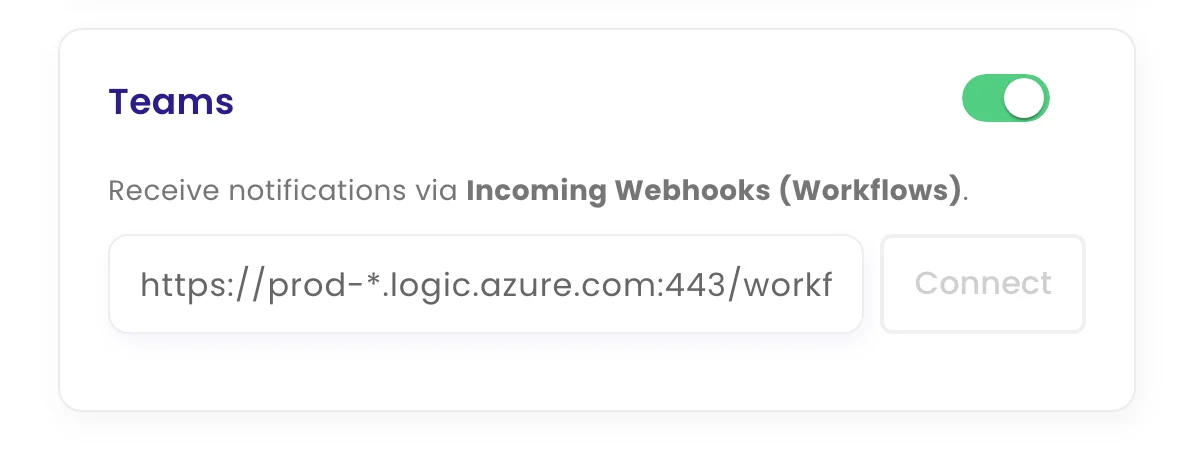
- Create a Teams workflow. In Teams, open the channel's Workflows and add Post to a channel when a webhook request is received. Copy the webhook URL it gives you.
- Paste it into monity.ai. Open a monitor's notifications, choose Teams, paste the URL and click Connect.
- Test it. Click Test to post a sample card. Every change after that arrives the same way.
FAQ
Questions about Microsoft Teams
Is Microsoft Teams on the free plan?
Yes. Every alert channel, Microsoft Teams included, works on every monity.ai plan, including the free one.
Can each monitor send its alerts somewhere different?
Yes. Every monitor has its own channels, so pricing alerts can go to one place and compliance alerts to another.
What does an alert contain?
Change Detected, with the name of the monitor that changed. The website and the date of the check. What changed, in plain English. View Changes opens the check in monity.ai; View Website opens the page.
Get alerts in Microsoft Teams.
Set up your first monitor on the free plan, connect it, and get alerts with the AI summary and the before and after.
- Free plan: 3 tasks, no card
- 7-day Business trial
- Every alert channel on every plan