Skip to content Use Monity from Claude, ChatGPT or Codex: set up monitors and ask what changed, from a chat. Use Monity from Claude, ChatGPT or Codex Connect yours
Comparison · Updated November 2026

Monity vs UptimeRobot

UptimeRobot is the better buy if uptime is all you need: far more monitors for the money, ping and UDP checks, and voice call alerts. Pick Monity if you also want to know when a page changes or a checkout breaks, want SSL warnings and Slack or Teams alerts without paying, or want one tool and one bill for all of it.

  • Free basic plan
  • No credit card
  • Verified November 2026
Monity vs UptimeRobot
Pick Monity if
  • You also watch what pages say, or test sign-up and checkout
  • You want Slack, Teams or webhook alerts on any plan
  • You want SSL and domain expiry warnings on the free plan
Pick UptimeRobot if
  • You need dozens of monitors for free
  • You need ping, UDP or checks from a chosen location
  • You want voice call alerts

UptimeRobot

UptimeRobot is the uptime monitor most people start with. Its free plan covers 50 monitors checked every 5 minutes. Paid plans add faster checks, more kinds of monitor, seats and status pages on your own domain.

Weighing more than these two? See UptimeRobot alternatives in 2026, or the best uptime monitoring tools by the job you need done.

Feature comparison

Monity vs UptimeRobot, feature by feature.

What each side includes, row by row. UptimeRobot’s column is from its own pricing page, November 2026.

Capability
Monity
UptimeRobot
Free plan
3 monitors, checked every 5 minutes
50 monitors, checked every 5 minutes
Fastest checks
Every minute from Personal 1k ($10/mo billed yearly); every 30 seconds from Personal 10k and Business 20k
Every 60 seconds on Solo (€9/mo billed yearly); 30 seconds on Team; 15 seconds on Scale
Website, keyword and port monitors
DNS and API monitors
Every plan
From Solo
Heartbeats for cron jobs
Every plan
From Solo
SSL and domain expiry warnings
Every plan
From Solo
Maintenance windows
Every plan
From Solo
Ping (ICMP) and UDP monitors
Ping on every plan; UDP from Solo
Checks from a location you choose
From Solo
A failed check is confirmed before the alert
Checked twice more, 3 and 6 seconds later
Re-checked from a second data centre
Slack, Teams and Telegram alerts
Every plan
From Solo
Webhook alerts
Every plan
From Team
Voice call alerts
Credits included from Solo, or bought separately
Status pages
Up to 20 on every plan
1 basic page free; 3 on Solo; 100 on Team
Status page subscribers
Every plan
From Team
Page change monitoring
Any page, with a rule in a sentence and the page before and after
A free tool: one selected area of a page, alerts by email
Browser tests of sign-up, login and checkout
Not on the pricing page
iOS and Android app
Team seats
Seats on Business plans
3 login seats on Team, 5 on Scale
Pricing

What you'd pay, side by side.

Plans differ in what they count, so compare what each includes. Check UptimeRobot's current pricing page before you buy.

Monity
Free$03 monitors · 100 credits a month · uptime checks every 5 minutes
Personal 1k$10/mo20 monitors · 1,000 credits a month · uptime checks every minute · billed yearly ($12 monthly)
Business 5k$25/mo30 monitors · 5,000 credits a month · uptime checks every minute · billed yearly ($35 monthly)
Business 10k, 5 seats$50/mo100 monitors · 10,000 credits a month · uptime checks every minute · billed yearly ($70 monthly)
See all plans →
UptimeRobot
Free€050 monitors, every 5 minutes, 1 basic status page, 5 integrations
Solo€9/mo10 monitors, every 60 seconds, 3 status pages, Slack and Teams alerts · billed yearly (€10 monthly)
Team100 monitors, every 30 seconds, 3 login seats, 100 status pages, webhooks
Scale200 or 500 monitors, every 15 seconds, 5 login seats, unlimited status pages
UptimeRobot pricing →

Prices as of November 2026.

Pros and cons

The honest trade-offs.

Monity

Pros

  • Uptime, page changes and browser tests in one account, one list and one bill
  • Every alert channel on every plan: Slack, Teams, Discord, Telegram, Google Sheets, webhooks and app push
  • SSL and domain expiry warnings, heartbeats, DNS and API checks on the free plan
  • Each outage comes with a likely cause and a screenshot of what the page showed
  • Up to 20 status pages on every plan, with incident posts and email subscribers

Cons

  • Far fewer monitors for the money: 3 on the free plan, 20 on Personal 1k
  • No ping (ICMP) or UDP monitors, and no choice of check location
  • No voice call alerts
  • Fastest checks are every 30 seconds; UptimeRobot Scale checks every 15

UptimeRobot

Pros

  • 50 monitors on the free plan, for personal and commercial projects
  • Ping, UDP and location-specific checks
  • Voice call alerts, with credits included on paid plans
  • Checks every 15 seconds on Scale
  • Status pages on your own domain from Solo, white-label from Team

Cons

  • The free plan has no SSL, domain expiry, DNS, API or heartbeat monitoring
  • Slack, Teams and Telegram alerts start on Solo; webhooks on Team
  • No login seats below Team
Migration guide

Switching from UptimeRobot.

  1. List your UptimeRobot monitors: the address, the kind and the interval of each.
  2. Add each one under Uptime in Monity. Tell the assistant what to watch, for example “check example.com every minute and warn me before the certificate expires”, or fill in the form. Before anything is created you see what is checked, how often and the credits it uses a month.
  3. For cron jobs and backups, create a Heartbeat monitor and add its link to the end of the job.
  4. Choose where each monitor’s alerts go: email, Slack, Teams, Discord, Telegram, Google Sheets, a webhook or the phone app. Every channel is on every plan.
  5. If you had a status page, build one from the same monitors and give your subscribers its address.
  6. Run UptimeRobot and Monity side by side for a week before you cancel anything.

FAQ

Switching questions, answered

Is Monity cheaper than UptimeRobot?

Not for uptime alone. UptimeRobot’s free plan has 50 monitors, and Solo costs €9 a month billed yearly for 10 monitors checked every 60 seconds. Monity’s free plan has 3 monitors, and Personal 1k costs $10 a month billed yearly for up to 20 monitors checked every minute. Monity costs less when the alternative is UptimeRobot plus a separate page monitor or testing tool.

Which one alerts faster?

On paid plans they are close. UptimeRobot checks every 60 seconds on Solo, 30 on Team and 15 on Scale. Monity checks every minute from Personal 1k and every 30 seconds from Personal 10k and Business 20k. Both free plans check every 5 minutes. Monity checks a failure twice more, 3 and 6 seconds later, before it alerts.

Does the free plan warn me before an SSL certificate expires?

Monity’s does. Every HTTPS monitor warns you 14 days before the certificate expires and 30 days before the domain does, on every plan. UptimeRobot lists SSL and domain expiry monitoring from Solo.

Where do Monity’s alerts go?

To email, Slack, Microsoft Teams, Discord, Telegram, Google Sheets, a webhook and push in its iOS and Android app, on every plan. Monity does not make phone calls. UptimeRobot includes voice call credits on paid plans and sells more separately.

What does Monity do that an uptime check cannot?

It reads the page. A site can answer 200 OK while the price on it is wrong, a section has gone or the checkout button does nothing. Monity’s page monitors tell you what changed, with the page before and after, and its browser tests run sign-up, login and checkout step by step. UptimeRobot has a free tool that emails you when one selected area of a page changes.

Why is there no price here for UptimeRobot Team and Scale?

On 18 November 2026 UptimeRobot’s pricing page and its own machine-readable price list showed different prices for those two plans. We give their limits and leave the price to UptimeRobot’s page.

Try Monity next to UptimeRobot.

Add your three most important monitors on the free plan and run both for a week, or try every Business feature for 7 days.

  • Free plan: 3 tasks, no card
  • 7-day Business trial
  • Every alert channel on every plan
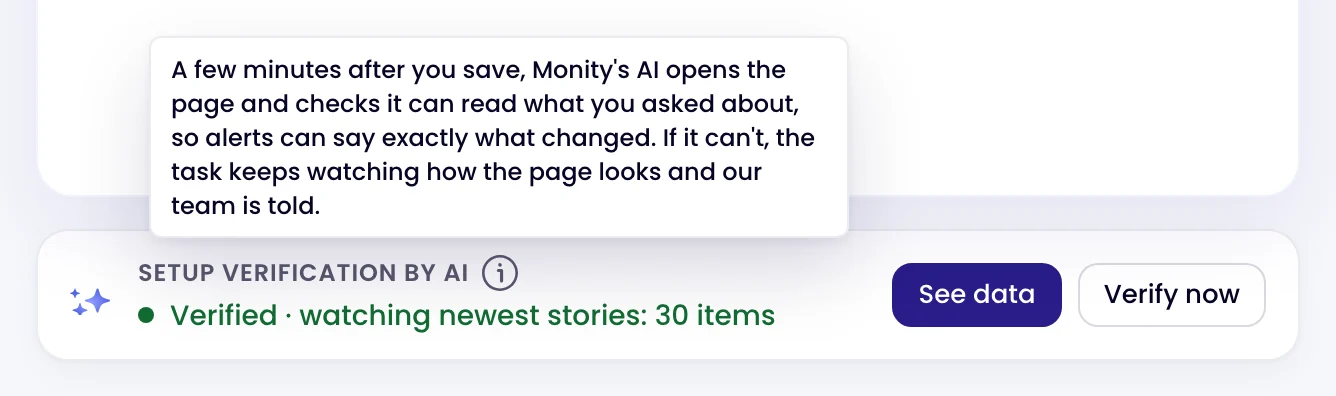
The Setup verification by AI card on a page monitor: Verified · watching newest stories: 30 items
Kamil, Alex and Martyna A person replies by email

Have a question?

Pricing, security or scoping: pick one and your message goes to a person on the team.