
Skills: speed, SEO, accessibility, security and more
Skills are extra checks monity.ai runs on a page every time it checks it: speed, SEO, accessibility, broken links, security, privacy, and the site’s SSL certificate and domain. Each skill has its own alert rules, which you set.
Add a skill
- Edit the task and open its Settings tab. Skills is under Monitoring mode.
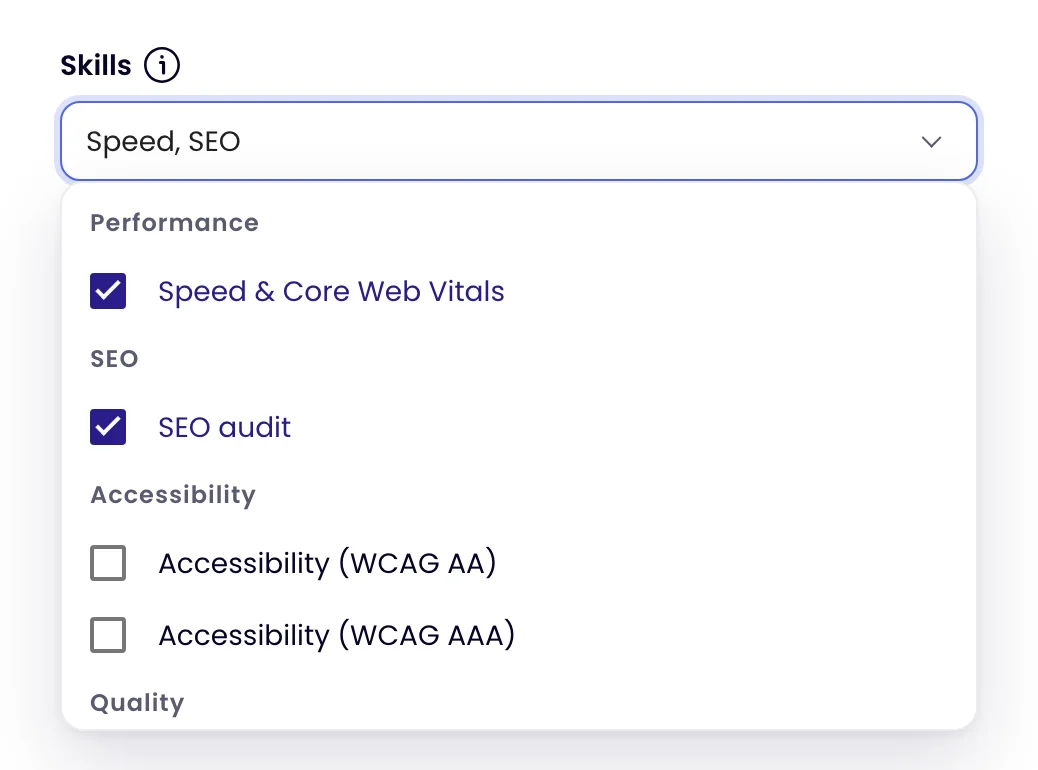
- Open the Skills list and tick the skills you want. They are grouped as in the panel, and every skill is on every plan.
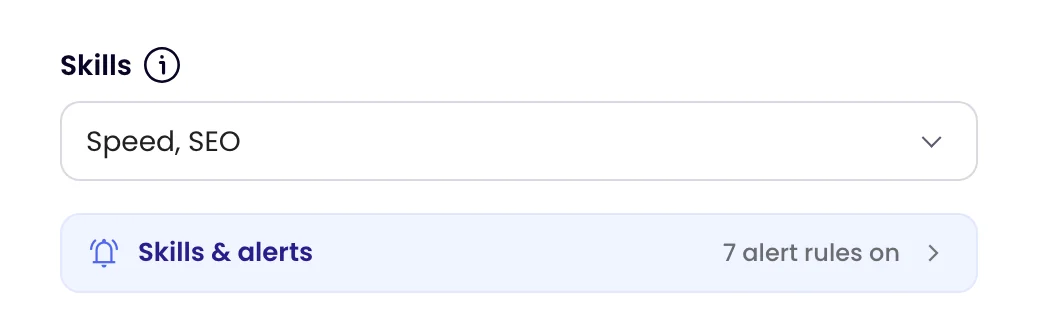
- Click Skills & alerts under the field to choose what each skill alerts on, then click Update task.
Or ask Monity AI, for example “tell me if the pricing page gets slow” or “alert me 3 weeks before the SSL certificate expires”. It adds the skill with its recommended rules, or the rule you named, and shows you the change in a card to confirm.
A task can have up to 5 skills. When it has 5, the other skills are greyed out until you remove one. If your account needs a different number, contact us: Monity can change it for your account. A task set up with more skills before the limit keeps them, but can’t add another until it is under the limit.
No Skills field on the Settings tab? Skills aren’t switched on for your account yet; contact us.
The skills
| Skill | Alerts on |
|---|---|
| Speed & Core Web Vitals | Largest contentful paint (2.5 s, two checks in a row, on by default), layout shift, server response, page weight, speed score |
| SEO audit | New SEO issues, title, description, canonical or H1 changes, noindex, HTTP status, structured data, AI crawler access |
| Accessibility (WCAG AA) | New WCAG failures, score |
| Accessibility (WCAG AAA) | The same at the stricter level |
| Broken link checker | Newly broken links to the same site |
| Broken link checker (including external) | Links to other sites too |
| Page problems | Broken images, scripts or styles, empty pages, HTTP errors |
| SSL certificate & domain watch | Certificate expiring within 14 days, domain expiring within 30 days, invalid certificate, issuer and nameserver changes |
| Script & connection watch | New script sources, changed third-party scripts, new places the page sends data (PCI DSS 6.4.3 and 11.6.1) |
| Security signals | Injected scripts, security header changes |
| Cookie & tracker watch | New trackers or tracking cookies, consent platform changes, tracking before consent |
Set the alert rules
In Skills & alerts, each attached skill lists its rules under Alert me when…:
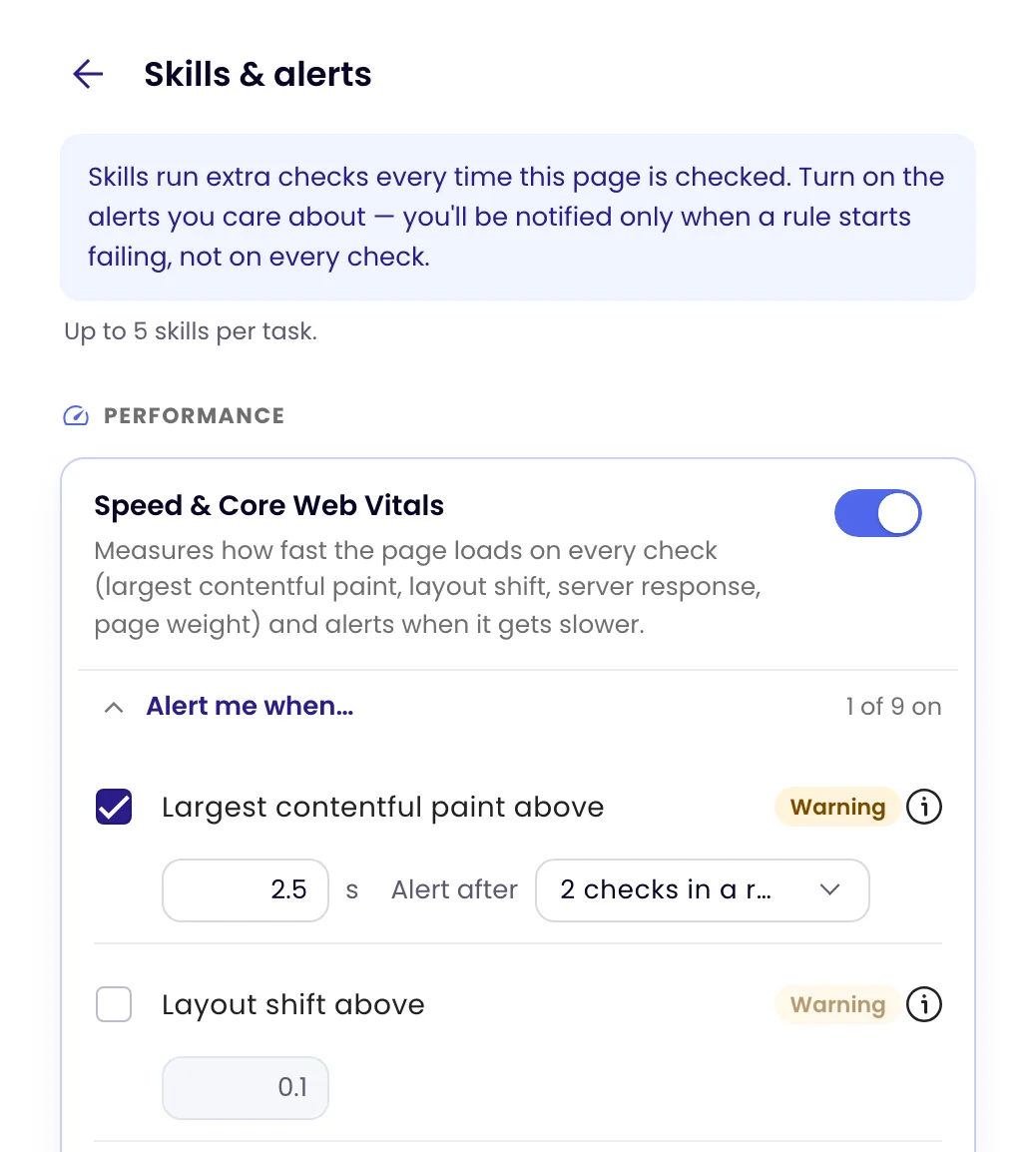
- On or off for each rule. The recommended ones are on to start with.
- A threshold in plain units: seconds, MB, days, a score.
- Alert after N checks in a row for an ongoing problem, so one slow check doesn’t alert you.
Reset to defaults puts a skill back to its recommended rules. Changes apply when you save the task.
How skill alerts work
- An ongoing problem alerts once. A slow page or a certificate about to expire alerts when it starts, then stays quiet until it clears. If it comes back, you hear about it again.
- Events alert every time: a new broken link, a changed page title, a new script source.
- The first check is the starting point. After you create a task, or save a change to it, the next check records how things are and doesn’t send skill alerts.
- The alert names the rule, for example “Largest contentful paint above: 3.10 s (threshold 2.50 s, 2 checks in a row)”, in every channel the task uses.
- Nothing is missed while alerts are off. If a task’s alerts are off, or no channel is on, an ongoing problem alerts once they’re back.
Skill alerts don’t need a Notify me when rule, and that rule doesn’t filter them. To stop a skill alert, switch its rule off in Skills & alerts.
Missing a check?
At the foot of Skills & alerts, click Missing a check? Request a skill and tell us what monity.ai should check on your pages. The team reads every request.