
Mute alerts for yourself
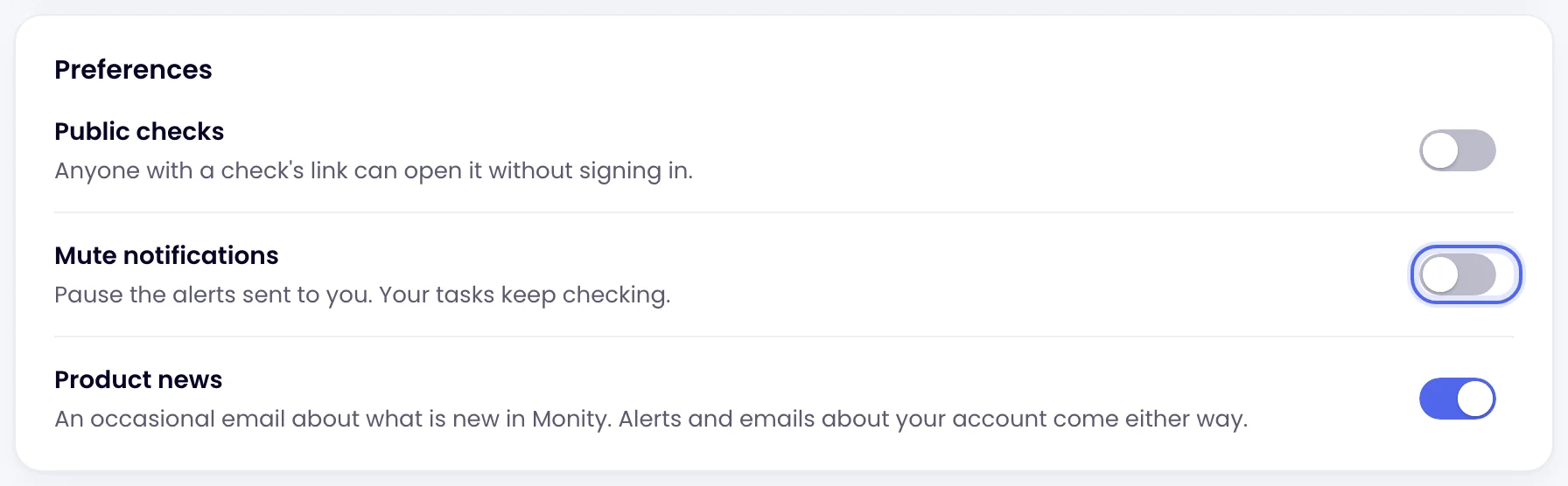
Mute pauses the alerts sent to you, on every task in every workspace, without changing anything for the rest of your team.
Mute your alerts
Click your avatar at the top right and choose Profile. On the Preferences card, switch on Mute notifications and click Update. Switch it off the same way.
What still gets through
| Alert | While you’re muted |
|---|---|
| Email to you as a workspace member | Stopped |
| Push notifications from the mobile app | Stopped |
| Extra addresses added under a task’s Email channel | Still sent |
| Slack, Microsoft Teams, Discord, Telegram, Google Sheets, webhooks | Still sent |
| Other members of the workspace | Still get their alerts |
Tasks keep running and every check is still recorded in the task’s history.
Other ways to get fewer alerts
Was this page helpful?