
Credits and plans
Checks run on credits. Each workspace has its own balance, which your plan refills every billing period.
See your plan and balance
The Credits badge at the top of the dashboard shows the current workspace’s balance. For the full picture, go to My account › Billing:
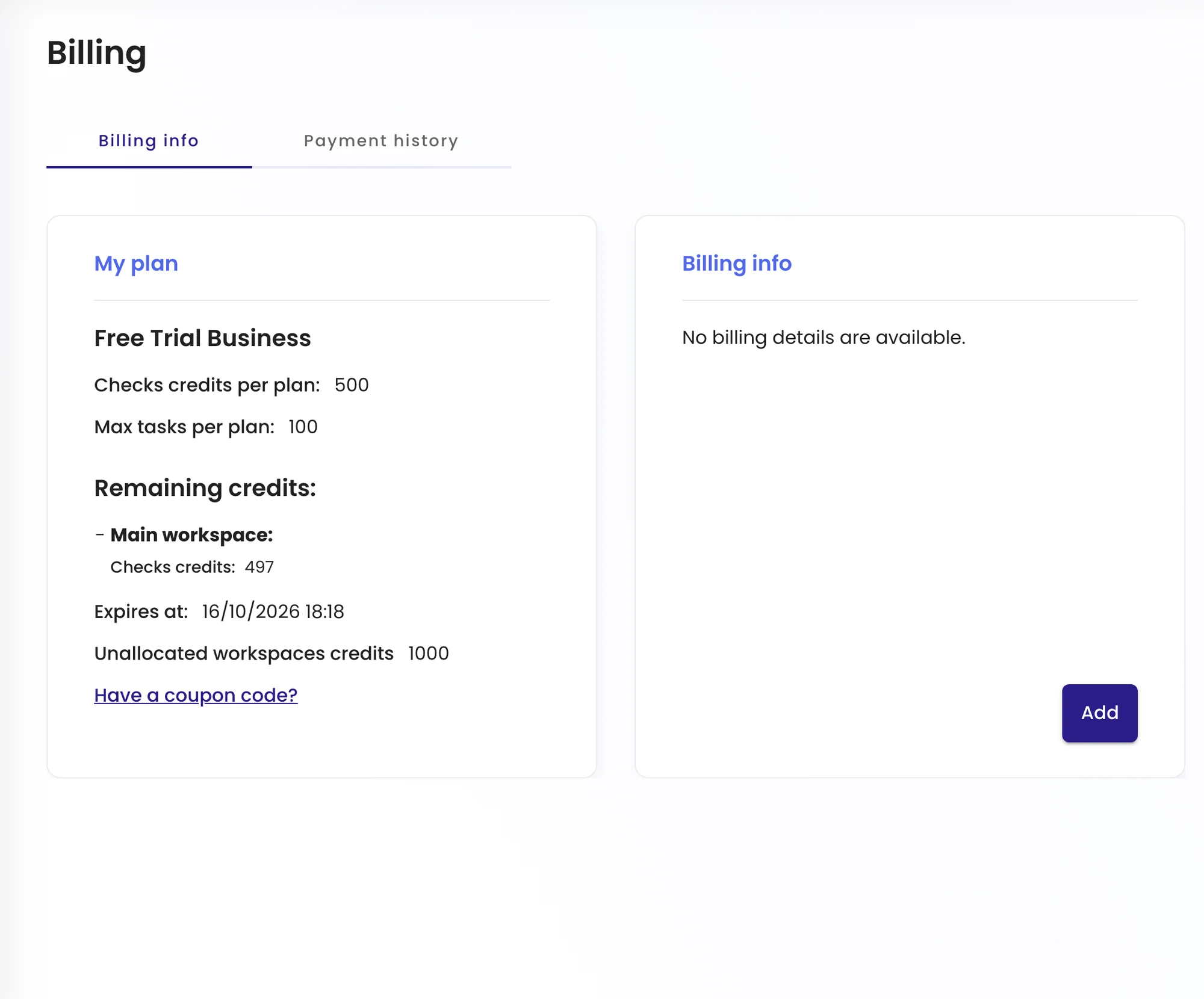
| Item | Meaning |
|---|---|
| My plan | Your plan, with its credits per period and task limit. |
| Remaining credits | What’s left in each workspace, and the date shown under Expires at. |
| Unallocated workspaces credits | Credits not yet assigned to a workspace. |
| Billing info | Company details shown on invoices. Payment history lists past payments. |
Have a coupon? Click Have a coupon code? on the same page.
How credits are used
Every check uses credits from the balance of the task’s workspace, whether it runs on schedule or you start it with Run. A task that checks every hour uses roughly 24 times as many credits per day as one that checks daily, so frequency is the biggest lever on your usage.
When credits run low
We email you when a workspace is running low. If the balance reaches zero, new checks in that workspace pause until it refills at the start of the next period, or until you add credits or upgrade. Tasks and history are kept.
Change plan
Go to My account › Subscriptions to compare plans and upgrade. Plans differ in credits, the shortest check frequency, the number of tasks and the number of users per workspace. You can also see current prices on the pricing page.