
Test folders and deploy triggers: run tests after every deploy
Folders group tests that belong together, such as Checkout or Sign-up. A folder can set the schedule, environment, screen size, retries and alerts for all its tests, and it has one deploy trigger: a URL your CI calls after each release to run every test in it.
Create a folder
- On the Tests page, click New folder under the folder list.
- Enter a Name and, if you like, a Description.
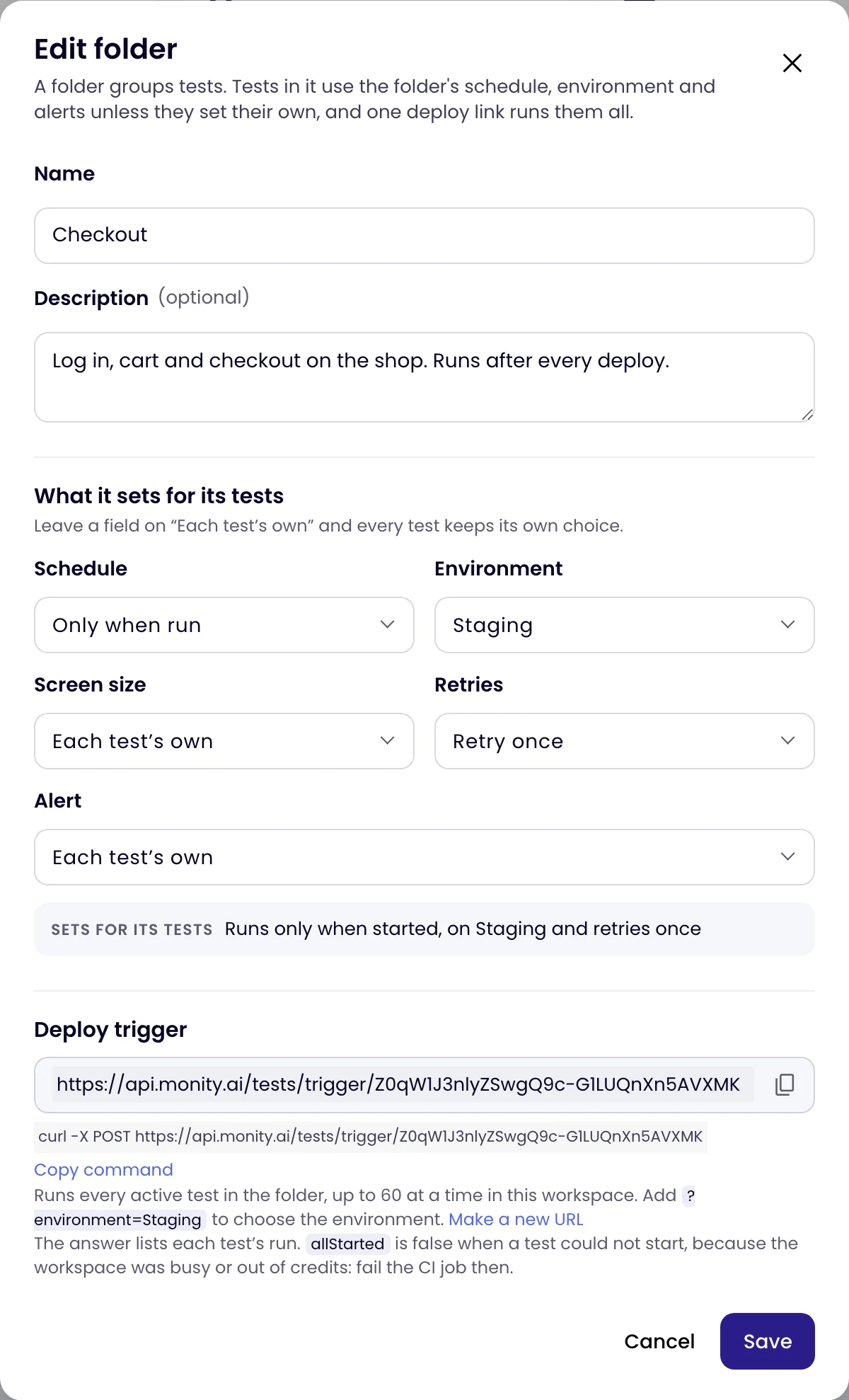
- Under What it sets for its tests, choose what the folder decides. Leave a field on Each test’s own and every test keeps its own choice.
- Click Create folder.
| A folder can set | Choices |
|---|---|
| Schedule | Only when run, or every 5 minutes to every day (your plan sets the fastest). |
| Environment | One of your environments. |
| Screen size | Desktop, laptop, tablet or phone. |
| Retries | No retry, Retry once or Retry twice. |
| Alert | After the first failed run, or after 2, 3, 5 or 10 failed runs in a row. |
A test can still choose its own value for any of these in the editor; until it does, it uses the folder’s. In the editor, a line under the folder name says what the folder sets, for example “In Checkout: runs only when started, on Staging and retries once.”
Put tests in a folder
- In the editor, pick the folder next to the test’s name.
- On the Tests page, open a test’s ⋮ menu and choose Move to folder, or tick several tests and click Move to folder in the bar at the bottom.
- To create a test straight in a folder, open the folder and choose New test in this folder from its ⋮ menu.
A test is in one folder at most. Use labels to group tests in other ways, such as “critical”.
Open a folder
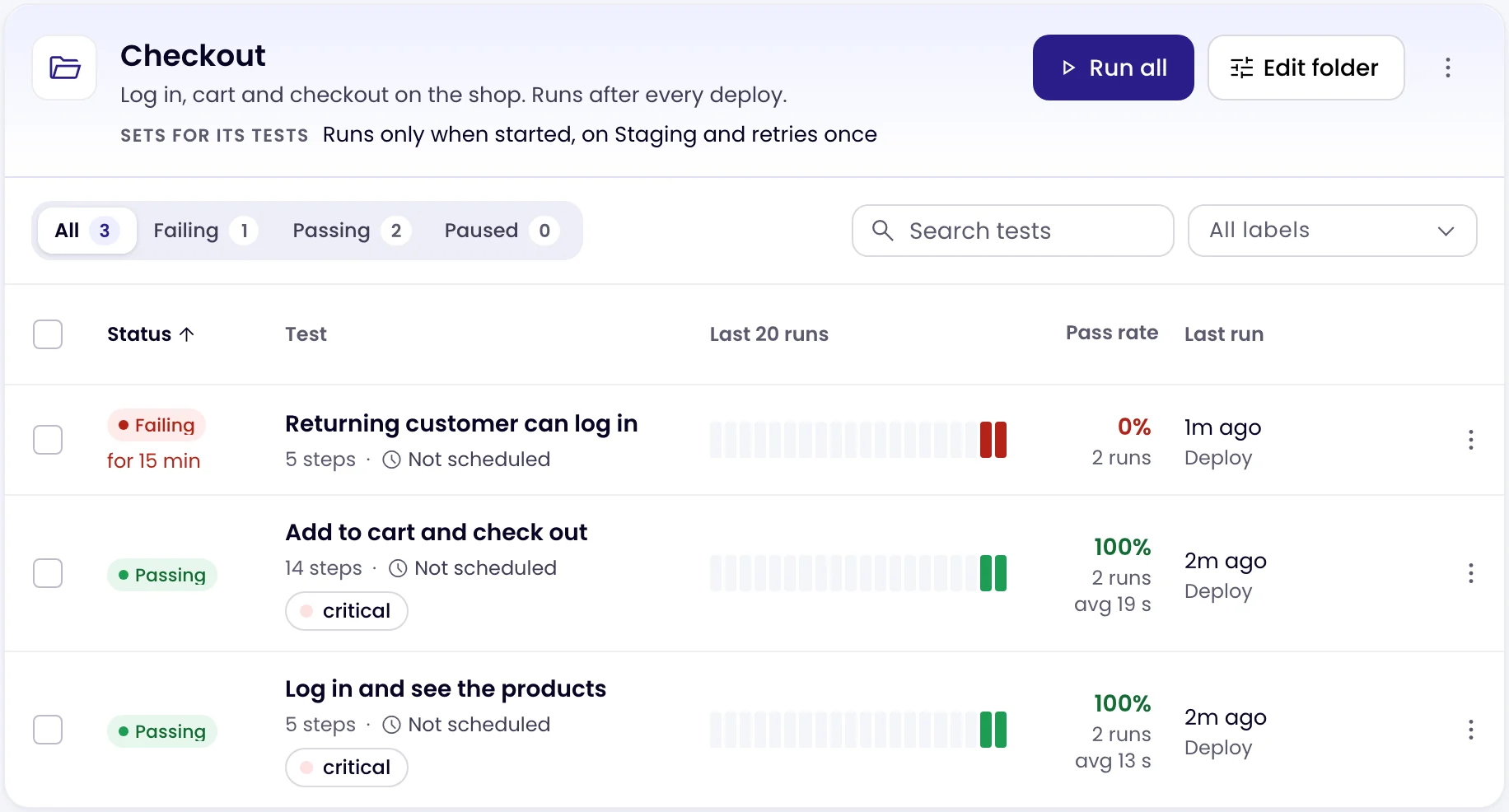
Click a folder in the list on the left. Its head shows the description and what it Sets for its tests, with Run all (runs its active tests now), Edit folder and a ⋮ menu with New test in this folder, Copy deploy trigger and Delete folder.
Run tests after every deploy
Every test and every folder has a deploy trigger URL. A POST to it runs the test, or every active test in the folder, at once. Call it from your CI pipeline or deploy script after a release, so a broken checkout is caught minutes after it ships, not when a customer complains.
- Copy the URL: for a folder, choose Copy deploy trigger in its ⋮ menu, or open Edit folder; for one test, open the test and scroll to Deploy trigger.
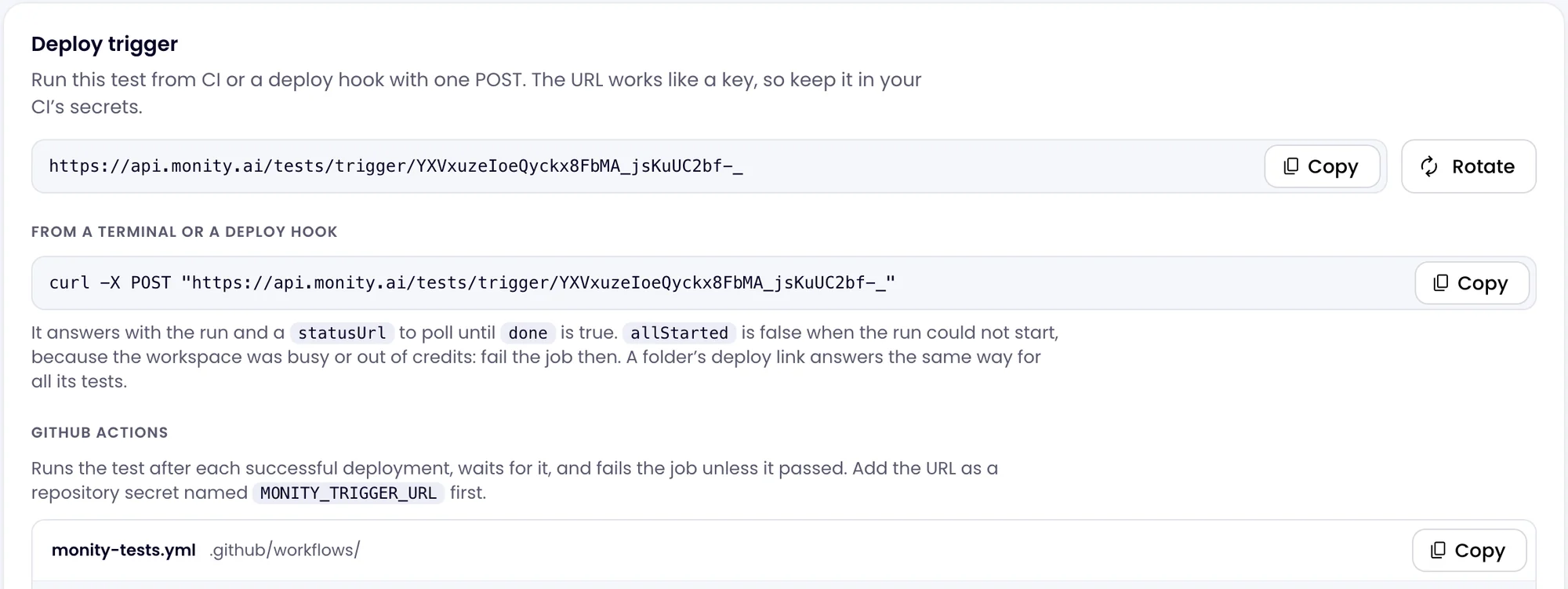
- Keep it in your CI’s secrets. The URL works like a key: anyone who has it can start your tests.
- Call it after each successful deploy:
curl -X POST "https://api.monity.ai/tests/trigger/<your token>"
Add ?environment=Staging to the URL to run on another environment, by its name. The tests run as Deploy runs: they count, retry and alert like scheduled runs.
What the trigger answers
The answer lists the run it started for each test:
{
  "kind": "suite",
  "allStarted": true,
  "runs": [
    {
      "test": "Add to cart and check out",
      "runUuid": "…",
      "status": "QUEUED",
      "statusUrl": "https://api.monity.ai/tests/trigger/<your token>/runs/…",
      "appUrl": "https://app.monity.ai/tests/…/runs/…"
    }
  ]
}allStartedisfalsewhen a test could not start, because the workspace was busy or out of credits. Fail the CI job then: a test that did not run did not test anything.- Poll each
statusUrlwith aGETuntildoneistrue. It then says whether the runpassed, itsdurationMs, and for a failure thefailedStep(itsnumberas in the editor,descriptionanderror), with anappUrlto the run. While a failed run is being retried, it is not done yet. - A folder’s trigger starts up to 60 runs at a time in a workspace. A paused test’s own trigger answers that the test is paused; a folder’s trigger leaves paused tests out.
GitHub Actions
The test’s Deploy trigger card has a ready workflow, monity-tests.yml, to copy into .github/workflows/. It runs after each successful deployment (or by hand), starts the test, waits for it and fails the job unless it passed, with the failing step in the job’s log. Add the trigger URL as a repository secret named MONITY_TRIGGER_URL first. It works the same with a folder’s URL: it waits for every test the folder started.
Click Rotate on the test’s Deploy trigger card, or Make a new URL in the folder’s dialog. The old URL stops working at once; update your CI’s secret. Only admins and editors see trigger URLs.
Delete a folder
Choose Delete folder in the folder’s ⋮ menu. Its tests stay, in No folder, and keep running with their own settings. Its deploy trigger stops working.