
Write browser tests with AI
Describe the journey in a sentence or two and Monity AI drafts the steps. It opens your start page first and reads what is on it, so the steps use your page’s real buttons, labels and texts. Nothing is saved until you have checked the draft and run it.
Draft a new test
- On the Tests page, click New test and choose Write with AI.
- In Start, enter the Start address, the page the journey begins on, and pick the environment and screen size if they matter. Monity AI needs the address: it opens that page to see what is on it.
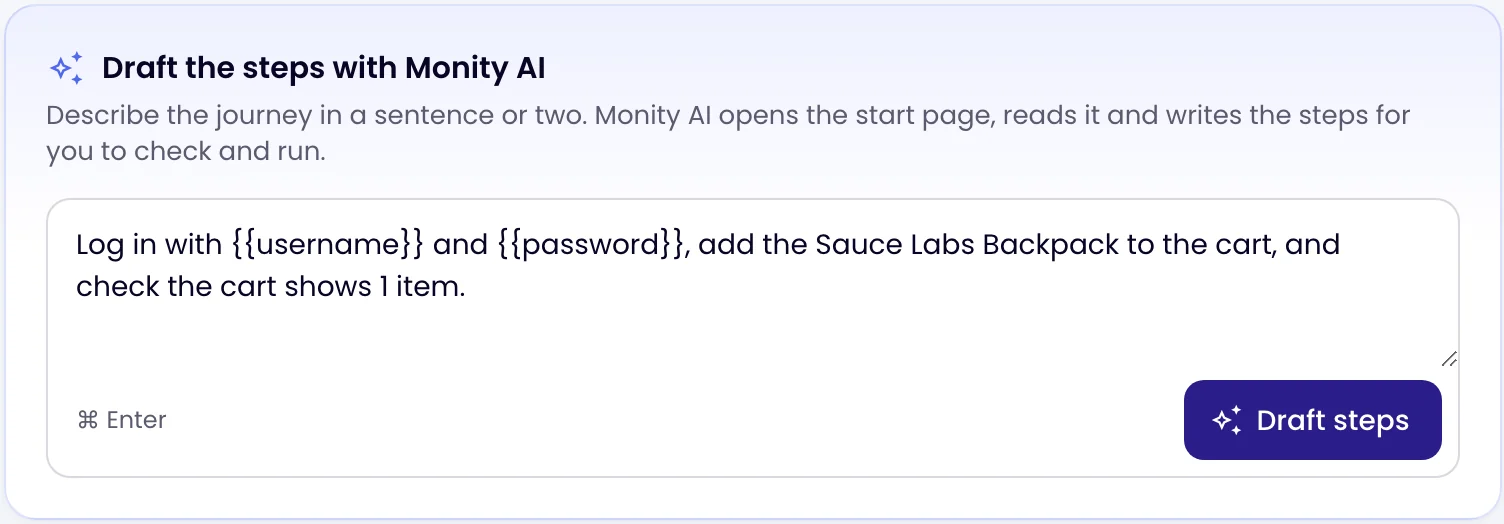
- In Draft the steps with Monity AI, describe what a customer does and what should happen, for example “Log in with {{username}} and {{password}}, add the backpack to the cart, and check the cart shows 1 item.” Or click one of the examples under Try.
- Click Draft steps (or press ⌘ Enter). It takes up to a minute.
What you get
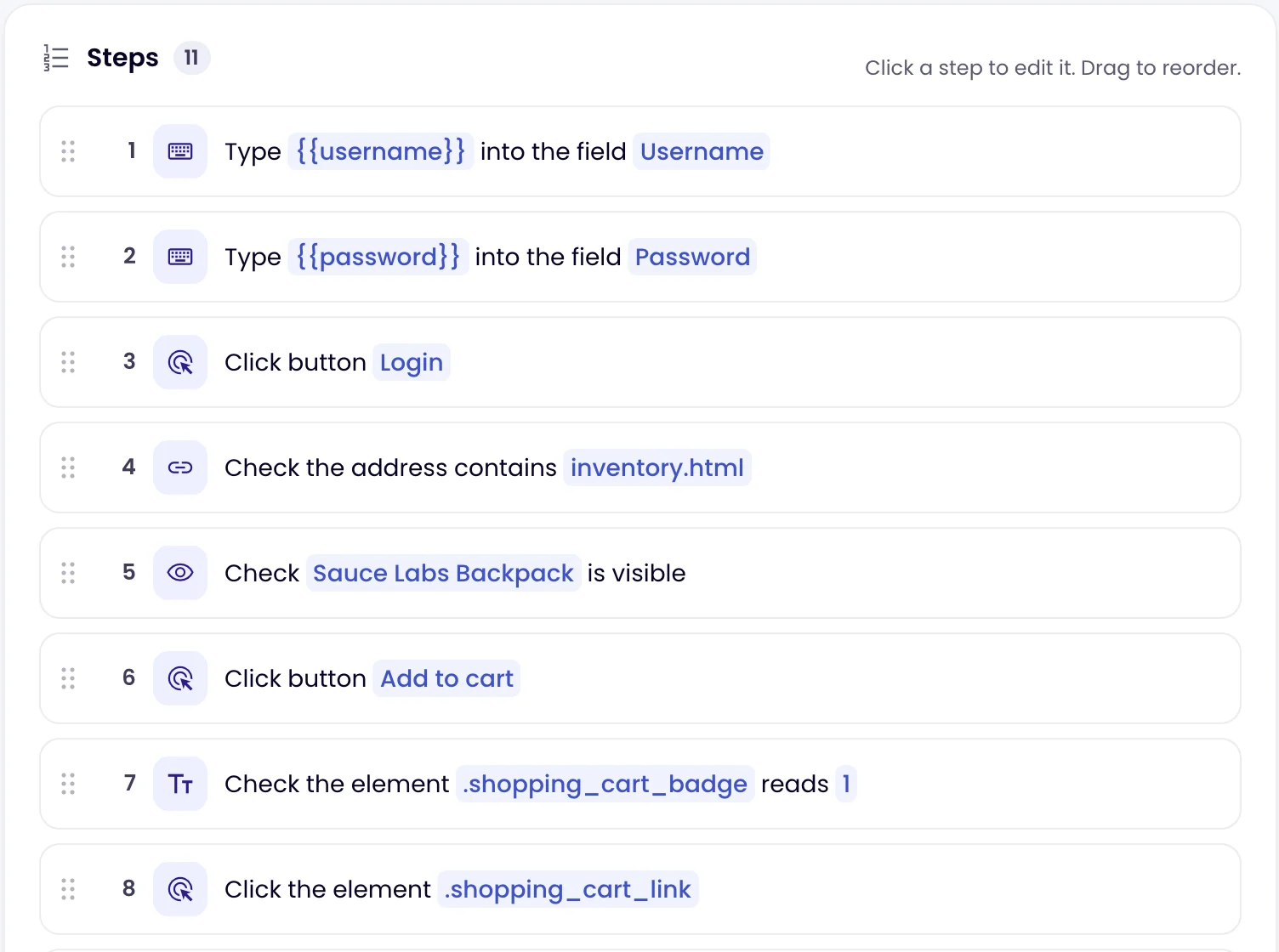
The steps appear in the list, each as a sentence you can open and change, and the test gets a name. Monity AI:
- prefers the ways of finding an element that survive redesigns: a button or link by its name, a field by its label;
- adds a check after each action that changes the page (a heading, a message, the address), so the test proves each part worked;
- uses
{{random.email}}for sign-ups and keeps the variables you wrote, such as{{password}}; - never submits a payment, places an order or deletes anything: it stops before that step and tells you;
- writes at most 30 steps, and never JavaScript steps.
A blue From Monity AI note says what it assumed and what to check, and how many steps it left out because they were incomplete. If it could not open the start page, the note says the steps are drafted from your words alone.
Check the draft, then run it
A draft is a starting point, not a finished test. Before you save:
- Read the steps. Monity AI only sees the start page; for later pages it guesses the most likely names, and the note says so. Open those steps and fix their element if it is wrong.
- Click Run. The run panel shows which step fails and what it found instead, for example the buttons that were on the page. Fix the step and run again.
- If a step types a password written out in full, move it to an environment as a secret and type
{{password}}instead. - Make sure the checks test what matters to you. Add a Text check for the message a customer should see, or Page has no errors.
- Click Create test.
Add steps to an existing test
On a test that already has steps, the card is called Add steps with Monity AI; click it to open it. Describe the next part of the journey and click Draft steps. You then see the drafted steps and choose Add after your steps, Replace your steps or Discard.
Monity AI tests public websites only. Drafting is free; each person can draft up to 30 times an hour. Only admins and editors can write tests.