
Uptime monitor types: website, keyword, port and DNS
Pick the kind of uptime monitor by what you need to know: that a page or API answers, that a page still shows something, that a server accepts connections, that a domain’s DNS records are right, or that a scheduled job ran.
| Kind | Checks | Down when |
|---|---|---|
| Website | An HTTP or HTTPS request to a page or API endpoint | The request fails or times out, the certificate is invalid, the status is not one you expect, or a check on the answer fails |
| Keyword | The same request, then the page’s HTML | As Website, or the text is missing (or present, if you choose “not contain”) |
| Port | A connection to a host and port | The port refuses the connection or does not answer in time |
| DNS | A domain’s records of one type | There is no record of that type, or the records lack a value you expect |
| Heartbeat | Nothing: your job calls a link Monity gives you | No call arrives in time. See heartbeat monitoring |
Monity checks from its own servers on the internet, so the address must be public. Addresses on a private network (localhost, 192.168.x.x and the like) are refused with “The address points to a private network Monity cannot check”. A workspace can have one monitor per address: the editor links to the one that already checks it.
Website: status codes and checks on the answer
Enter a page or an API endpoint. Without http:// it is checked over https. Under When it counts as down:
- Good status codes: 200-399 by default. Use codes and ranges, for example
200-299, 301or4xxfor an endpoint that should answer 401 when signed out. - Checks on the answer: up to 10, and all must pass. Each reads a JSON value (a path such as
$.statusor$.data[0].ok) or a Header, and compares it with equals, does not equal, contains, does not contain, is less than, is greater than, exists or does not exist. Use this for a health endpoint that answers 200 even when something behind it is broken, for example$.statusequalsok. - Alert when responses are slow: an alert when three checks in a row take longer than the time you set, in milliseconds.
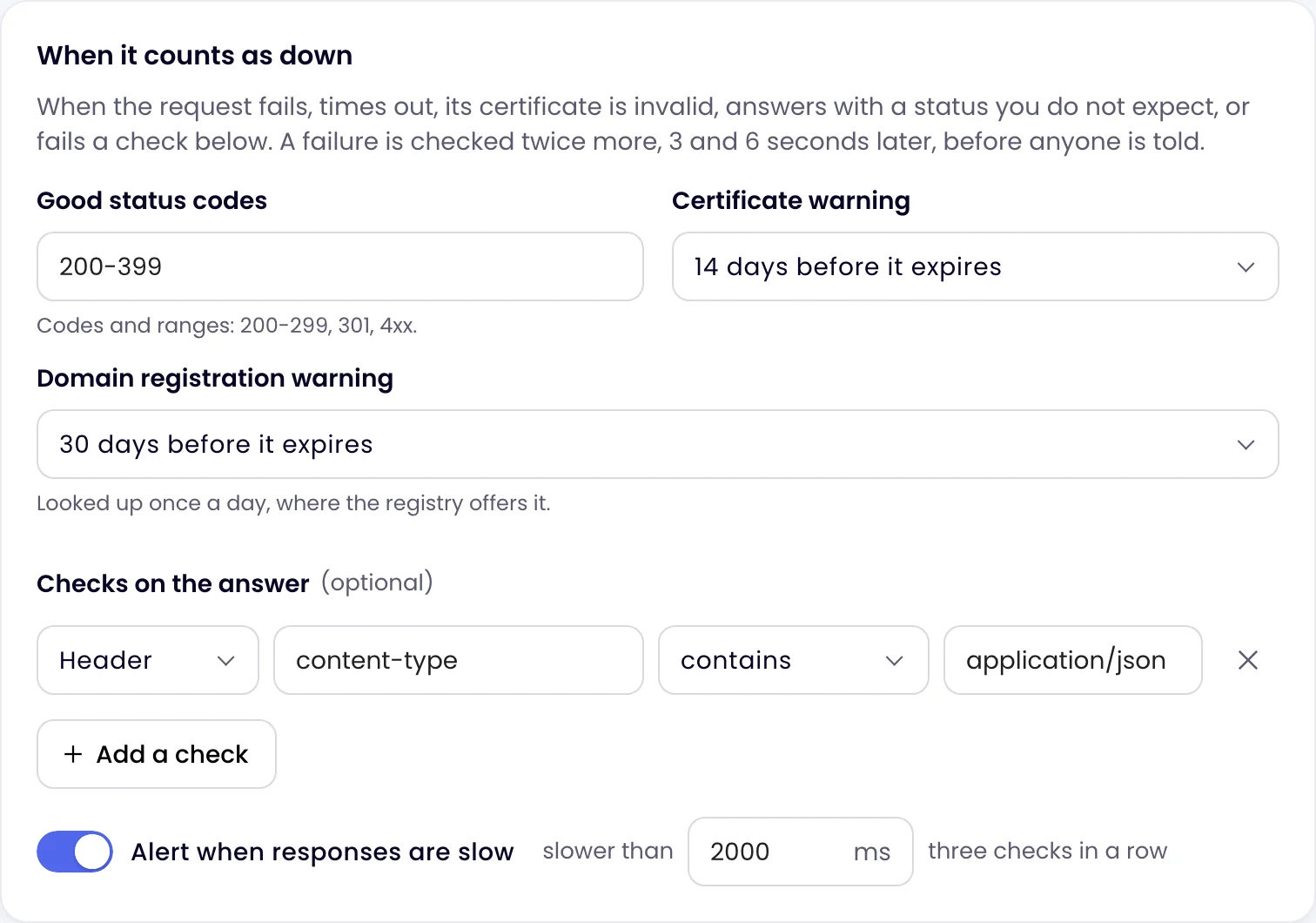
When a check on the answer fails, the incident says which one, for example “$.status is “degraded”, expected “ok””.
Request options
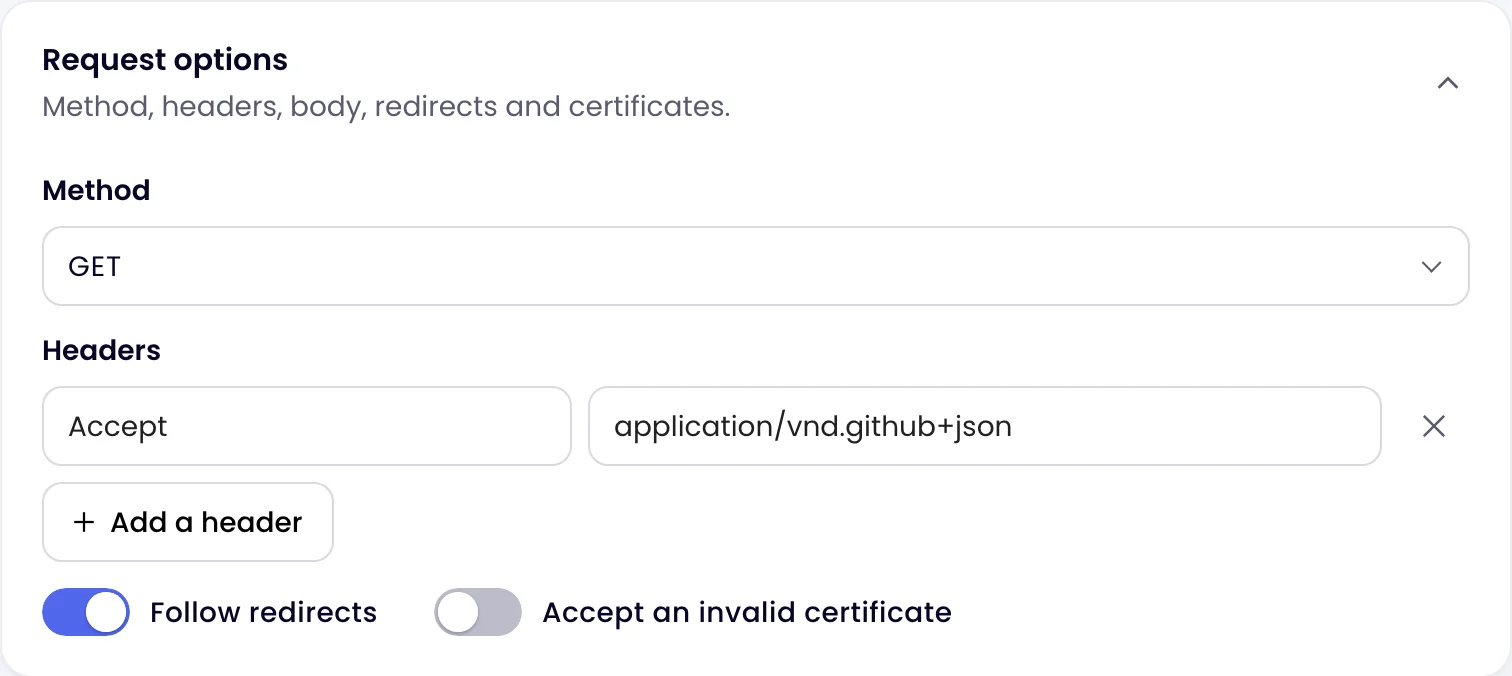
Open Request options to change how the request is made: the Method (GET, HEAD, POST, PUT, PATCH, DELETE or OPTIONS), Headers such as an API token, a Body for POST, PUT and PATCH (sent as JSON when it looks like JSON, otherwise as text, unless you set Content-Type), Follow redirects (on by default) and Accept an invalid certificate.
Keyword: a page still shows the right thing
A page can answer 200 and still be broken: an empty shop, an error message, a maintenance page. A Keyword monitor makes the same request as a Website monitor, then looks for your text. Choose whether The page must contain or not contain it, for example “Add to cart”, or “Something went wrong” with “not contain”. Tick Match upper and lower case exactly if case matters.
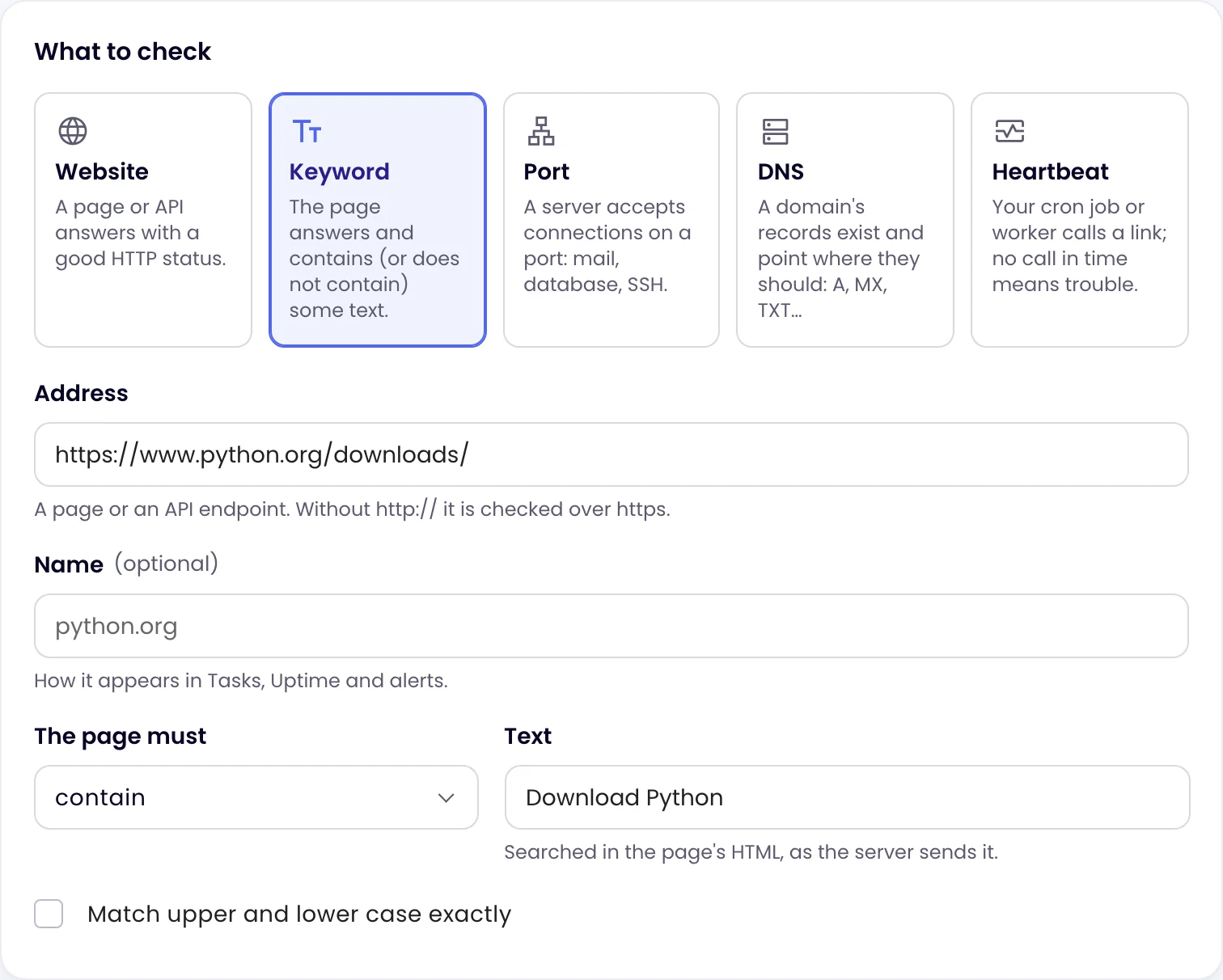
The text is searched in the page’s HTML as the server sends it. Text that only appears after the page’s scripts run in a browser is not there. To check what a visitor sees, use a page monitoring task or a browser test.
Port: mail servers, databases, SSH
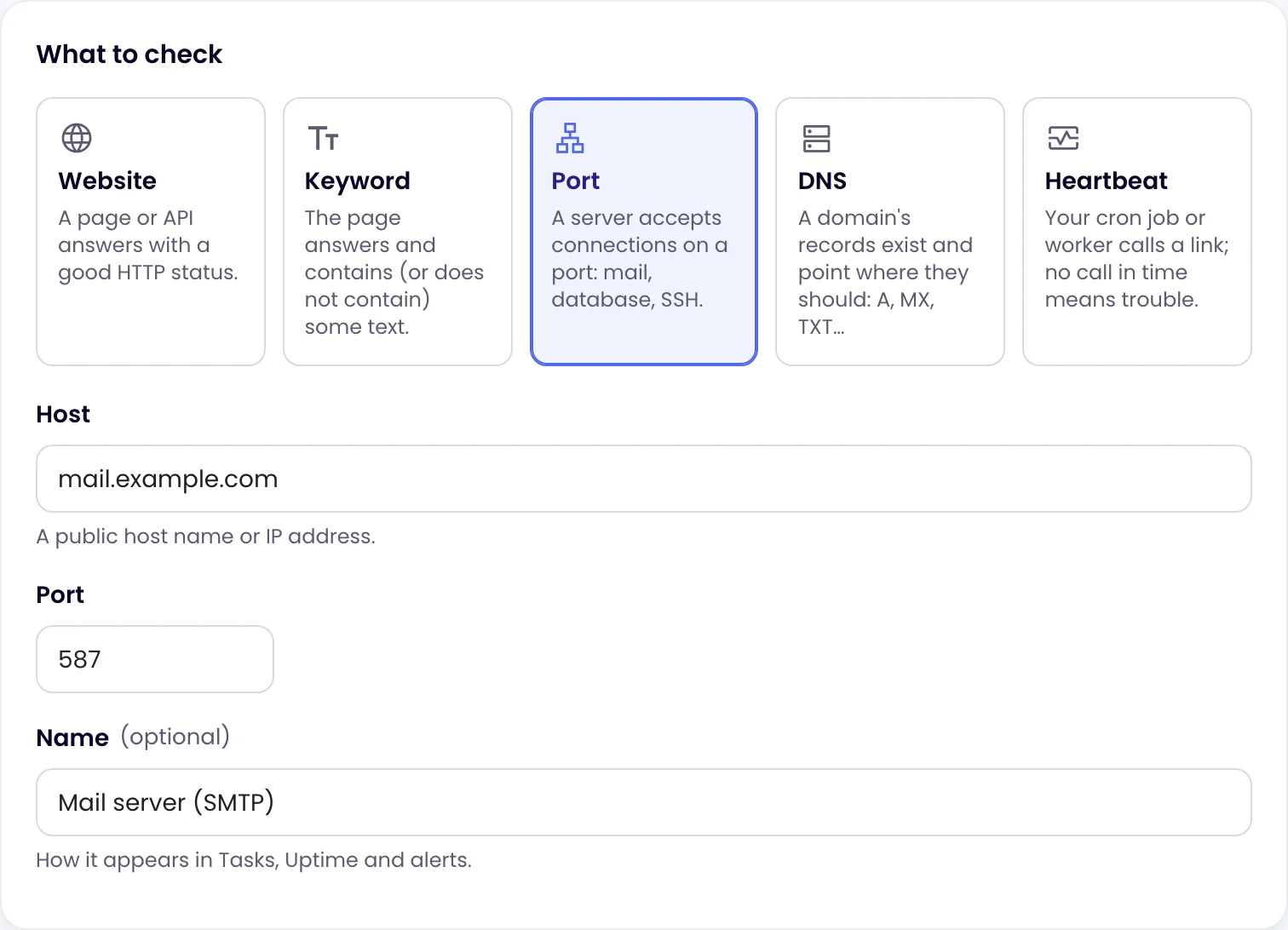
Enter a public host name or IP address and the Port, for example 587 for mail submission, 5432 for PostgreSQL or 22 for SSH. Monity opens a connection and counts the port as up when it is accepted.
DNS: records that point where they should
Enter the domain or host name, choose the Record (A, AAAA, CNAME, MX, TXT or NS) and, optionally, values it Must include, separated by commas. With nothing in Must include, any answer will do. Monity asks public resolvers (1.1.1.1 and 8.8.8.8), so you see what the rest of the internet sees.
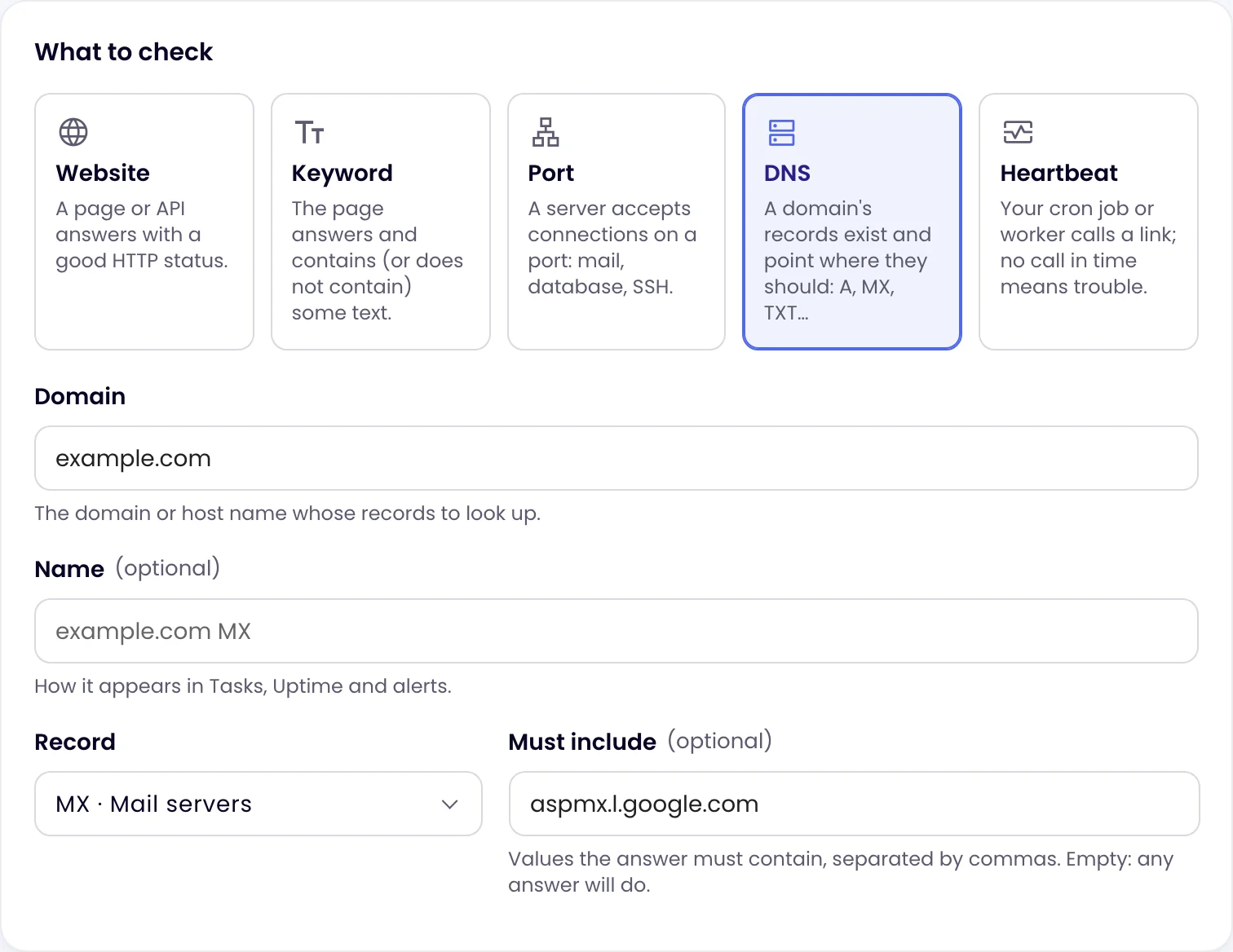
Use it to catch an MX record that stopped pointing at your mail provider, an SPF or verification TXT record that was deleted, or an A record changed by someone else.
Certificate and domain expiry
Every HTTPS monitor reads the certificate on each check, and every monitor except a heartbeat looks up when its domain’s registration ends, once a day. The monitor’s page shows both, and each can send one warning before the date:
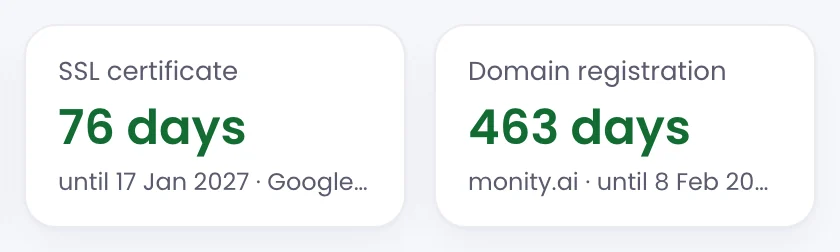
- Certificate warning: 3, 7, 14 (the default) or 30 days before it expires, or No warning. One warning per certificate, so a renewed certificate gets its own.
- Domain registration warning: 7, 14, 30 (the default) or 60 days before it expires, or No warning. Some registries, such as .de, offer no expiry lookup; the monitor’s page says so.