
Webhooks
Send each alert as a signed JSON POST to your own endpoint, to feed a database, an internal tool, Zapier, Make or n8n. You can also receive every check, not just alerts.
Add a webhook to a task
-
Paste your endpoint
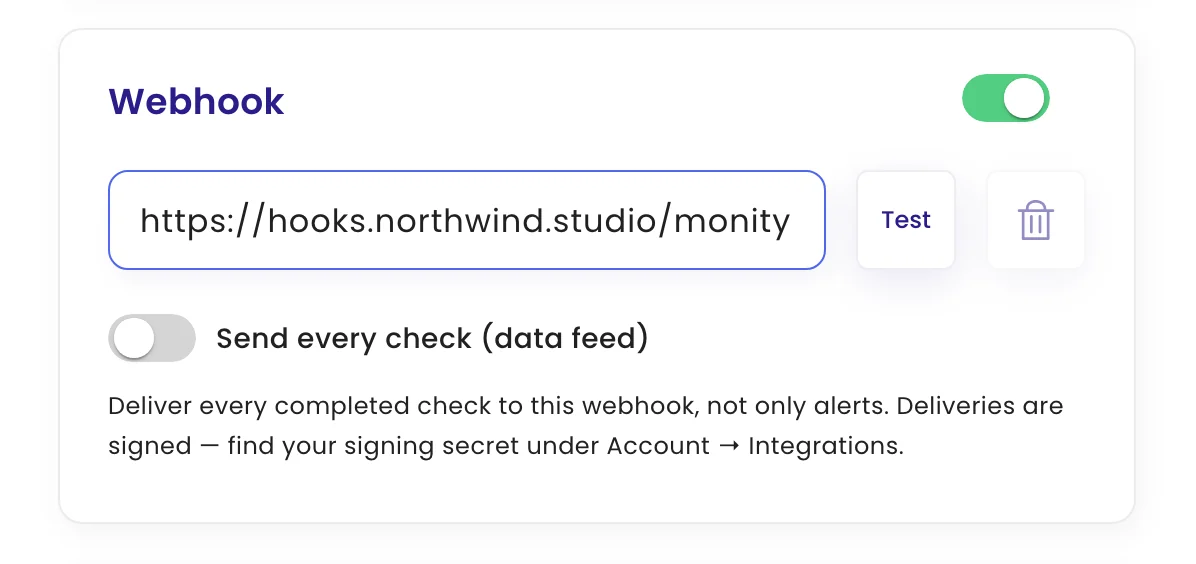
Edit the task, open Configure › Channels, switch on Webhook and enter the URL. Click Test to check it’s reachable.
-
Choose what to send
Leave Send every check (data feed) off to receive alerts only. Switch it on to receive every completed check, which is useful for tracking a value such as a price over time.
-
Save
Click Update task.
The request
monity.ai sends POST with Content-Type: application/json and User-Agent: Monity-Bot/1.0. The body includes:
| Field | Content |
|---|---|
taskId, taskName |
The task |
websiteUrl |
The monitored page |
status |
The check’s result |
aiSummary |
What changed, in plain words |
checkUrl |
The check in monity.ai |
imageUrl, prevImage, imageDiffUrl |
Current and previous screenshots, and the highlighted difference |
output |
The extracted value, if the task uses data extraction |
checkDate, notificationTimestamp |
When the check ran and when the webhook was sent |
payloadVersion |
2, plus extra context such as labels, compareType, percentDifference and trigger |
Failed deliveries are retried twice, after about 1 and 3 seconds, when the endpoint times out, returns a 5xx error or answers 429. Other 4xx responses are not retried. Each attempt waits up to 10 seconds.
Verify the signature
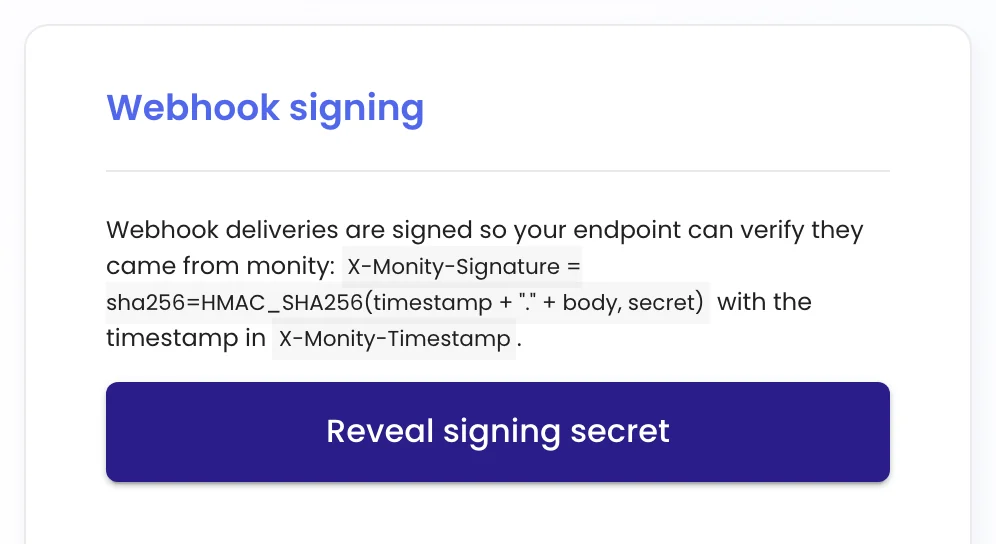
Every delivery carries X-Monity-Timestamp and X-Monity-Signature. The signature is sha256= followed by the hex HMAC-SHA256 of the timestamp, a dot and the raw request body, keyed with your signing secret. Find the secret under My account › Integrations › Webhook signing.
import crypto from 'node:crypto';

function isFromMonity(rawBody, headers, secret) {
  const timestamp = headers['x-monity-timestamp'];
  const expected = 'sha256=' + crypto
    .createHmac('sha256', secret)
    .update(`${timestamp}.${rawBody}`)
    .digest('hex');
  const given = headers['x-monity-signature'] || '';
  return given.length === expected.length &&
    crypto.timingSafeEqual(Buffer.from(given), Buffer.from(expected));
}
Compute the signature over the body exactly as received, before parsing it. To reject replayed requests, also check that the timestamp (milliseconds since 1970) is recent.