


An HTTP status code is the three-digit number a server sends with every response to say how the request went. The first digit gives the class: 1xx informational, 2xx success, 3xx redirection, 4xx a problem with the request and 5xx a problem on the server (RFC 9110, section 15). On a website, 2xx and 3xx are normal; a 5xx, or a 4xx on a page that should be public, is the one to act on.
The five classes at a glance
- 1xx Informational: an interim answer sent before the real one. You’ll rarely see these.
- 2xx Success: the request worked. A normal page load returns 200 OK.
- 3xx Redirection: the content is at another address, given in the Location header, and browsers follow it.
- 4xx Client error: the server thinks the request was at fault: a wrong address, missing credentials, no permission, too many requests.
- 5xx Server error: the server, or a proxy in front of it, failed to answer a request that may have been perfectly fine.
Common HTTP status codes and what they mean
Meanings follow RFC 9110 unless another RFC is named. Codes with a guide of their own are linked.
| Code | Name | What it means |
|---|---|---|
| 100 | Continue | The server has the start of the request and hasn’t rejected it, so the client can send the rest. |
| 101 | Switching Protocols | The server agrees to change protocol on this connection, as requested in the Upgrade header. |
| 103 | Early Hints | Headers sent ahead of the final answer so the browser can start fetching files early (RFC 8297). |
| 200 | OK | The request succeeded. What every healthy page returns. |
| 201 | Created | The request created something new, usually named in the Location header. |
| 202 | Accepted | Accepted for processing, but not finished, and it may still fail. |
| 204 | No Content | Done, and there’s nothing to send back. |
| 206 | Partial Content | Part of a file, sent in answer to a range request (video, resumed downloads). |
| 301 | Moved Permanently | The page has a new permanent address; links ought to use it. |
| 302 | Found | The page is temporarily at another address; keep using the original one. |
| 303 | See Other | Fetch another address with GET, typically after a form is submitted. |
| 304 | Not Modified | Your cached copy is still current, so nothing is sent again. |
| 307 | Temporary Redirect | Like 302, but the client must not change the method (a POST stays a POST). |
| 308 | Permanent Redirect | Like 301, and method-preserving like 307. |
| 400 | Bad Request | The server can’t or won’t process the request because of what it sees as a client error, such as malformed syntax. |
| 401 | Unauthorized | Valid credentials are missing or were refused; the server says how to authenticate. |
| 403 | Forbidden | The server understood the request and refuses it. The same credentials won’t help. |
| 404 | Not Found | Nothing at this address, or the server won’t say whether there is. |
| 405 | Method Not Allowed | The address exists but doesn’t take this method; the Allow header lists the ones it does. |
| 408 | Request Timeout | The server stopped waiting for the client to finish sending the request. |
| 409 | Conflict | The request clashes with the resource’s current state, such as an edit to an outdated version. |
| 410 | Gone | Removed on purpose, and the removal is likely permanent. |
| 413 | Content Too Large | The request body, an upload for instance, is bigger than the server accepts. |
| 414 | URI Too Long | The address is longer than the server is willing to read. |
| 415 | Unsupported Media Type | The body is in a format this endpoint doesn’t accept. |
| 422 | Unprocessable Content | The body is well-formed, but its contents can’t be processed (typically validation errors). |
| 429 | Too Many Requests | Rate limited: too many requests in a given time (RFC 6585). |
| 431 | Request Header Fields Too Large | The request’s headers, often its cookies, are too big (RFC 6585). |
| 451 | Unavailable For Legal Reasons | Access is denied because of a legal demand (RFC 7725). |
| 500 | Internal Server Error | The server hit an unexpected condition. The catch-all server error. |
| 501 | Not Implemented | The server doesn’t support what the request needs, such as an unknown method. |
| 502 | Bad Gateway | A proxy or gateway got an invalid answer from the server behind it. |
| 503 | Service Unavailable | Temporarily overloaded or down for maintenance; it may say when to retry. |
| 504 | Gateway Timeout | A proxy or gateway didn’t get an answer in time from the server behind it. |
| 505 | HTTP Version Not Supported | The server won’t use the HTTP major version the request used. |
| 511 | Network Authentication Required | You need to sign in to the network first, as on a hotel or airport Wi-Fi portal (RFC 6585). |
Cloudflare’s 520 to 530 errors
Codes 520 to 526 and 530 aren’t in the HTTP standard. Cloudflare returns them when it sits in front of a site and can’t get a usable answer from the site’s own server, which it calls the origin. For most of them its 5xx documentation says to start with the hosting provider.
| Code | Cloudflare’s name | What happened |
|---|---|---|
| 520 | Web server returns an unknown error | The origin sent an empty, unknown or unexpected response: a crash, a firewall blocking Cloudflare’s IP addresses, or response headers over 128 KB (often too many cookies). |
| 521 | Web server is down | The origin refused Cloudflare’s connection, because the web server is offline or blocks Cloudflare. |
| 522 | Connection timed out | Cloudflare couldn’t set up a connection to the origin within 19 seconds, or got no data within 90 seconds of connecting. |
| 523 | Origin is unreachable | Cloudflare has no route to the origin: a routing problem, or the wrong IP address in the DNS record. |
| 524 | A timeout occurred | Cloudflare connected, but the origin sent no HTTP response within the Proxy Read Timeout, 125 seconds by default. |
| 525 | SSL handshake failed | The TLS handshake between Cloudflare and the origin failed, with SSL set to Full or Full (Strict). |
| 526 | Invalid SSL certificate | With Full (Strict), Cloudflare couldn’t validate the origin’s certificate: expired, self-signed, the wrong hostname or an incomplete chain. |
| 530 | Error 530 | Cloudflare can’t resolve the origin’s hostname; the page carries a 1xxx error that names the cause. |
Which status codes should an uptime check alert on?
A visitor sees one request. An uptime check asks for the same address every few minutes, so the question is which answers mean people are being turned away. A sensible set of rules:
- Every 5xx, once a re-check confirms it. 500, 502, 503 and 504 mean visitors are getting an error page. Google’s crawlers also slow down on 5xx and 429 answers, and URLs that keep returning a server error are eventually dropped from the index (Google’s crawling docs).
- Cloudflare’s 520 to 530. Cloudflare answered, but your server behind it failed.
- 401, 403 or 404 on a page that should be public. On a homepage, pricing page or checkout these are outages: a firewall rule blocking real visitors, a staging password left on after launch, a deploy that broke routing. Google doesn’t index URLs that return a 4xx and removes the ones already indexed.
- 429 on your own site. Your rate limiting is turning people away, or your monitor. Worth knowing even when it clears by itself.
- A redirect to the wrong place. A 302 to a login or maintenance page isn’t an error code, so a status check alone won’t flag it. Check for text that only the real page carries.
- A 200 that’s really an error. A “something went wrong” page served with 200 passes any status check. Google calls this a soft 404; a check for expected text catches it.
Leave out what’s normal: redirects you set up on purpose, 304 answers from caches, and 4xx on addresses that are meant to refuse, such as an admin area that answers 401 when you’re signed out.
How to see a page’s status code yourself
- In the browser: open the developer tools (F12, or Cmd+Option+I on a Mac), choose the Network tab and reload. The Status column shows each request’s code; the first row is the page itself.
- In a terminal:
curl -s -o /dev/null -w "%{http_code}\n" https://example.com/prints the status of a normal GET.curl -Ishows the headers but sends a HEAD request, which some servers answer differently. - From outside your network: Monity’s free redirect checker follows every hop and shows each status code, Location and response headers, as a browser, Googlebot or GPTBot would see them.
Get an alert when your site starts returning errors
Monity’s uptime monitoring asks for your pages on a schedule, every 30 seconds to every hour depending on the plan (every 5 minutes on the free plan), and alerts when the answer goes wrong. A website monitor checks the status, with the method, headers and body you choose; a keyword monitor checks for text the page must or must not contain, which catches wrong redirects and error pages served with 200. A failure is checked again 3 and 6 seconds later before anyone is told, and the incident keeps the status, headers and response it got.
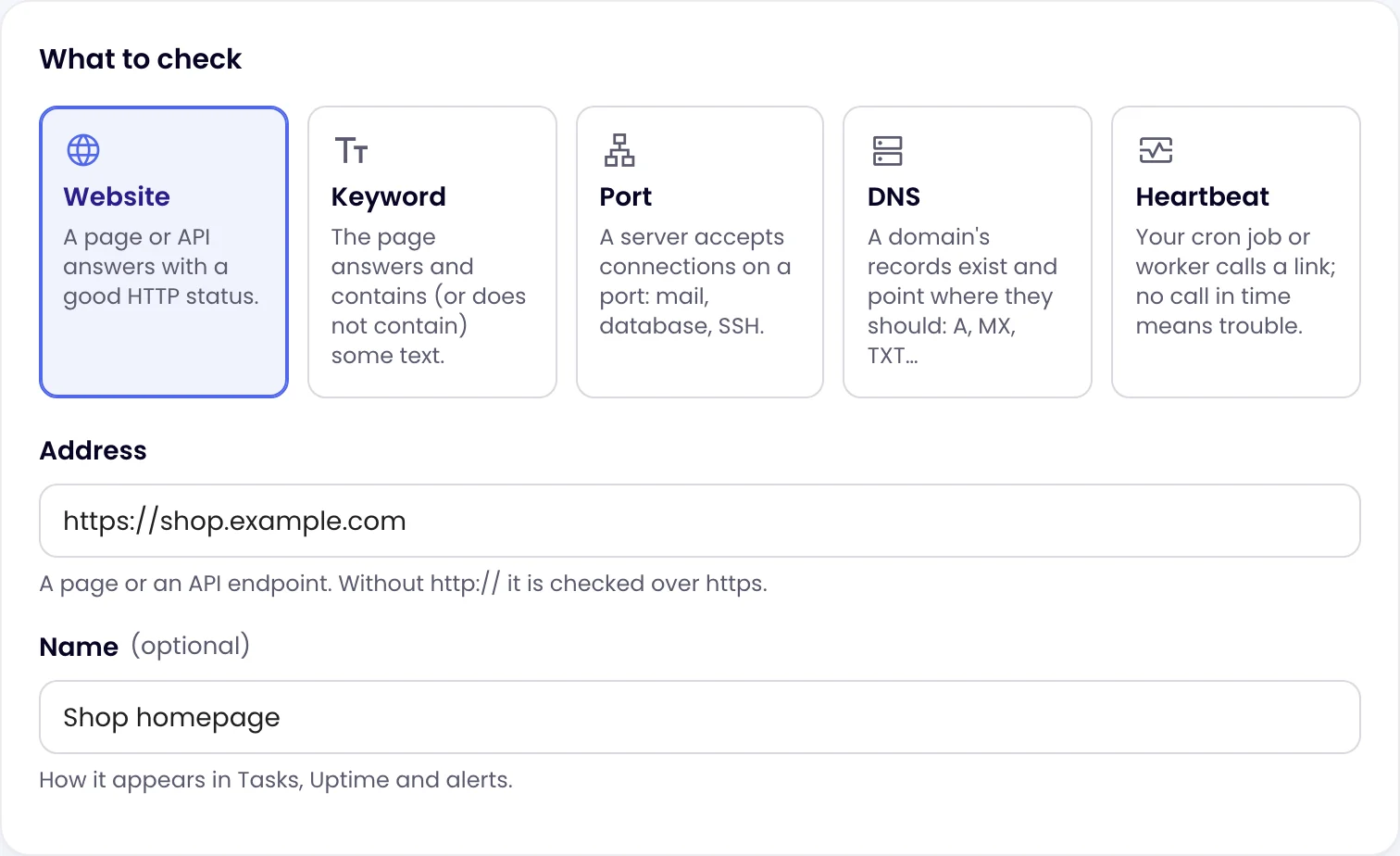
The free plan includes 3 monitors, enough for a homepage, a login page and a checkout.