


A 502 Bad Gateway means a server in the middle, such as nginx, a load balancer or a CDN, asked the app behind it for the page and got a broken answer, or none at all. The app crashed, refused the connection or hung up halfway. It’s a fault between the site’s own servers, so visitors can only wait. If it’s your site, the proxy’s error log names the cause in one line.
Where does a 502 come from?
A request to a modern site passes through several servers before it reaches the code that builds the page:
- your browser,
- a CDN such as Cloudflare,
- a load balancer,
- a web server such as nginx, acting as a reverse proxy,
- the app: PHP-FPM, a Node, Python or Ruby process, or a container.
Any server from step 2 to step 4 can be the “gateway”. RFC 9110 defines 502 as a gateway or proxy that “received an invalid response from an inbound server”. So the server that sent the 502 is working; the one behind it isn’t. If the app had answered with a proper error, the proxy should pass that on, and if it hadn’t answered in time, the code would be 504 (MDN).
Which layer answered?
- A plain page with “nginx” under the title is nginx’s own: look at nginx’s error log and the app behind it.
- A Cloudflare-branded 502 passes on a 502 from your server. A blank, unbranded 502 comes from Cloudflare itself, for example when the origin sends broken gzip or a wrong
Content-Length. Through Cloudflare Tunnel, it meanscloudflaredcan’t reach the service in its ingress rule (Cloudflare). - Behind an AWS Application Load Balancer, the load balancer answers 502 when a target resets or closes the connection, or sends headers it can’t accept (AWS).
The error log names the cause
On most Linux installs nginx logs to /var/log/nginx/error.log. Read it at the time of the 502:
sudo tail -n 50 /var/log/nginx/error.log| Log line contains | What happened | Fix |
|---|---|---|
connect() failed … while connecting to upstream |
Nothing accepted the connection: the app is down, restarting, or listening somewhere else | Start the app; compare the address in proxy_pass or fastcgi_pass with where it listens |
upstream prematurely closed connection |
The app hung up mid-request: it crashed, was killed for memory, or closed a kept-alive connection | Read the app’s own log and the system log for kills |
upstream sent too big header |
The response headers didn’t fit proxy_buffer_size, one memory page (4 or 8 KB) by default; big cookies are the usual reason |
Raise proxy_buffer_size (fastcgi_buffer_size for PHP), and trim the cookies |
An AWS load balancer has its own limit: 32 KB for a response’s headers. Past it, the answer is a 502.
502s that come and go
- During deploys. If every app process restarts at once, nothing answers for a few seconds. Graceful reloads or rolling restarts keep old processes serving until the new ones are ready.
- Behind a load balancer. AWS names a common one: the app’s keep-alive timeout is shorter than the load balancer’s idle timeout (60 seconds by default), so the app closes connections the load balancer is about to reuse. Set the app’s keep-alive longer than the idle timeout.
- Under load. A process that runs out of memory is killed, and the requests it held get a 502. The system log shows the kill.
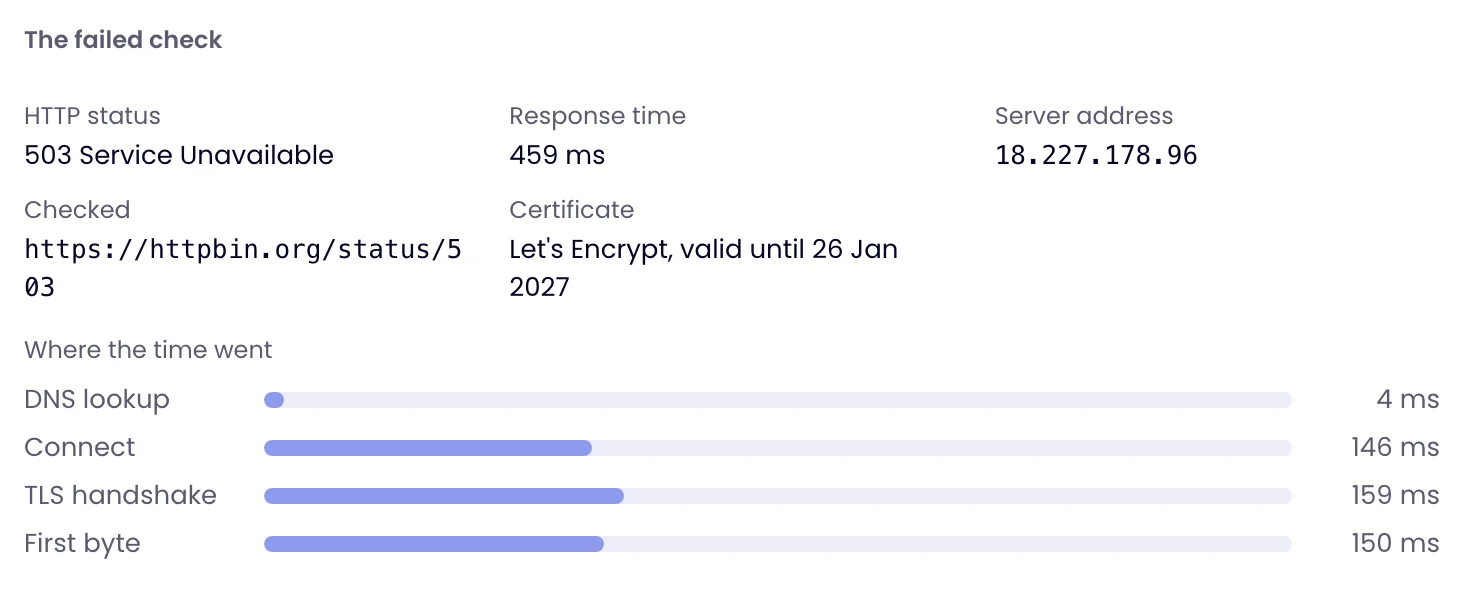
Intermittent 502s are the hardest to catch by hand. Monity’s uptime monitoring requests the page from outside on a schedule, checks a failure twice more within seconds, and keeps the failed answer, so a 502 at 3 a.m. still has a time, a status and headers when you look in the morning.
Seeing a 502 on someone else’s site?
Reload after a minute; a 502 during a deploy often clears that fast. If it lasts, check the company’s status page. It’s only on your side if the site works for everyone else and you use a VPN or a proxy: try another network.
More: 504 Gateway Timeout, 503 Service Unavailable and all HTTP status codes.