


A 500 Internal Server Error means the website’s server hit a problem it didn’t expect and couldn’t finish your request. It’s the site’s fault, not your browser’s or your connection’s. As a visitor, reload once after a minute and, if it stays, try later or tell the site. If it’s your site, the page won’t say what broke, but the server’s error log will.
Seeing a 500 on a site you’re visiting
- Reload once, a minute later. Some 500s last seconds, during a deploy or a restart.
- Don’t resend a payment or an order straight away. The request may have gone through before the error. Check your email or your account first.
- Try another page of the site. If the rest works, only that page is broken; if it all fails, the site is down.
- Tell the site if it lasts: the address, the time and what you were doing are what its developers need.
Clearing cookies or switching browsers rarely helps, because the error happens on the server. The exception is a 500 that only your account triggers: if the same page works signed out, report that to the site.
Your site: find the real error
RFC 9110 defines 500 as an “unexpected condition that prevented it from fulfilling the request”, and MDN calls it a catch-all. Unlike 502, 503 or 504, the code says nothing about where it failed, so read the log for the minute it happened. The usual places:
| What runs the site | Where the error usually is |
|---|---|
| Apache | /var/log/apache2/error.log (Debian, Ubuntu) or /var/log/httpd/error_log (Red Hat family) |
| nginx with PHP-FPM | /var/log/nginx/error.log, plus PHP-FPM’s own log for fatal errors |
| WordPress | wp-content/debug.log, once logging is on (below) |
| A Node, Python or Ruby app | The app’s own log or process output, for example journalctl -u <service> for a systemd service |
| Shared hosting | The host’s control panel, under error logs |
The line you want is a stack trace or a fatal error with the same timestamp. It names the file, and often the reason: a missing function after an update, a database that refused the connection, a memory limit, a file the server can’t read.
WordPress: “There has been a critical error on this website”
That message is WordPress answering a PHP fatal error with a 500. WordPress also emails the site’s admin address a link to recovery mode, which lets you sign in with the broken plugin or theme paused. Without the email:
- Add
define( 'WP_DEBUG', true );anddefine( 'WP_DEBUG_LOG', true );towp-config.php, reload the page, and readwp-content/debug.log(WordPress docs). Turn them off afterwards. - If the log names a plugin, rename its folder in
wp-content/pluginsto switch it off. - If the log is empty, rename
.htaccess. Apache answers 500 to a directive it doesn’t allow there or a syntax error (Apache). If the site comes back, start again from WordPress’s default rules.
“Error establishing a database connection” is another common 500 on WordPress, according to Cloudflare: check the database credentials in wp-config.php, and that the database server is up and has disk space. On a Cloudflare site, a 500 page that mentions “cloudflare” came from Cloudflare (a failing Worker, for example), and one that doesn’t came from your server.
A 500 right after a deploy
Roll back first, then find out why: a missing environment variable, a migration that didn’t run, an extension that didn’t load after an upgrade. To catch the next one before customers do, test the pages that matter right after each deploy. Monity’s browser tests run your sign-in or checkout steps from a deploy hook or a GitHub Actions workflow and fail the job when a step fails.
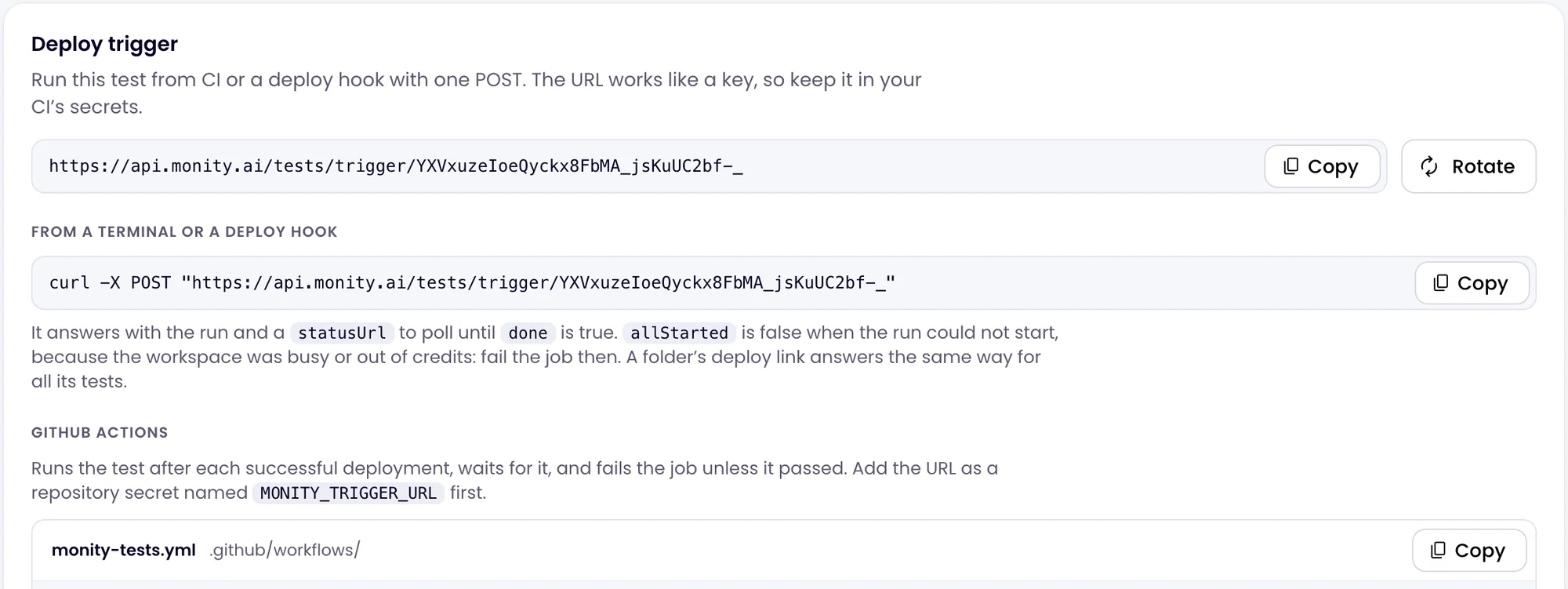
Between deploys, Monity’s uptime monitoring requests the page on a schedule and alerts when it returns 500. A keyword monitor also catches an error page sent with a 200, by text the page must or must not contain.
More: 502 Bad Gateway, 503 Service Unavailable and all HTTP status codes.