


A website maintenance checklist is a short list of jobs on a schedule: every week, check the site is up, its forms work, its software is updated and its backups ran; every month, check links, speed and search basics; every year, renew the domain and review certificates, accessibility and content. Monity (monity.ai) watches the parts that can be checked from outside, from uptime and certificates to broken links, speed, SEO and forms. Updates, backups and security patches stay with you or your host.
Weekly
| Check | Why | Monity can watch it |
|---|---|---|
| The site and key pages answer | An outage nobody notices costs every visitor until someone does | Yes: uptime monitors, every 5 minutes on the free plan |
| Sign-up, login, checkout and contact forms work | A page can load while the button behind it fails | Yes: browser tests, on a schedule or after each deploy |
| Updates: CMS, plugins, themes, server | Security updates close holes that are already public | No: apply them yourself or through your host |
| Backups ran, and one restore was tried | Restoring one shows the backup is complete and usable | No: your host or your backup tool |
Monthly
| Check | What good looks like | Monity can watch it |
|---|---|---|
| Broken links, outgoing ones included | None on the pages people use | Yes |
| Speed and Core Web Vitals | Google’s thresholds: LCP within 2.5 seconds, INP of 200 milliseconds or less, CLS of 0.1 or less, for 75% of visits | Yes |
| Search basics: indexable, titles, canonicals, structured data | Important pages indexable and titled; read Search Console’s page indexing report too | Yes |
| Scripts and connections on payment pages | No script you didn’t add; the script watch helps with PCI DSS 6.4.3 and 11.6.1 | Yes |
| Cookies and trackers | Only the ones your banner and policy name | Yes |
Quarterly
- Accessibility: run an automated WCAG 2.2 AA check, then test the main flows with a keyboard and a screen reader; automated checks find only part of the problems.
- Accounts: remove admin logins of people who left, and turn on two-factor sign-in where it’s off.
- Content: prices, opening hours, team pages and legal pages that went out of date.
Yearly, and the dates that sneak up
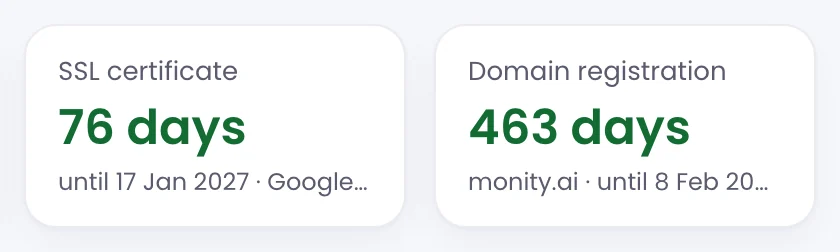
- The domain’s registration. A lapsed domain takes the site and its email down together.
- TLS certificates. The CA/Browser Forum’s ballot SC-081 cuts the longest a public certificate may last from 398 days to 47, in steps from March 2026 to March 2029. A yearly manual renewal stops working; automate it, and watch it.
- Hosting, licences and the privacy policy: renewals, prices and anything your tools now collect.
Which items Monity automates
A page monitor with Monity’s monitoring skills runs the monthly column on every visit: speed and Core Web Vitals, an SEO audit, accessibility (axe-core against WCAG 2.1 or 2.2 AA), broken links, SSL and domain, security signals, script and connection watch, and cookies and trackers. Every skill is on every plan, the free plan included, at no extra credits. Uptime monitors cover the weekly “is it up” and the yearly dates, and browser tests cover the forms. When something does go down, the time to recover is the number to watch.
Monity doesn’t update your software, take backups or fix what it finds. For a site you look after for clients, see care plan monitoring; for a one-off look, the free broken link checker.