Web scraping
Collect rows from one or many pages in a real browser and keep them up to date. Monity tells you which rows are new, changed or gone, and hands them to your spreadsheet, your code or your AI assistant.
- Pick one item, get the whole list
- Alerts on new, changed and removed rows
- CSV, JSON, Markdown and Excel
Rows from many pages
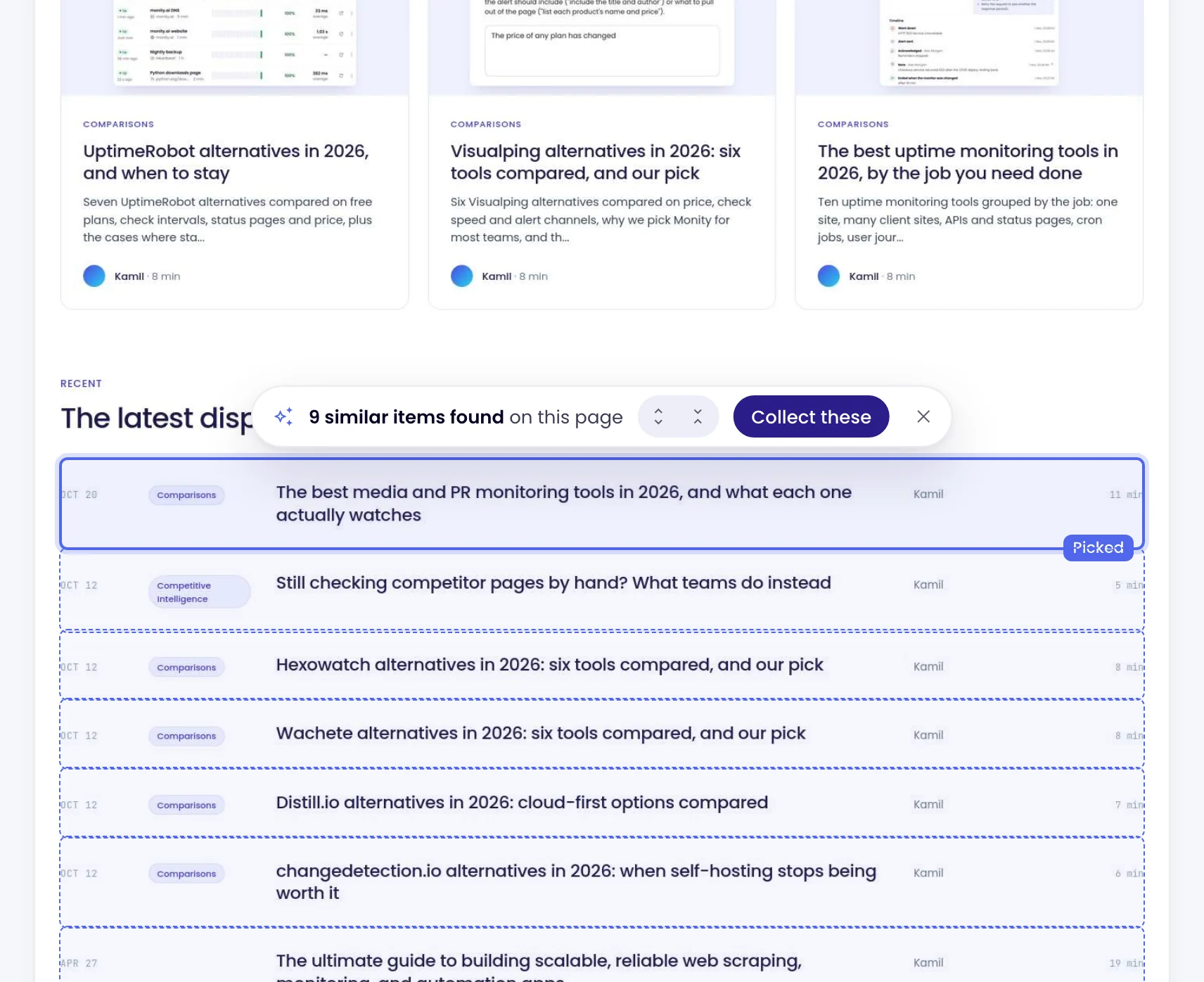
Click one item. Get rows from every page.
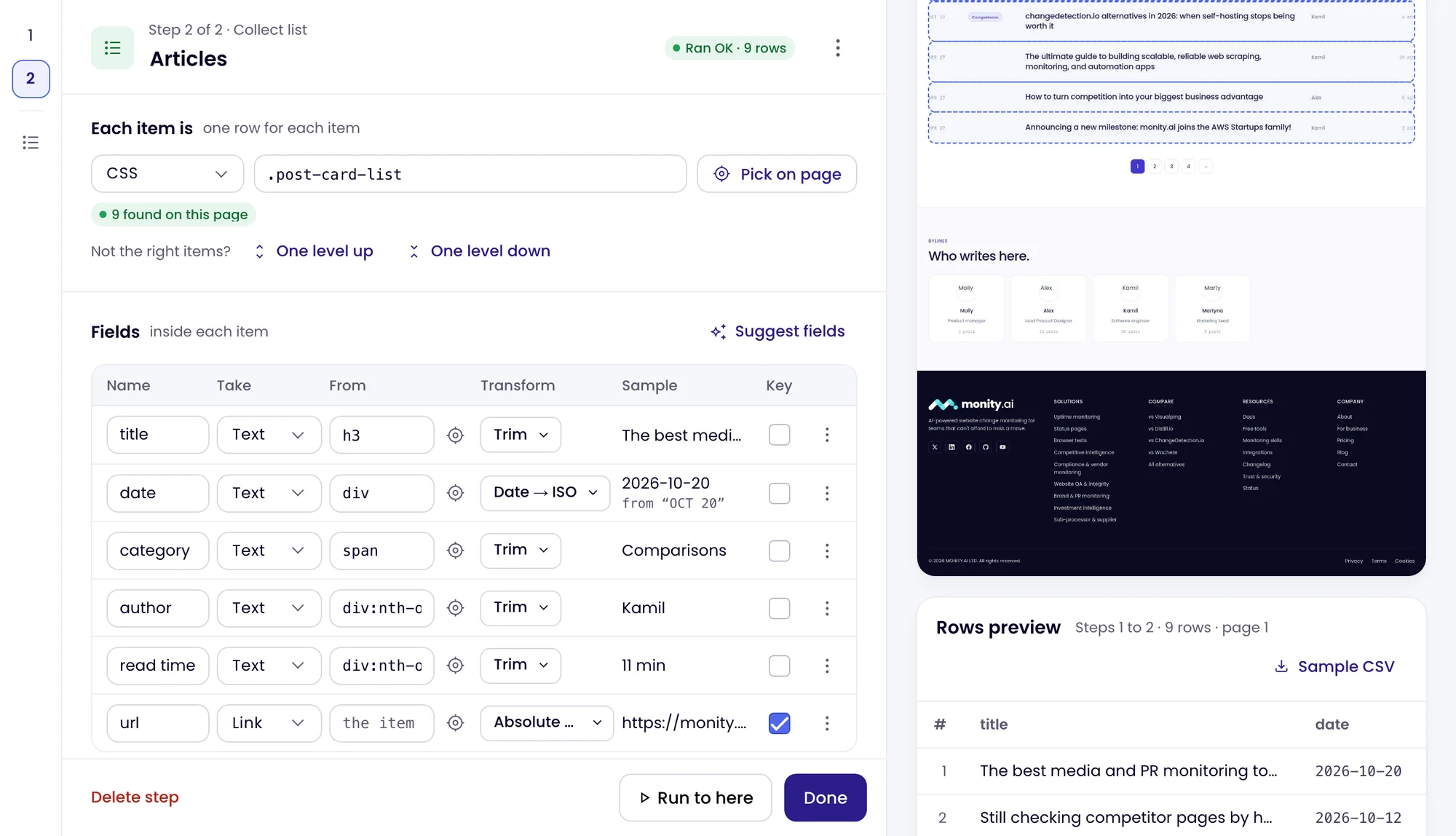
Open the page in the steps editor and click one item of the list: Monity finds the others like it and proposes the fields. Add Next page and For each item, check the rows with Run to here, and save. Every run replays exactly those steps.
- One address or up to 1,000, a CSV, or pages found from a sitemap
- Searches, filters, pages of results and each item’s own page
- Fields cleaned on every run: dates, numbers, prices, addresses
- Monity AI can draft the steps from one sentence, for you to check

What changed
Every run says which rows are new, changed or gone.
Monity compares each run with the one before, row by row. The Changes tab sums up what moved in a sentence and lists the rows, with the old and the new value of every field that changed.
- New, Changed, Gone and Back
- Search the rows, or show only the new and changed ones
- Every run kept, with the pages it read and the credits it used

Alerts
Hear about new rows where your team already works.
A dataset collects again on its own schedule, from every hour to once a month, and alerts on the rows that moved. Choose which count: new rows, gone rows, or changes in only the fields you pick, such as the price.
- Email, Slack, Microsoft Teams, Discord, Telegram, Google Sheets, webhooks and push in the mobile app
- Google Sheets: a sheet row for each new, changed or gone row
- Webhooks: the rows and their changes as JSON
- Send test shows a sample alert before the first real one

Out of Monity
Take the rows to a spreadsheet, your code or your AI assistant.
Export every row as CSV, JSON, JSON Lines, Markdown or Excel. Or connect Claude Code, Codex or another MCP client with an API key, and ask about your datasets in the conversation.
- Values that would run as a spreadsheet formula are written as text
- Rows as data or as a ready Markdown table, searchable and paged
- What a run found new, changed or gone, for the assistant to explain
 Your AI assistant
 Used
Priced in credits
The same credits as your monitors. Setting up is free.
A run spends the workspace’s credits: 1 for each page it opens. Run code is free, and an AI read step costs 5 more for each page it reads. A list of 4 pages read every day is about 120 credits a month.
- The cost of a run and of a month, on Settings
- Each run’s credits on the Runs tab
- Paid from the plan’s monthly credits, the same ones your tasks use

What the alerts say
Set the rows you need once. Get alerts about the ones that moved.
You set the steps once. Each alert names the dataset, counts what moved and lists the rows.
-
 Every open role on the careers pages of Relaylane, Coastal CRM and Fieldnote: title, team, location and link
Competitor hiring: 4 new, 1 gone Enterprise Account Executive, London · Relaylane careers, and 3 more.
 Slack · #hiring-watch
-
The price and stock of every robot vacuum on these three shops, every 6 hours. Alert only when a price changes
Robot vacuum prices: 2 changed Northwind S8: price $499 → $449 · northwind-shop.com
 Email · pricing@company.com
-
Each new product Fieldnote and Coastal CRM add to their integrations pages
Competitor integrations: 3 new Three sheet rows added, each with the time, New, the page and its fields.
 Google Sheets · Competitor integrations
-
Every listing under $500,000 on these two property sites, every hour
Listings under $500k: 2 new, 1 changed 2 bedrooms, Harbour Street: price $489,000 → $469,000
 Telegram · private chat
Relaylane, Coastal CRM, Fieldnote and Northwind are example companies.
FAQ
Questions about web scraping with Datasets
What is a dataset in Monity?
How is it different from a scraping API?
How many pages can a dataset read?
How often does it collect?
What does it cost?
Can it read pages behind a login?
What about sites that block bots?
Can Claude or Codex use my datasets?
How do I get Datasets?
Related
- Screenshot API A full-page screenshot of any public page from one HTTP call.
- Data extraction Pull a price, a number or a table out of one page on every check.
- MCP for AI assistants Monity in Claude, ChatGPT and other MCP clients.
- Datasets docs Making a dataset, its tabs, alerts, exports and credits.
Tell us what you want collected.
Datasets are in early access. Write to us with the pages or the market you want covered, and we switch them on for your account.
- The same steps on every run
- Paid from your plan’s credits
- Every alert channel