


Cron expression generator and explainer
Build a cron schedule from plain choices, or paste any five-field cron expression to read it in plain English, with its next five run times in UTC or your own time zone.
How it works
-
Build or paste a schedule
Pick how often and when, or paste an expression such as 0 9 * * 1-5. A whole crontab line works too: the command is left out.
-
Read it in plain English
The schedule is read as cron reads it, with warnings for uneven steps, names some systems refuse, and days that never come.
-
Check the next runs
See the next five run times in UTC or in your browser’s time zone, before the job goes live.
Monity’s free cron expression generator works in your browser: build a schedule from plain choices, or paste any five-field expression to read it in plain English. It reads the expression the way cron does, rules included, and lists the next five runs in UTC or your own time zone.
Cron syntax in one table
| Field | Values | Example | Means |
|---|---|---|---|
| Minute | 0-59 | */15 | every 15 minutes |
| Hour | 0-23 | 9-17 | 09:00 through 17:59 |
| Day of month | 1-31 | 1,15 | the 1st and the 15th |
| Month | 1-12 or JAN-DEC | * | every month |
| Day of week | 0-7 or SUN-SAT (0 and 7 are Sunday) | 1-5 | Monday through Friday |
A step goes after * or a range, never after a single number: cronie refuses 5/15; write
5-59/15. Steps restart in each field, so */23 in the hour field means 00:00 and 23:00, not every
23 hours. Cron also accepts shortcuts: @hourly, @daily, @weekly,
@monthly, @yearly and @reboot.
Common cron expressions
| Expression | Runs |
|---|---|
*/5 * * * * | Every 5 minutes |
0 * * * * | Every hour, on the hour |
30 2 * * * | Every day at 02:30 |
0 9 * * 1-5 | Weekdays at 09:00 |
*/15 9-17 * * 1-5 | Every 15 minutes in working hours, Monday through Friday |
0 0 * * 0 | Sundays at midnight |
0 0 1 * * | The 1st of every month at midnight |
The day-of-month and day-of-week trap
When both day fields are restricted, cron runs on days that match either of them.
crontab(5) gives the example
30 4 1,15 * 5: 04:30 on the 1st and 15th of every month, plus every Friday. In cronie’s code a field that
starts with *, such as */2, counts as unrestricted, and then both fields must match. The
explainer says which rule applies to your expression.
Time zones and daylight saving
- The machine’s time zone: cron uses it unless the scheduler sets another. Check which one before trusting the times: switch the next runs between UTC and your browser’s zone.
- Daylight saving: when the clocks go forward, cronie runs a fixed-time job from the skipped hour
just after the change. When they go back, it doesn’t run that job twice; a job whose minute or hour field starts
with
*runs again in the repeated hour. The next-run list skips a time that doesn’t exist. - GitHub Actions (its documentation, read 24 Nov 2026): schedules run in UTC unless the workflow names a time zone, every 5 minutes at most. A run can be delayed when many workflows start, especially on the hour, and some may be dropped. In a public repository, schedules are switched off after 60 days without activity.
What this tool doesn’t do
It reads the five-field crontab format of cronie and Vixie cron,
the format Linux cron daemons and GitHub Actions share. It doesn’t read Quartz or Spring expressions
(a seconds field, ?, L, W, #), systemd timers, or cronie’s random
~. @reboot runs at startup, so it has no next run times.
Know when a cron job didn’t run
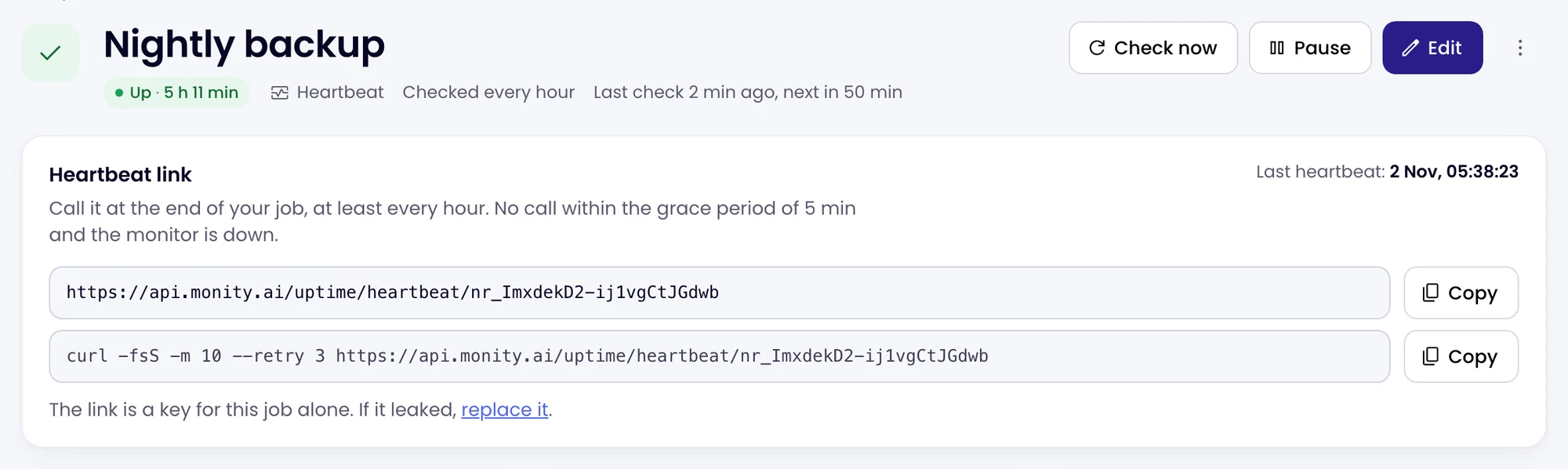
A correct expression doesn’t mean the job ran: the server can be off, the script can fail, or a CI schedule can be delayed or switched off. In Monity, a heartbeat monitor gives the job a link to call when it finishes. If no call arrives in time, you get an alert. Set one up from heartbeat monitoring, read the cron job monitoring guide, or see all of uptime monitoring.
FAQ
Common questions
What do the five fields of a cron expression mean?
In order: minute (0-59), hour (0-23), day of month (1-31), month (1-12 or JAN-DEC) and day of week (0-7, where 0 and 7 are Sunday, or SUN-SAT). * means every value, a comma makes a list, a hyphen a range, and / a step.
How do I run a cron job every 5 minutes?
Use */5 * * * *. It runs at :00, :05, :10 and so on. A step that doesn’t divide 60 is uneven: */7 runs at :56 and then again at :00, four minutes later.
Why does my cron job run on days I didn’t choose?
When both day fields are restricted, cron runs on days that match either one, not both. 0 9 1-7 * 1 runs on the 1st to the 7th and on every Monday. For “the first Monday”, use 0 9 1-7 * * and test the weekday in the command: [ "$(date +\%u)" = 1 ] && your-command. The % needs a backslash, because cron turns it into a new line.
Which time zone does cron use?
The time zone of the machine it runs on, unless the scheduler sets its own. cronie reads a CRON_TZ line in the crontab, and GitHub Actions runs schedules in UTC unless the workflow names a time zone.
Does this tool read Quartz or Spring cron expressions?
No. It reads the five-field crontab format. Quartz and Spring add a seconds field at the start and use ?, L, W and #, which crontab doesn’t have. Paste one and the tool says so instead of guessing.
How do I know my cron job actually ran?
Cron doesn’t tell anyone when a job is skipped or fails. A heartbeat monitor in Monity gives the job a link to call when it finishes, and alerts you when no call arrives in time, by email, Slack, Microsoft Teams, Discord, Telegram, Google Sheets, webhooks or the phone app.
How do I run a cron job every hour?
Use 0 * * * *: minute 0 of every hour, so 00:00, 01:00, 02:00 and on. Many cron daemons also accept @hourly for the same schedule. To keep the job off the top of the hour, when many others run, change only the minute: 15 * * * * runs at quarter past every hour.
Know when a cron job didn’t run.
Add a heartbeat monitor.
Your job calls a Monity link when it finishes. No call in time, and you get an alert.
- Free 7-day trial
- No credit card
- 3 monitors free, forever