


NS Lookup: find a domain’s nameservers
An NS lookup shows the nameservers that hold a domain’s DNS records. Enter a domain to see them from four public resolvers, with each record’s TTL and whether the resolvers agree.
How it works
-
Enter the domain
Use the domain you registered, such as example.com. A subdomain has NS records only when it is handed to other nameservers.
-
Read the nameservers
Each nameserver is listed once, with the lowest TTL any resolver gave and how many of the four resolvers returned it.
-
Check the notes
A single nameserver, or resolvers that disagree, are flagged: the usual signs of a weak setup or a change still in progress.
Monity’s free NS lookup asks Cloudflare, Google Public DNS, DNS4EU and CIRA Canadian Shield for a domain’s NS records at the same moment. You see every nameserver once, the lowest TTL any of them gave, and whether all four returned the same set.
What an NS record is
An NS (name server) record names a server that holds a zone’s DNS records: the addresses of its website, its mail servers, its TXT records. The registry for the domain’s ending (.com, .org, .uk) keeps a copy of the NS set, called the delegation, and sends resolvers to those servers. The zone publishes the same set itself. Keep the two the same: change the nameservers at your registrar and at your DNS provider together.
How to read the result
- Nameserver: each server’s name, listed once.
- TTL: the lowest number of seconds any resolver may still keep the record cached.
- Resolvers: “4 of 4” means every resolver that answered returned that nameserver. “2 of 4” means the others returned a different set, which usually means a change that some caches haven’t picked up yet.
- Notes: a single nameserver is flagged, because RFC 1034 requires at least two. Two is the minimum; RFC 2182 recommends three for most organisations’ zones.
How long a nameserver change takes
A resolver that cached your old nameservers keeps them until that answer’s TTL runs out. For the delegation, the TTL is set by the registry, not by you. We asked the registries’ own servers on 24 Nov 2026:
| Domain ending | Delegation TTL | Longest wait |
|---|---|---|
| .com | 172,800 seconds | 2 days |
| .org | 3,600 seconds | 1 hour |
Lower the TTL of your own NS records a day before a move, and run this lookup again after the wait. When every resolver returns the new set, the change is done. The DNS propagation checker then shows whether the website’s A and AAAA records moved with it.
Check nameservers from the command line
- Windows, macOS or Linux:
nslookup -type=ns example.com - macOS or Linux:
dig NS example.com +short - Windows PowerShell:
Resolve-DnsName -Name example.com -Type NS
These ask your own network’s resolver, so they show what your computer sees. This page shows what four public resolvers see, which is closer to what your visitors get.
What this lookup doesn’t check
It asks public resolvers, not the registry or your nameservers directly. So it can’t show a difference between the
registry’s delegation and the zone’s own NS records, or a nameserver that is listed but doesn’t answer for the domain
(a lame delegation). For those, run dig +trace NS example.com from your own machine. Answers are kept
for 30 seconds to limit repeat queries.
Watch your nameservers with Monity
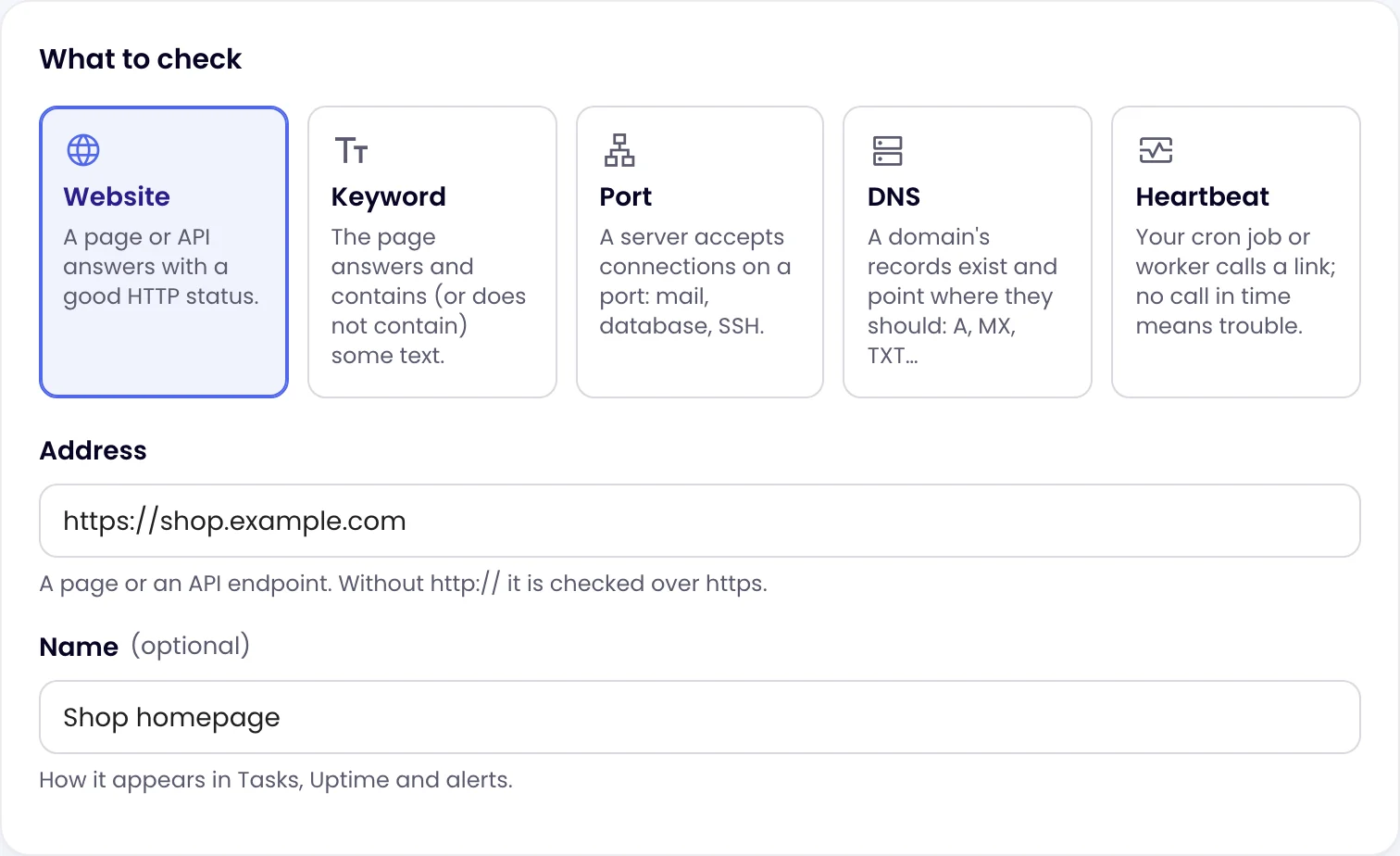
A nameserver change you didn’t make is often the first sign of a hijacked registrar account or an expired DNS plan. In uptime monitoring, a DNS monitor checks a domain’s NS, A, AAAA, CNAME, MX or TXT records on a schedule and alerts you when a value you expect is missing (monitor types). To catch a lapsed domain first, use the domain expiry checker.
FAQ
Common questions
How do I find out who my DNS provider is?
Look up your domain’s NS records. The nameservers’ names usually end in the provider’s own domain, such as ns1.provider.com. That provider holds your DNS records, and it can be a different company from your registrar or your web host.
How long does a nameserver change take?
After you change nameservers at your registrar, a resolver keeps the old ones until the TTL of its cached answer runs out. On 24 Nov 2026 the .com registry gave its delegations a TTL of 172,800 seconds (two days) and .org gave 3,600 seconds (one hour). A resolver that had not cached the old answer sees the new nameservers straight away.
What is the difference between nslookup and an NS lookup?
nslookup is a command-line program on Windows, macOS and Linux that asks DNS servers for any record type. An NS lookup is one question: which nameservers serve a domain. With nslookup it is nslookup -type=ns example.com.
Why does my subdomain have no NS records?
Most subdomains sit in the same zone as the domain, so they have no NS records of their own. Only a subdomain delegated to other nameservers, for example one run by a different DNS provider, has them. Look up the registered domain instead.
How many nameservers should a domain have?
At least two. RFC 1034 requires every zone to be served by two or more servers. RFC 2182 recommends three for most organisations’ zones, with at least one well away from the others, so one network problem cannot take them all down.
Can Monity tell me when my nameservers change?
Yes. A DNS monitor in Monity checks a domain’s NS records (or A, AAAA, CNAME, MX or TXT) on a schedule and alerts you when a value you expect is missing. On the free plan it checks as often as every 5 minutes, and alerts go to email, Slack, Microsoft Teams, Discord, Telegram, Google Sheets, webhooks or the phone app.
What is a nameserver?
A nameserver is a DNS server that holds a domain’s records and answers for them with authority. The domain’s NS records name these servers (RFC 1035, section 3.3.11), and every resolver on the internet asks them for the domain’s A, MX or TXT records. They are run by your DNS host, which is often, but not always, your registrar.
Know when your nameservers change.
Set up a DNS monitor.
Monity checks your NS records from its own servers and alerts you when a nameserver you expect is missing.
- Free 7-day trial
- No credit card
- 3 monitors free, forever