Skip to content Use Monity from Claude, ChatGPT or Codex: set up monitors and ask what changed, from a chat. Use Monity from Claude, ChatGPT or Codex Connect yours
Comparison · Updated November 2026

Monity vs Better Stack

Pick Better Stack if someone has to be phoned at 3 a.m.: it has on-call rotas, escalations, unlimited phone call alerts, and the logs to investigate with. Pick Monity if you want to know that your site is up, that its pages still say the right thing and that sign-up still works, without running an on-call platform or paying per responder.

  • Free basic plan
  • No credit card
  • Verified November 2026
Monity vs Better Stack
Pick Monity if
  • You have no on-call rota and do not want to pay per responder
  • You also watch what pages say, or test sign-up and checkout
  • You want several status pages without paying for each
Pick Better Stack if
  • You need on-call schedules, escalations and phone calls
  • You want logs, metrics and error tracking in the same tool
  • You need ping, UDP or checks from several locations

Better Stack

Better Stack is an incident management and observability platform. Uptime monitoring sits next to on-call scheduling, phone call alerts, status pages, logs, metrics and error tracking. It is priced per responder, with monitors sold in packs.

Weighing more than these two? See the best uptime monitoring tools by the job you need done.

Feature comparison

Monity vs Better Stack, feature by feature.

What each side includes, row by row. Better Stack’s column is from its own pricing page, November 2026.

Capability
Monity
Better Stack
Free plan
3 monitors, checked every 5 minutes, with every alert channel
10 monitors and heartbeats, 1 status page, Slack and email alerts; for personal projects
How it is priced
By credits: a monitor checked every minute uses 44 a month
Per responder licence ($29/mo billed yearly), plus packs of 50 monitors ($21/mo billed yearly)
Fastest checks
Every minute from Personal 1k ($10/mo billed yearly); every 30 seconds from Personal 10k and Business 20k
Up to every 30 seconds
Website, keyword, port and DNS monitors
Heartbeats for cron jobs
SSL and domain expiry warnings
Maintenance windows
Ping, UDP and mail server (POP3, IMAP, SMTP) checks
Checks from several locations
Screenshot of the page when it fails
Phone call alerts
Unlimited, with a responder licence
On-call schedules and escalations
Slack, Teams and webhook alerts
Every plan
Slack and email on the free plan; Teams, Zapier and webhooks listed too
Status pages
Up to 20 on every plan
1 included; each extra public page $12/mo billed yearly
Status page subscribers
Email subscribers on every page
1,000 included; $40/mo for each extra 1,000
Remove the provider’s name from the status page
$208/mo a page, billed yearly
Browser tests of sign-up, login and checkout
Steps written without code, or drafted by AI
Playwright scripts, billed by the minute
Page change monitoring
Not on the pricing page
Logs, metrics, traces and error tracking
Pricing

What you'd pay, side by side.

Plans differ in what they count, so compare what each includes. Check Better Stack's current pricing page before you buy.

Monity
Free$03 monitors · 100 credits a month · uptime checks every 5 minutes
Personal 1k$10/mo20 monitors · 1,000 credits a month · uptime checks every minute · billed yearly ($12 monthly)
Business 5k$25/mo30 monitors · 5,000 credits a month · uptime checks every minute · billed yearly ($35 monthly)
Business 10k, 5 seats$50/mo100 monitors · 10,000 credits a month · uptime checks every minute · billed yearly ($70 monthly)
See all plans →
Better Stack
Free$010 monitors and heartbeats, 1 status page, Slack and email alerts
Responder licence$29/moincidents, on-call, monitoring and status pages, unlimited phone call alerts · billed yearly ($34 monthly)
50 more monitors$21/mobilled yearly ($25 monthly)
Extra status page$12/mobilled yearly ($15 monthly)
Better Stack pricing →

Prices as of November 2026.

Pros and cons

The honest trade-offs.

Monity

Pros

  • One credit plan covers uptime, page changes and browser tests
  • No price per responder: seats come with Business plans
  • Up to 20 status pages included, with incident posts and email subscribers
  • Browser tests are written as steps, with no code
  • Each outage comes with a likely cause and a screenshot

Cons

  • No on-call schedules, escalations or phone calls
  • No logs, metrics or error tracking
  • No ping, UDP or mail server checks, and no choice of check location
  • A smaller free plan: 3 monitors against 10

Better Stack

Pros

  • On-call rotas, escalations and unlimited phone call alerts
  • Logs, metrics, traces and error tracking in the same platform
  • Ping, UDP, mail server and multi-location checks
  • A free plan with 10 monitors and a status page
  • A 60-day money-back guarantee

Cons

  • Priced per responder, with monitors and status pages added in packs
  • Removing its name from a status page costs $208 a month for each page
  • The free plan is for personal projects
Migration guide

Switching from Better Stack.

  1. List your Better Stack monitors and heartbeats: the address, the kind and the interval of each.
  2. Add each one under Uptime in Monity. Tell the assistant what to watch, for example “check example.com every minute and warn me before the certificate expires”, or fill in the form. Before anything is created you see what is checked, how often and the credits it uses a month.
  3. For cron jobs and backups, create a Heartbeat monitor and add its link to the end of the job.
  4. Choose where each monitor’s alerts go: email, Slack, Teams, Discord, Telegram, Google Sheets, a webhook or the phone app. Every channel is on every plan.
  5. Build a status page from the same monitors if you publish one. On-call rotas have no equivalent in Monity, so keep them where they are.
  6. Run Better Stack and Monity side by side for a week before you cancel anything.

FAQ

Switching questions, answered

Is Monity cheaper than Better Stack?

For uptime checks without on-call, usually yes. Better Stack starts at $29 a month billed yearly for one responder, with 10 monitors included and $21 a month for each pack of 50 more. Monity Personal 1k is $10 a month billed yearly for up to 20 monitors checked every minute. Better Stack’s price buys on-call scheduling and unlimited phone call alerts, which Monity does not have.

Does Monity have on-call scheduling?

No. Monity sends each alert to the channels you choose: email, Slack, Microsoft Teams, Discord, Telegram, Google Sheets, a webhook or its phone app. It has no rotas, escalations or phone calls. If an outage has to wake a named person, Better Stack is built for that.

Can both show a status page?

Yes. Monity includes up to 20 status pages on every plan, each with incident posts and email subscribers, and each ends with a small “Monitored by Monity” line. Better Stack includes one. An extra public page is $12 a month billed yearly, and removing “Powered by Better Stack” is $208 a month for each page.

Which is better for testing a login or checkout?

Both run a real browser. Better Stack runs Playwright scripts and bills them by the minute. Monity’s tests are steps you write without code, or that Monity AI drafts, and they can run after every deploy from a trigger URL.

Can I use both?

Yes. Some teams keep Better Stack for on-call and logs and use Monity for what it does not cover: changes to what a page says, and tests of the journeys that earn money.

Try Monity next to Better Stack.

Add your three most important monitors on the free plan and run both for a week, or try every Business feature for 7 days.

  • Free plan: 3 tasks, no card
  • 7-day Business trial
  • Every alert channel on every plan
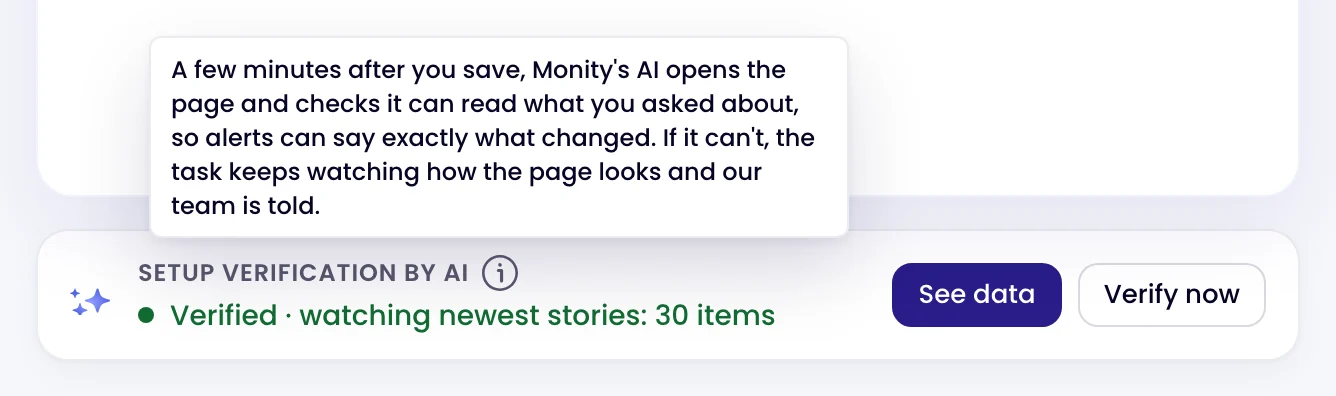
The Setup verification by AI card on a page monitor: Verified · watching newest stories: 30 items
Kamil, Alex and Martyna A person replies by email

Have a question?

Pricing, security or scoping: pick one and your message goes to a person on the team.