
Status pages
Show customers what is working and what is not, from the uptime monitors you already run. Post updates while you fix an incident, and let people subscribe for them by email.
- Built from your uptime monitors
- Incident and maintenance posts
- Email subscribers and status badges
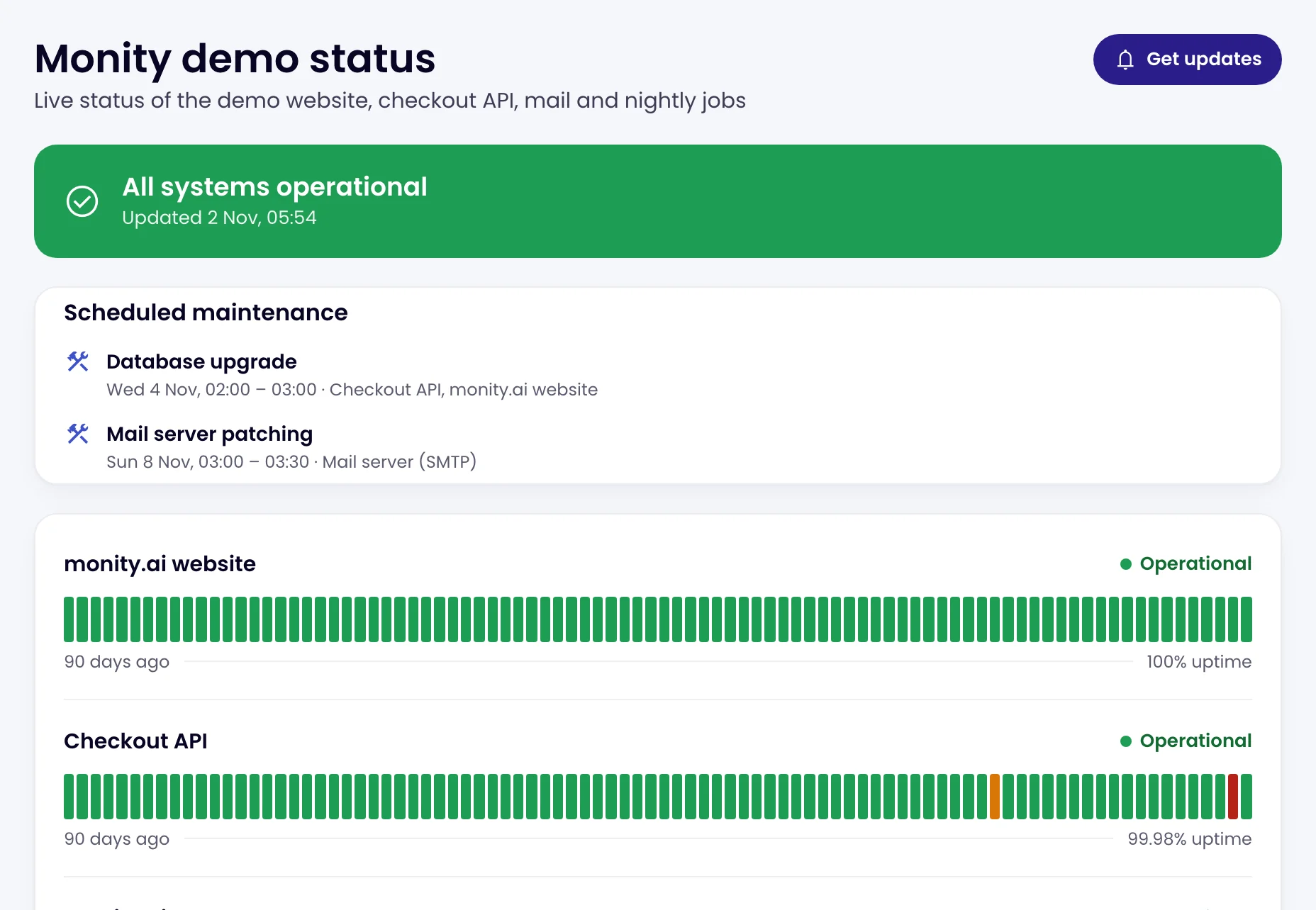
The public page
Live status and 90 days of history, without exposing your setup.
Pick the monitors to show and give the page a name and an address. Visitors see each monitor by the name you give it, its status now and 90 days of daily bars, never the address it checks or its errors. The headline at the top says it in a line: All systems operational, Some systems are down or Scheduled maintenance in progress.
- Up to 50 monitors on a page, and up to 20 pages per account
- Past incidents from the last two weeks, if you want them shown
- Maintenance you have scheduled for the next 7 days
- Your logo and accent colour

Incident posts
Tell people what is happening, in your words.
When something breaks, post an incident with its impact (minor or major) and its status, then add updates as you go: investigating, identified, monitoring, resolved. A major open incident turns the headline to Major outage. Planned work gets a maintenance post the same way.
- Each update can be emailed to subscribers, or not
- Open posts and those resolved in the last 14 days stay on the page

Subscribers
Customers subscribe once and hear from you when it matters.
Visitors click Get updates and confirm their email address. They then get the posts and updates you choose to send, each with a one-click unsubscribe, so one update answers what would otherwise arrive as many separate support tickets.
- Double opt-in, so only people who asked get the emails
- Up to 20,000 subscribers per page

Badges
Put the live status in your README, help centre or footer.
Every status page has an SVG badge that shows its current state: operational, degraded, outage or maintenance. A badge can also show one monitor’s uptime over 90 days. Copy badge gives you the Markdown to paste.
- Served from api.monity.ai, so it works on any site
- The same look as the badges developers already use

FAQ
Questions about status pages
What is a status page?
Where does the status come from?
Does a status page show my server addresses or errors?
Do subscribers get an email every time a monitor goes down?
What does a status page cost?
Can I remove the Monity branding?
Give customers one place to check.
Add your monitors to a status page and publish it. It updates itself.
- Free plan: 3 tasks, no card
- 7-day Business trial
- Status pages on every plan