Integration · Google Sheets
Every change, a new row in Google Sheets.
Connect a sheet once and every alert is added as a row: the time, the monitor, its URL and label, the AI summary and any extracted value. A running log your team can filter, chart and share. No Zapier needed.
- No Zapier needed
- One row per change
- Test it in one click
 Competitor changes
What arrives
Everything your team needs to act, in the alert itself.
Datetime and Last alert
When this alert fired, and when the previous one did.
Task name, URL, Label
Which monitor fired, the page it watches and its label.
AI Summary
What changed, in plain English.
View changes and Output
A link to the check, and the extracted value if the monitor extracts data.
Setup
Connect Google Sheets in a few minutes.
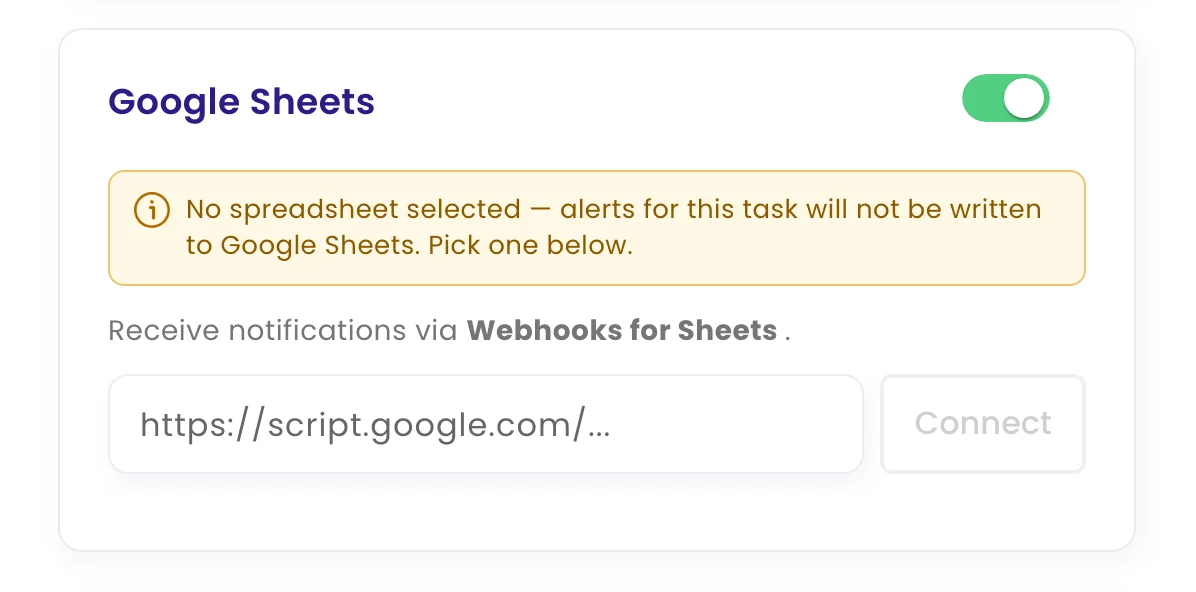
Connect it once, then switch it on for any monitor on its Channels tab. Each monitor sends its alerts to the channels you choose.
- Add a webhook to your sheet. In your Google Sheet, add the Webhooks for Sheets add-on (or an Apps Script web app) and copy its URL. It starts with
https://script.google.com/. - Paste it into monity.ai. Open a monitor's notifications in monity.ai, choose Google Sheets, paste the URL and click Connect.
- Test and go. Click Test connection to add a sample row. Every change after that adds a new one.
FAQ
Questions about Google Sheets
Is Google Sheets on the free plan?
Yes. Every alert channel, Google Sheets included, works on every monity.ai plan, including the free one.
Can each monitor send its alerts somewhere different?
Yes. Every monitor has its own channels, so pricing alerts can go to one place and compliance alerts to another.
What does an alert contain?
When this alert fired, and when the previous one did. Which monitor fired, the page it watches and its label. What changed, in plain English. A link to the check, and the extracted value if the monitor extracts data.
Does it update a row or add a new one?
It adds a new row for each alert, so the sheet becomes a history you can filter and chart. Several monitors can write to the same sheet.
Start your change log in Google Sheets.
Set up your first monitor on the free plan, connect it, and get alerts with the AI summary and the before and after.
- Free plan: 3 tasks, no card
- 7-day Business trial
- Every alert channel on every plan