Screenshot API
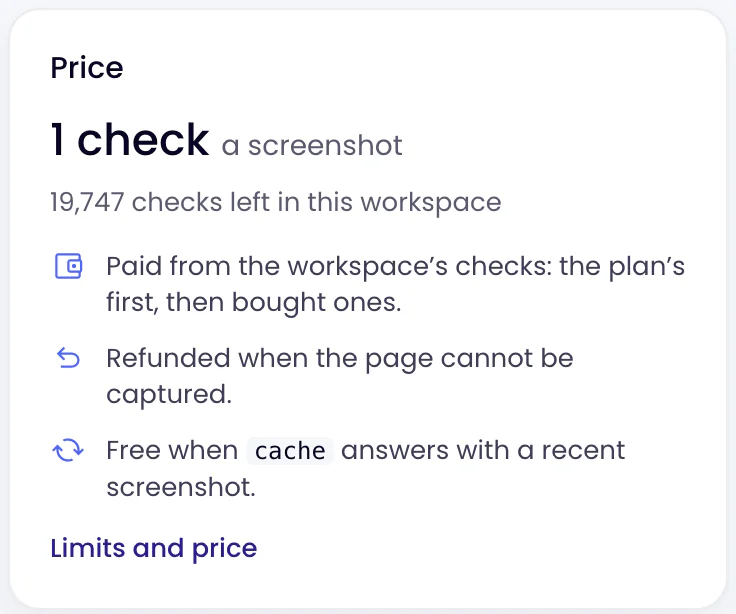
A screenshot of any public page from one HTTP call. Monity’s own browser dismisses cookie and consent banners, loads lazy content and stitches the whole page into one image. 1 credit a screenshot, refunded when it fails.
- PNG, JPEG or WebP
- Desktop or phone width
- On every plan, the free one included
 GET
Monity’s browser
The page as a person sees it, from top to bottom.
Monity takes the screenshot with the browser its own checks use. It dismisses cookie and consent banners, blocks ads, scrolls so lazy images and content load, and stitches the whole page into one image.
- The whole page, or only the first screen
- Any viewport from 320 to 3,840 pixels wide, or a phone-sized one
- Wait up to 10 seconds after the page loads, for pages that settle late
block_ads=falseshows the page as a first visit does

Playground
Try every option before you write any code.
The Playground in the app has a field for every parameter, each labelled with its name in the API. Take a screenshot, look at it, then copy the same request as curl, JavaScript or Python.
- The image with its size, file size, time and checks
- The answer as the image or as JSON
- Save as setup keeps the page and its options

Setups
Save the pages you capture often, and call them by id.
A setup keeps a page and its options under a name. Send setup= with its id and the call takes the setup’s page and options; change the setup in the app and every call that uses it follows.
- Any parameter you send overrides the setup’s
- Take now from the app
- Every screenshot listed in Runs, from the API or the app

API keys
The same API keys as the REST API.
Make a key in Integrations and switch on write access, because a screenshot spends a check. Send it in the Authorization header from your server, and every answer says what the request used and what is left.
X-Monity-CreditsandX-Monity-Credits-Remainingon every answer- A failed capture is refunded; a screenshot reused from the cache is free
- Paid from the workspace’s checks: the plan’s first, then bought ones

FAQ
Questions about the Screenshot API
How much does a screenshot cost?
Which formats and sizes can I get?
Does it remove cookie banners?
block_ads=false to see the page as a first visit does.
Can it capture a page behind a login?
Is a phone screenshot taken on a real phone?
device=mobile sets a phone-sized viewport, 390 by 844 pixels. The browser keeps its own identity, so a site that picks its phone pages by browser shows its desktop page at phone width.
How long are the images kept?
output=json, its address works for 3 hours; the run stays in your list after that.
What if a site blocks automated browsers?
Can I try it without writing code?
Take your first screenshot in a minute.
Create a free account, make an API key with write access in Integrations, and send one request.
- Free plan: 100 credits a month
- 1 credit a screenshot
- Refunded when it fails