Integration · Webhook
Signed JSON to any endpoint.
monity.ai POSTs every alert to your HTTPS endpoint as JSON, signed with HMAC-SHA256 so you can verify it came from us. Pipe changes into your warehouse, CRM or product.
- HMAC-SHA256 signatures
- Retries on transient failures
- Structured JSON
 POST
POSTWhat arrives
Everything your team needs to act, in the alert itself.
taskName, websiteUrl
Which monitor fired and the page it watches.
aiSummary, status, checkDate
What changed, the check status and when it ran.
checkUrl, imageUrl, imageDiffUrl
Links to the check, the screenshot and the highlighted difference.
output, labels
The extracted value for data monitors, and the monitor's labels (payloadVersion 2).
Setup
Connect Webhook in a few minutes.
Connect it once, then switch it on for any monitor on its Channels tab. Each monitor sends its alerts to the channels you choose.
- Create an endpoint. Accept POST requests over HTTPS and return a 2xx status. Timeouts, 5xx and 429 responses are retried twice, after 1 and 3 seconds.
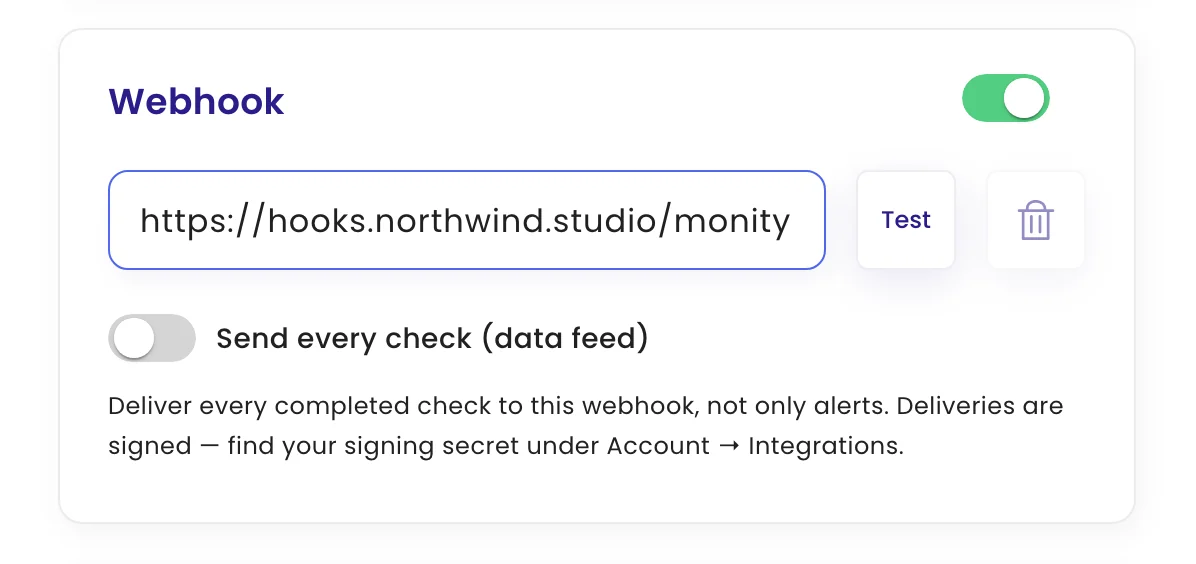
- Register it. In monity.ai, open a monitor's notifications, choose Webhook and paste your endpoint URL. Turn on Send every check (data feed) to receive every completed check, not only alerts.
- Verify the signature. Each request carries
X-Monity-TimestampandX-Monity-Signature: sha256=…, an HMAC-SHA256 oftimestamp.bodywith your signing secret, which you find under Account → Integrations. Check it before processing.
FAQ
Questions about Webhook
Is Webhook on the free plan?
Yes. Every alert channel, Webhook included, works on every monity.ai plan, including the free one.
Can each monitor send its alerts somewhere different?
Yes. Every monitor has its own channels, so pricing alerts can go to one place and compliance alerts to another.
What does an alert contain?
Which monitor fired and the page it watches. What changed, the check status and when it ran. Links to the check, the screenshot and the highlighted difference. The extracted value for data monitors, and the monitor's labels (payloadVersion 2).
How do I check that a request came from monity.ai?
Each request carries X-Monity-Timestamp and X-Monity-Signature headers: an HMAC-SHA256 of the timestamp and the body, made with your signing secret. Compute it on your side and compare before you process the request.
What if my endpoint is down?
Timeouts, 5xx and 429 responses are retried twice, after 1 and 3 seconds.
Can I receive every check, not only alerts?
Yes. Turn on Send every check (data feed) on the monitor’s webhook.
Send your first signed change event.
Set up your first monitor on the free plan, connect it, and get alerts with the AI summary and the before and after.
- Free plan: 3 tasks, no card
- 7-day Business trial
- Every alert channel on every plan