PDF & Document Monitoring
Watch what changes inside PDFs: price lists, spec sheets, terms and forms. Monity opens the document itself, compares its pages on every check and tells you what changed.
- The document, not the viewer
- Before and after, page by page
- AI summary from the text
The document itself
Paste the PDF’s address. Monity reads the document, not the viewer.
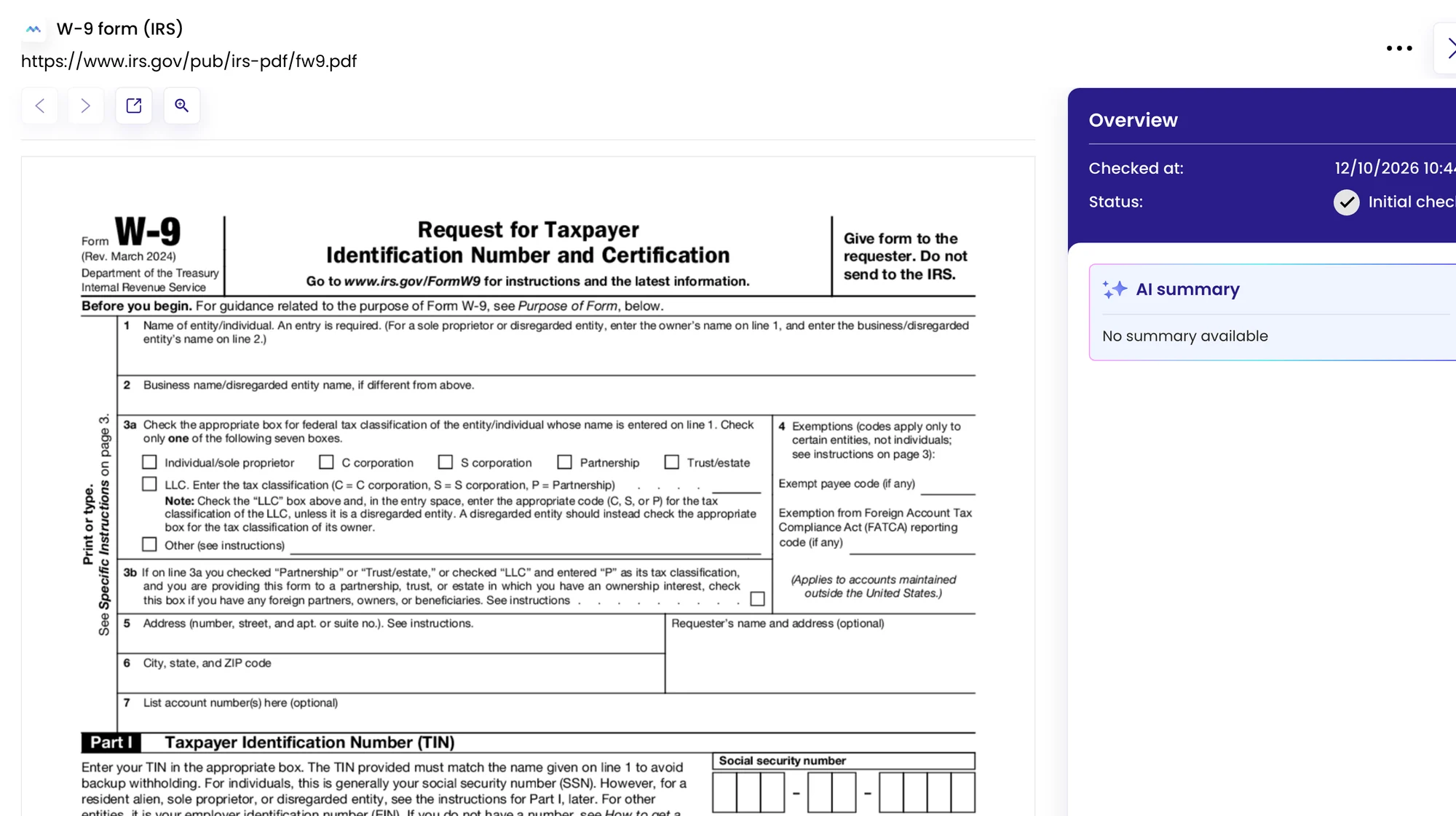
Monity recognises a PDF, including one opened in a browser viewer or embedded on a page, renders its pages and compares them on every check, just like a web page. Use Auto or Visual mode, and add a Notify me when rule if only some changes matter.
- Price lists, policies, forms, spec sheets
- An alert with an AI summary based on the document’s text
- A PDF Diff tab with the metadata and page-by-page changes
Same link, new file
Catch the quiet update at the same address.
Many sites replace a PDF at the same address when they update it, with no announcement. That is exactly what a PDF task catches. Every check is kept in the task’s history, so you can see when a clause or a price changed.
- If each version gets a new address, monitor the page that links to it
Examples
Documents that change without telling anyone.
What people watch, and the kind of alert that comes back. The summary is written by Monity’s AI from the document’s text.
-
 Notify me when a price changes in our supplier’s price list PDF
SKU 1042 went from €12.40 to €13.10 The new file replaced the old one at the same address.
Notify me when a price changes in our supplier’s price list PDF
SKU 1042 went from €12.40 to €13.10 The new file replaced the old one at the same address. Email · buying@company.com
-
Notify me when the data processing agreement changes
Clause 7.2 now allows sub-processors outside the EU Before and after are in the check.
 Microsoft Teams · Legal
-
Tell me if the product spec sheet changes
Maximum load changed from 120 kg to 110 kg Formatting changes elsewhere were left out.
 Slack · #product
-
Notify me when a new revision of the form is published
The form has a new revision date and a new line 3b Same address, new file.
 Telegram · private chat
FAQ
Questions about PDF & Document Monitoring
Can Monity monitor a PDF?
What do I get when a PDF changes?
What if every new version has a new address?
Which monitoring modes work for PDFs?
Know when the document changes, not months later.
Paste the PDF’s address. Monity compares it on your schedule and tells you what changed.
- Free plan: 3 tasks, no card
- 7-day Business trial
- Every alert channel on every plan