Authenticated Monitoring
Sign in once in the live browser, and every check sees the page the way you do: supplier portals, dashboards, members’ price lists. Monity keeps the browser session, so you don’t save a password.
- Sign in once, in a real browser
- Two-factor codes work
- No password saved in Monity
Sign in once
Log in the way you always do, in a real browser.
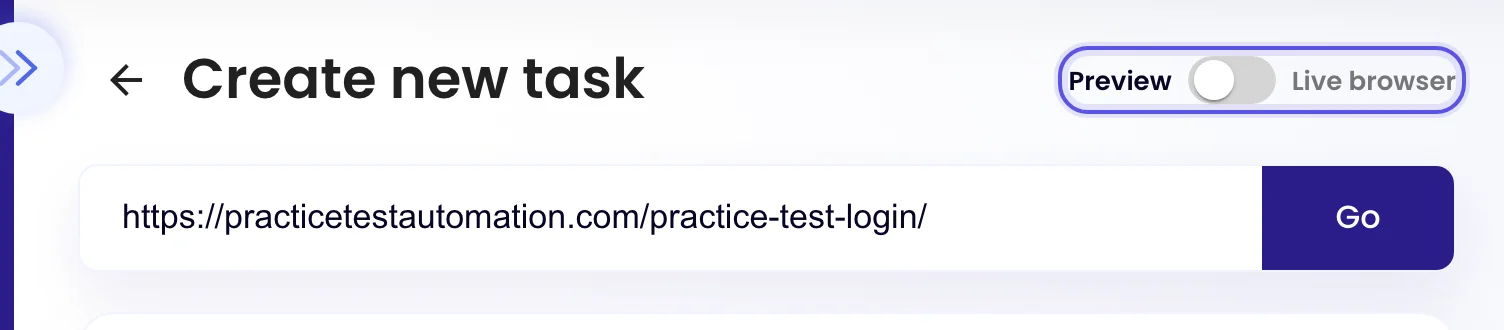
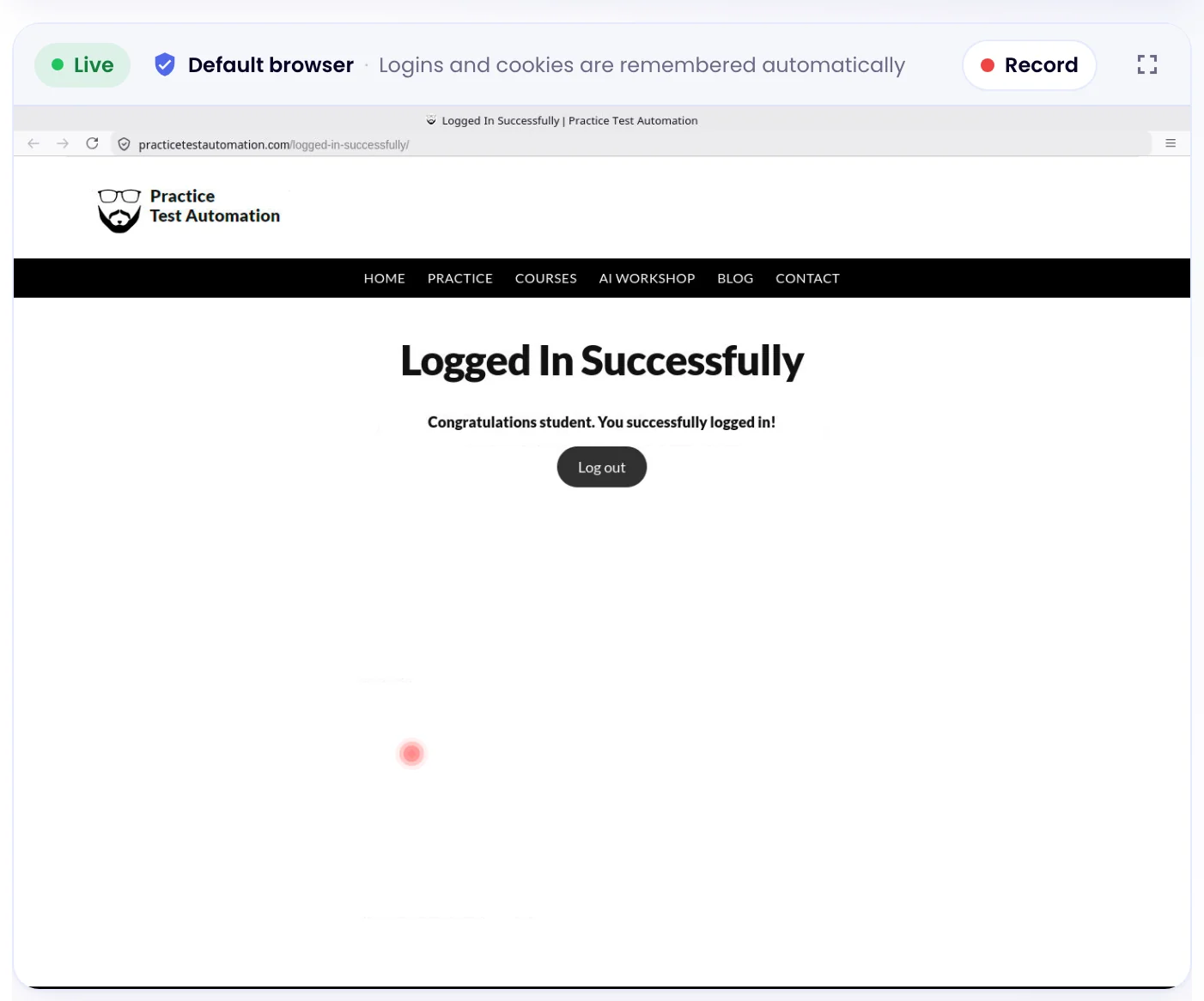
Switch the task editor from Preview to Live browser and a real browser opens in the panel. Sign in as you normally would, two-factor code included, then open the page you want to watch. Monity keeps the session, and every check runs signed in.
- You don’t save a password in Monity
- The whole browser session is kept, not a cookie that expires in days
- If a site signs you out, sign in again and the next check picks it up
Several accounts
One saved login per account, when tasks need different ones.
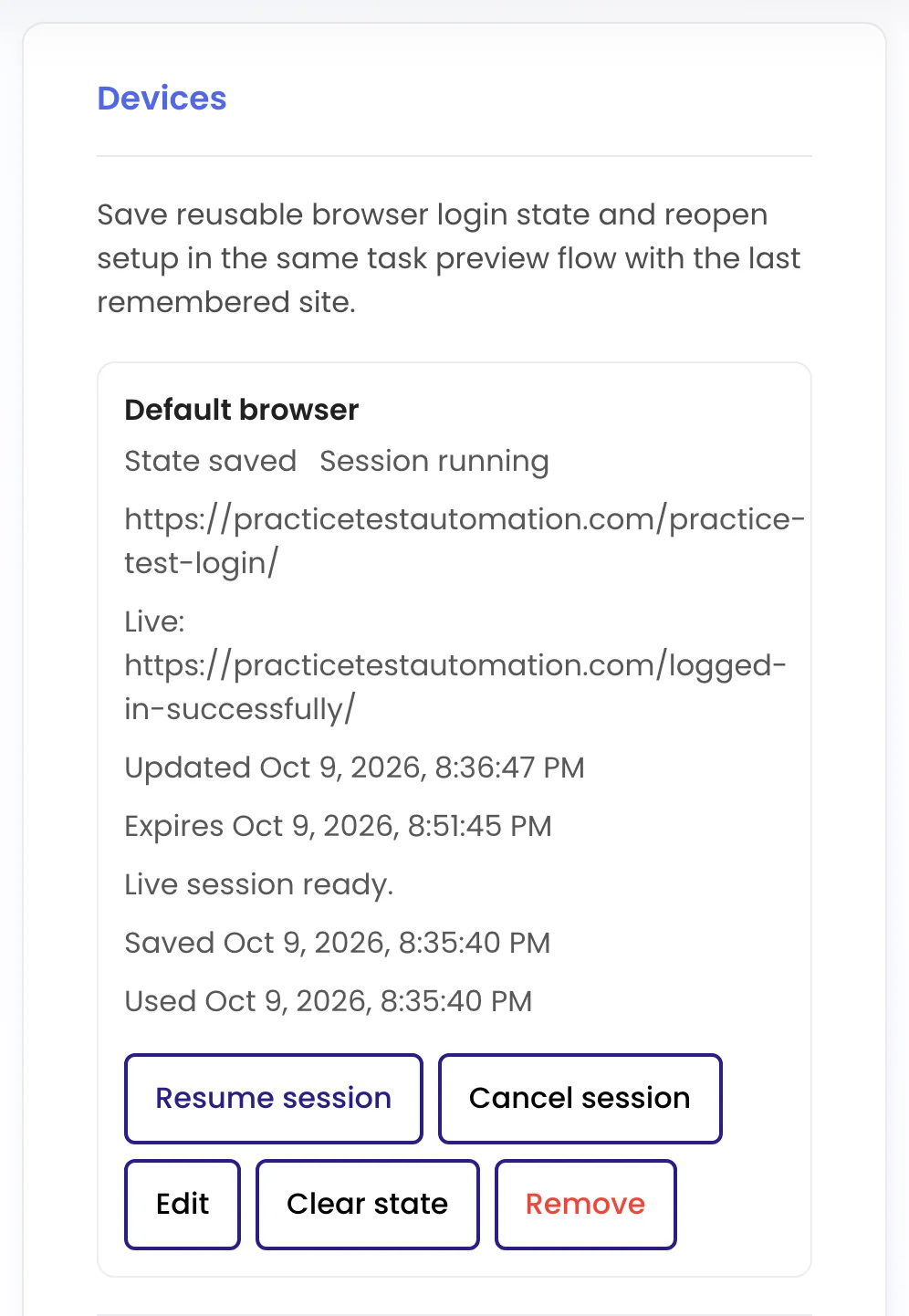
Your account starts with a Default browser. Add more saved logins when different tasks need different accounts on the same site, and pick one for each task on its Advanced tab. Each shows when it was saved and last used, with buttons to resume or clear it.
Or script it
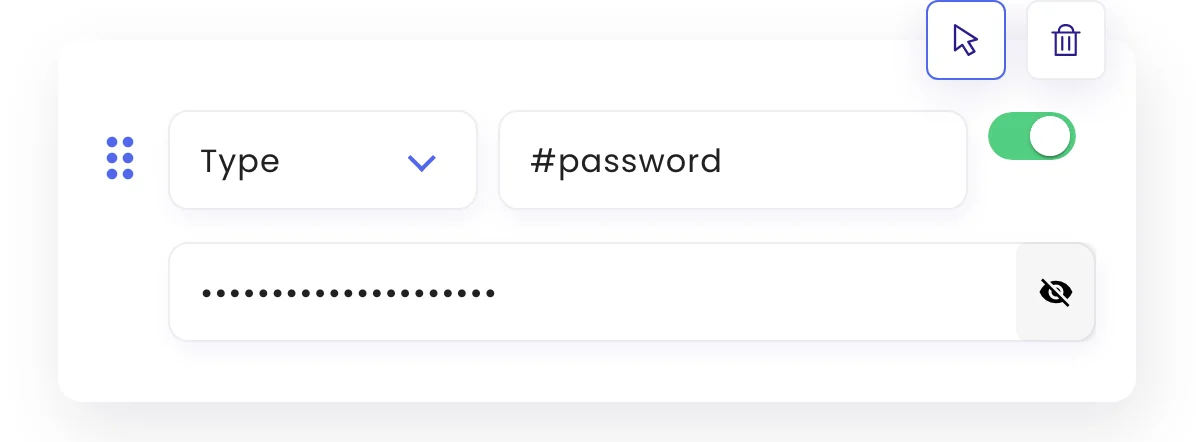
Prefer steps? Type the login, with the password kept private.
A Type step can fill a sign-in form before each check. Mark the field as private and what you type is hidden in the editor and stored encrypted. Scripted logins can’t answer two-factor prompts, which is why the live browser is the usual way.
Examples
Pages only you can see, watched on a schedule.
Each task checks the page signed in, with the session saved in the live browser. Alerts go to the channels you switch on for the task.
-
 Notify me when a new invoice appears in our supplier portal
A new invoice was added: INV-20931, due 14 November Checked signed in, every morning on weekdays.
Notify me when a new invoice appears in our supplier portal
A new invoice was added: INV-20931, due 14 November Checked signed in, every morning on weekdays. Email · finance@company.com
-
Notify me when a members’ price changes on the wholesale price list
SKU 4471 went from £18.40 to £16.90 The public site doesn’t show these prices.
 Slack · #buying
-
Notify me when the commission rate changes on our partner dashboard
Tier 2 commission changed from 20% to 18% Other numbers on the dashboard were left out.
 Microsoft Teams · Partnerships
-
Notify me when an order is waiting for approval in the procurement portal
Order PO-1182 is waiting for your approval The portal itself only emails once a day.
 Telegram · private chat
FAQ
Questions about Authenticated Monitoring
How does Monity stay signed in?
Do I need to give Monity my password?
What about two-factor authentication?
What happens when a site signs me out?
Can different tasks use different accounts?
Which plans include saved logins?
Watch the pages that are only shown to you.
Sign in once in the live browser. Monity keeps the session and checks the page on your schedule.
- Free plan: 3 tasks, no card
- 7-day Business trial
- Every alert channel on every plan