
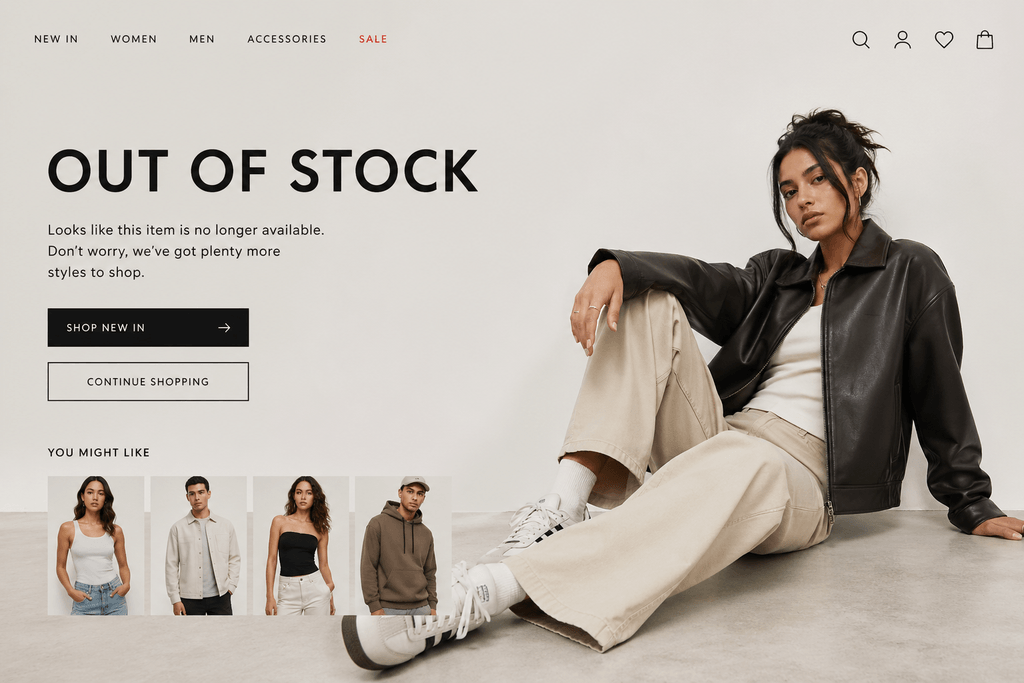
Finding the perfect outfit on ASOS only to see the dreaded "out of stock" label is incredibly frustrating. Popular sizes and trendy items vanish in hours, and manually refreshing the page every day is a waste of your time. If you want to secure those must-have pieces, you need a smarter way to track ASOS item availability without the hassle.
Why you need reliable ASOS back in stock alerts
Fast fashion moves quickly. When a sold-out item makes a return, it is usually in limited quantities. If you are not instantly aware of the restock, someone else will grab it first. Setting up automated ASOS back in stock alerts ensures you are the first to know the moment the inventory updates.
While some platforms offer basic notification tools, they can be slow or require you to check your email constantly. With a dedicated AI-powered website change monitoring tool like monity.ai, you can monitor ASOS product updates in real time and get notified exactly where you prefer to hang out - whether that is Slack, Discord, or your inbox.
How to monitor ASOS restocks using monity.ai
Setting up your own tracking system takes less than a minute. Here is exactly how you can use monity.ai to monitor ASOS restocks and grab your desired items before they sell out again.
Step 1: Grab the product URL
Navigate to the sold-out ASOS item you want to buy. Copy the URL from your browser address bar. Create a free account at monity.ai and paste this link into the new task dashboard.
Step 2: Choose your monitoring mode
monity.ai offers auto,visual, text, and HTML tracking modes. For e-commerce sites like ASOS, auto or text mode is usually the best choice. It focuses specifically on the readable content on the page, easily spotting when "Out of stock" changes to "Add to bag".
Step 3: Tell the AI what you want
This is where monity.ai outshines standard tools. Instead of getting pinged for every minor website update - like a review being added - you can give the AI a specific instruction. Just type a prompt like: "Notify me only when size medium is back in stock" or "Alert me when the out of stock label is removed." The AI will summarize any changes and only trigger an alert when your specific conditions are met.
Step 4: Select your notification channel
Decide how you want to receive your alerts. You can route notifications to your email, a dedicated Slack channel, a Discord server, or even a custom webhook. Each notification includes a concise AI summary, so you instantly know what changed without even clicking the link.
Use browser actions for specific sizes
Sometimes you need to select a size from a dropdown menu before the page reveals if the item is in stock. monity.ai handles this effortlessly. You can set up pre-check browser actions to automatically click the size dropdown and select your specific size before the tool scans the page. This guarantees you are tracking the exact variant you want to purchase.
Start tracking your favorite ASOS items today
Stop wasting time refreshing product pages. Whether you are hunting for a rare sneaker drop, a seasonal coat, or an everyday staple, automation gives you the edge. You can use monity.ai for free - forever - to set up smart alerts and finally get that wardrobe upgrade.
Ready to secure your next purchase? Head over to monity.ai and create your first tracking task today.
Monitor anything at anytime
Never miss anything that matters

Top Articles
71 Shelton Street, Covent Garden, London, WC2H9JQ United Kingdom
© Copyrights Monity.ai, 2025, Inc.